Search Blogs

Showing results for "Objects"

Found 10 results

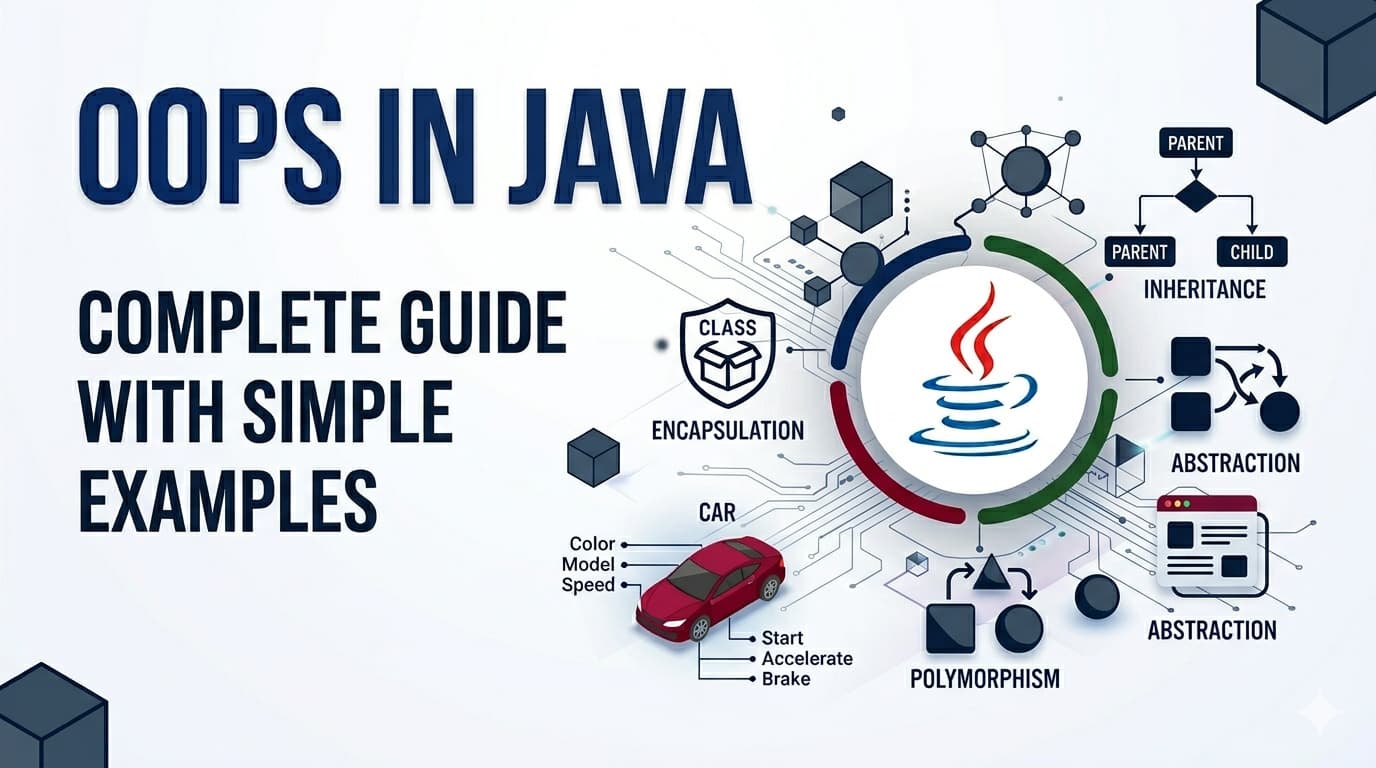
OOPs in Java - Complete Guide With Simple Examples

OOPs in Java - Complete Guide With Simple Examples

IntroductionObject Oriented Programming — or OOPs — is the foundation of Java. Almost every Java program you will ever write or read is built around OOPs concepts. The good news is these concepts are not complicated at all. They are actually modeled after how we think about real life things.By the end of this article you will understand every core OOPs concept clearly — not just enough to answer interview questions, but enough to actually use them confidently in your code.What Is Object Oriented Programming?Before OOPs, programmers wrote procedural code — a long sequence of instructions executed top to bottom. As programs grew bigger, this became a nightmare to manage. You could not organize related data and behavior together, reuse code cleanly, or model real world things naturally.OOPs solved this by organizing code around objects — just like the real world is organized around things. A car, a person, a bank account — each is a thing with properties and behaviors. OOPs lets you model these things directly in code.Java is a purely object oriented language (almost everything in Java is an object). That is why understanding OOPs is not optional in Java — it is essential.Class — The BlueprintA class is a blueprint or template. It defines what properties and behaviors an object of that type will have. The class itself is not an actual thing — it is just the design.Think of a class like an architectural blueprint of a house. The blueprint is not a house. But from one blueprint you can build many houses.class Car { // properties (what a car HAS) String brand; String color; int speed; // behaviors (what a car DOES) void accelerate() { System.out.println(brand + " is speeding up!"); } void brake() { System.out.println(brand + " is slowing down!"); }}Car is the blueprint. It defines that every car has a brand, color, speed, and can accelerate and brake. No actual car exists yet — this is just the design.Object — The Real ThingAn object is an actual instance created from a class. When you create an object, you are building a real house from the blueprint.public class Main { public static void main(String[] args) { // creating objects from the Car class Car car1 = new Car(); car1.brand = "Toyota"; car1.color = "Red"; car1.speed = 120; Car car2 = new Car(); car2.brand = "BMW"; car2.color = "Black"; car2.speed = 200; car1.accelerate(); // Toyota is speeding up! car2.brake(); // BMW is slowing down! }}car1 and car2 are two different objects from the same Car blueprint. Each has its own data but shares the same structure and behaviors.Constructor — The Object InitializerA constructor is a special method that runs automatically when an object is created. It is used to set initial values.class Car { String brand; String color; int speed; // constructor — same name as class, no return type Car(String brand, String color, int speed) { this.brand = brand; this.color = color; this.speed = speed; } void accelerate() { System.out.println(brand + " is speeding up!"); }}// Now creating objects is cleanerCar car1 = new Car("Toyota", "Red", 120);Car car2 = new Car("BMW", "Black", 200);The this keyword refers to the current object — it distinguishes between the parameter brand and the object's field brand.The Four Pillars of OOPsEverything in OOPs builds on four core concepts. These are what interviewers ask about and what real code is organized around.Pillar 1: Encapsulation — Wrapping and Protecting DataEncapsulation means bundling data (fields) and the methods that work on that data together in one class — and controlling access from outside.Think of a capsule pill. The medicine inside is protected by the outer shell. You do not mess with the medicine directly — you just swallow the capsule.In Java, encapsulation is achieved using access modifiers (private, public) and getters/setters.class BankAccount { private double balance; // private — no direct access from outside private String owner; BankAccount(String owner, double initialBalance) { this.owner = owner; this.balance = initialBalance; } // getter — read the balance public double getBalance() { return balance; } // setter with validation — controlled access public void deposit(double amount) { if (amount > 0) { balance += amount; System.out.println("Deposited: " + amount); } else { System.out.println("Invalid amount!"); } } public void withdraw(double amount) { if (amount > 0 && amount <= balance) { balance -= amount; } else { System.out.println("Insufficient funds!"); } }}BankAccount account = new BankAccount("Alice", 1000);// account.balance = -5000; // ERROR — private, cannot access directlyaccount.deposit(500); // controlled access through methodSystem.out.println(account.getBalance()); // 1500.0Why encapsulation matters: Without it, anyone could set balance = -999999 directly. With it, you control exactly how data can be changed — protecting your object's integrity.Pillar 2: Inheritance — Reusing Code Through Parent-Child RelationshipInheritance allows one class to acquire the properties and behaviors of another class. The child class gets everything the parent has and can add its own things on top.Think of it like genetics. A child inherits traits from their parents but also develops their own unique characteristics.In Java, inheritance uses the extends keyword.// Parent classclass Animal { String name; Animal(String name) { this.name = name; } void eat() { System.out.println(name + " is eating."); } void sleep() { System.out.println(name + " is sleeping."); }}// Child class inherits from Animalclass Dog extends Animal { String breed; Dog(String name, String breed) { super(name); // calls Animal's constructor this.breed = breed; } // Dog's own behavior void bark() { System.out.println(name + " says: Woof!"); }}class Cat extends Animal { Cat(String name) { super(name); } void meow() { System.out.println(name + " says: Meow!"); }}Dog dog = new Dog("Buddy", "Labrador");dog.eat(); // inherited from Animal — Buddy is eating.dog.sleep(); // inherited from Animal — Buddy is sleeping.dog.bark(); // Dog's own method — Buddy says: Woof!Cat cat = new Cat("Whiskers");cat.eat(); // inherited — Whiskers is eating.cat.meow(); // Cat's own — Whiskers says: Meow!super() calls the parent class constructor. super.methodName() calls a parent class method.Why inheritance matters: You write eat() and sleep() once in Animal and every animal class gets them for free. No repetition, clean organization.Pillar 3: Polymorphism — One Interface, Many FormsPolymorphism means the same method name behaves differently depending on the object calling it. It comes in two flavors.The word itself means "many forms" — same action, different results based on who is doing it.Think of a "speak" command given to different animals. You tell a dog to speak — it barks. You tell a cat to speak — it meows. Same command, different behavior.Method Overriding (Runtime Polymorphism)A child class provides its own version of a method already defined in the parent class.class Animal { String name; Animal(String name) { this.name = name; } void makeSound() { System.out.println(name + " makes a sound."); }}class Dog extends Animal { Dog(String name) { super(name); } @Override void makeSound() { System.out.println(name + " says: Woof!"); }}class Cat extends Animal { Cat(String name) { super(name); } @Override void makeSound() { System.out.println(name + " says: Meow!"); }}class Cow extends Animal { Cow(String name) { super(name); } @Override void makeSound() { System.out.println(name + " says: Moo!"); }}Animal[] animals = { new Dog("Buddy"), new Cat("Whiskers"), new Cow("Bella")};for (Animal a : animals) { a.makeSound(); // different behavior for each!}// Buddy says: Woof!// Whiskers says: Meow!// Bella says: Moo!Same makeSound() call on an Animal reference — but the actual behavior depends on what the object really is at runtime. That is runtime polymorphism.Method Overloading (Compile-Time Polymorphism)Same method name, different parameters in the same class.class Calculator { int add(int a, int b) { return a + b; } double add(double a, double b) { return a + b; } int add(int a, int b, int c) { return a + b + c; }}Calculator calc = new Calculator();calc.add(2, 3); // calls first method — 5calc.add(2.5, 3.5); // calls second method — 6.0calc.add(1, 2, 3); // calls third method — 6Java decides which version to call at compile time based on the argument types and count.Pillar 4: Abstraction — Hiding Complexity, Showing EssentialsAbstraction means showing only the necessary details to the user and hiding the internal complexity. You expose what something does, not how it does it.Think of driving a car. You know the steering wheel turns the car and the pedal accelerates it. You do not need to know how the engine combustion works internally. The complexity is hidden — only what you need to use is exposed.Java achieves abstraction through abstract classes and interfaces.Abstract ClassAn abstract class cannot be instantiated directly. It can have abstract methods (no body — child must implement) and regular methods (with body).abstract class Shape { String color; Shape(String color) { this.color = color; } // abstract method — no body, child MUST implement abstract double calculateArea(); // regular method — shared behavior void displayColor() { System.out.println("Color: " + color); }}class Circle extends Shape { double radius; Circle(String color, double radius) { super(color); this.radius = radius; } @Override double calculateArea() { return Math.PI * radius * radius; }}class Rectangle extends Shape { double width, height; Rectangle(String color, double width, double height) { super(color); this.width = width; this.height = height; } @Override double calculateArea() { return width * height; }}Shape circle = new Circle("Red", 5);Shape rect = new Rectangle("Blue", 4, 6);circle.displayColor(); // Color: RedSystem.out.println(circle.calculateArea()); // 78.53...System.out.println(rect.calculateArea()); // 24.0InterfaceAn interface is a 100% abstract contract — it only defines what methods a class must have, with no implementation (in older Java). A class can implement multiple interfaces.interface Flyable { void fly(); // every class implementing this MUST define fly()}interface Swimmable { void swim();}class Duck implements Flyable, Swimmable { @Override public void fly() { System.out.println("Duck is flying!"); } @Override public void swim() { System.out.println("Duck is swimming!"); }}Duck duck = new Duck();duck.fly(); // Duck is flying!duck.swim(); // Duck is swimming!Key difference between abstract class and interface:A class can extend only one abstract class but can implement multiple interfaces. Use abstract class when classes share common code. Use interface when you want to define a contract that unrelated classes can follow.Access Modifiers — Quick ReferenceAccess modifiers control who can access your class members:ModifierSame ClassSame PackageSubclassEverywhereprivate✅❌❌❌default✅✅❌❌protected✅✅✅❌public✅✅✅✅General rule — make fields private, make methods public unless there is a reason not to. This is encapsulation in practice.Quick Summary — All OOPs Concepts in One PlaceClass — Blueprint/template that defines structure and behaviorObject — Real instance created from a class using newConstructor — Special method that initializes an object when createdEncapsulation — Bundle data and methods together, control access with private/publicInheritance — Child class gets parent's properties and behaviors using extendsPolymorphism — Same method name behaves differently (overriding = runtime, overloading = compile time)Abstraction — Hide complexity, show only essentials using abstract class or interfaceFAQs — People Also AskQ1. What is the difference between a class and an object in Java? A class is the blueprint — it defines structure but does not exist in memory as a usable thing. An object is a real instance created from that blueprint using new. You can create many objects from one class, just like building many houses from one blueprint.Q2. What is the difference between abstract class and interface in Java? An abstract class can have both abstract (no body) and concrete (with body) methods, and a class can extend only one. An interface traditionally has only abstract methods and a class can implement multiple interfaces. Use abstract class for shared code, interface for defining contracts.Q3. What is the difference between method overriding and overloading? Overriding happens in a parent-child relationship — the child redefines a parent method with the same name and parameters. Overloading happens in the same class — same method name but different parameters. Overriding is resolved at runtime, overloading at compile time.Q4. Why is OOPs important in Java? Java is built entirely around OOPs. Every piece of Java code lives inside a class. OOPs enables code reuse through inheritance, data protection through encapsulation, flexibility through polymorphism, and simplicity through abstraction — all essential for building large, maintainable applications.ConclusionOOPs in Java is not a collection of confusing terms — it is a natural way of thinking about and organizing code. Classes are blueprints, objects are real things, encapsulation protects data, inheritance reuses code, polymorphism provides flexibility, and abstraction hides complexity.Once these four pillars feel natural, you will start seeing them everywhere — in every Java library, every framework, every codebase. That is when Java truly starts to click.
OOPsJavaClassesObjectsInheritancePolymorphismEncapsulationAbstraction
LeetCode 1047: Remove All Adjacent Duplicates In String — Java Solution With All Approaches Explained

LeetCode 1047: Remove All Adjacent Duplicates In String — Java Solution With All Approaches Explained

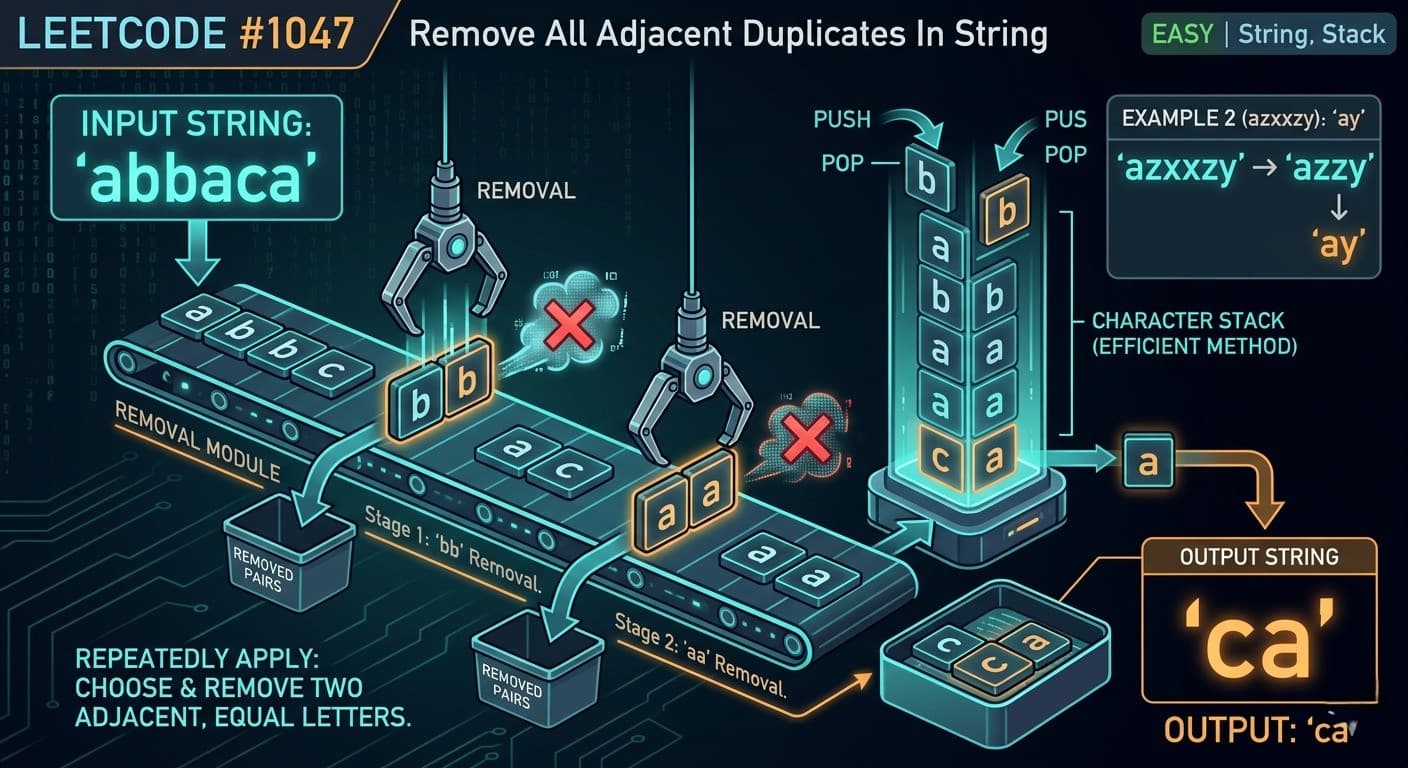
Introduction: What Is LeetCode 1047 Remove All Adjacent Duplicates In String?If you are grinding LeetCode for coding interviews at companies like Google, Amazon, or Microsoft, LeetCode 1047 Remove All Adjacent Duplicates In String is a problem you cannot skip. It is one of the most elegant examples of the stack simulation pattern and appears frequently as a warmup or follow-up question in technical rounds.In this article we will cover everything you need — plain English explanation, real life analogy, 3 Java approaches with dry runs, complexity analysis, common mistakes, FAQs, and similar problems to practice next.Here is the problem link-: Leetcode 1047 What Is the Problem Really Asking?You are given a string. Keep scanning it and whenever you find two same letters sitting next to each other, remove both of them. After removing, the letters around them might now become adjacent and form a new pair — so you keep doing this until no more adjacent duplicates exist.Example walkthrough for "abbaca":"abbaca" → bb are adjacent duplicates → remove → "aaca""aaca" → aa are adjacent duplicates → remove → "ca""ca" → no adjacent duplicates → done!✅ Output: "ca"Real Life Analogy — Think of Popping BubblesImagine a row of colored bubbles. Whenever two bubbles of the same color are next to each other, they pop and disappear. After they pop, the bubbles on either side might now touch each other — and if they are the same color, they pop too! You keep going until no two same-colored bubbles are touching.That chain reaction is exactly what this problem simulates. And the best tool to handle that chain reaction? A stack.Approach 1: Brute Force (Beginner Friendly)The IdeaScan the string repeatedly. Every time you find two adjacent equal characters, remove them. Keep doing this until a full pass finds nothing to remove.public String removeDuplicates(String s) { StringBuilder sb = new StringBuilder(s); boolean found = true; while (found) { found = false; for (int i = 0; i < sb.length() - 1; i++) { if (sb.charAt(i) == sb.charAt(i + 1)) { sb.deleteCharAt(i); sb.deleteCharAt(i); found = true; break; } } } return sb.toString();}This is easy to understand but very slow. For each pair found, you restart the entire scan. With n up to 100,000, this will get Time Limit Exceeded on LeetCode. Use it only to build intuition.Time Complexity: O(n²) — repeated passes over the string Space Complexity: O(n) — StringBuilder storageApproach 2: Stack Based Solution (Classic Interview Approach)The IdeaA stack is perfect here because of one key observation — when you remove a pair, the character that was before the pair is now adjacent to the character after the pair. That is a Last In First Out situation, which is exactly what a stack handles naturally.Algorithm:If the current character matches the top of the stack → pop (they cancel each other)Otherwise → push the current character onto the stackAt the end, the stack contains your final answerpublic String removeDuplicates(String s) { Stack<Character> st = new Stack<>(); StringBuilder sb = new StringBuilder(); for (int i = 0; i < s.length(); i++) { char c = s.charAt(i); if (!st.empty() && c == st.peek()) { st.pop(); // adjacent duplicate found, cancel both } else { st.push(c); } } while (!st.empty()) { sb.append(st.pop()); } return sb.reverse().toString();}Dry Run — "abbaca"We go character by character and check against the top of the stack:a → stack empty, push → stack: [a]b → top is a, not equal, push → stack: [a, b]b → top is b, equal! pop → stack: [a]a → top is a, equal! pop → stack: []c → stack empty, push → stack: [c]a → top is c, not equal, push → stack: [c, a]Stack remaining: [c, a] → reverse → ✅ "ca"Notice how after removing bb, the two as automatically become adjacent and get caught — the stack handles this chain reaction naturally without any extra logic!Time Complexity: O(n) — single pass through the string Space Complexity: O(n) — stack holds up to n charactersApproach 3: StringBuilder as Stack (Optimal Solution) ✅The IdeaThis is your own solution and the best one! Instead of using a separate Stack<Character>, we use StringBuilder itself as a stack:sb.append(c) acts as pushsb.deleteCharAt(sb.length() - 1) acts as popsb.charAt(sb.length() - 1) acts as peekNo extra data structure, no boxing of char into Character objects, and no reversal needed at the end. Clean, fast, and minimal.public String removeDuplicates(String s) { StringBuilder sb = new StringBuilder(); for (int i = 0; i < s.length(); i++) { char c = s.charAt(i); if (sb.length() != 0 && c == sb.charAt(sb.length() - 1)) { sb.deleteCharAt(sb.length() - 1); // adjacent duplicate, remove both } else { sb.append(c); } } return sb.toString();}Dry Run — "azxxzy"a → sb empty, append → "a"z → last char is a, not equal, append → "az"x → last char is z, not equal, append → "azx"x → last char is x, equal! delete → "az"z → last char is z, equal! delete → "a"y → last char is a, not equal, append → "ay"✅ Final Answer: "ay"Again, notice the chain reaction — after xx was removed, z and z became adjacent and got removed too. The StringBuilder handles this perfectly in a single pass!Time Complexity: O(n) — one pass, every character processed exactly once Space Complexity: O(n) — StringBuilder storageWhy StringBuilder Beats Stack in JavaWhen you use Stack<Character> in Java, every char primitive gets auto-boxed into a Character object. That means extra memory allocation for every single character. With StringBuilder, you work directly on the underlying char array — faster and leaner. Plus you skip the reversal step entirely.For an interview, the Stack approach is great for explaining your thought process clearly. But for the final submitted solution, StringBuilder is the way to go.Common Mistakes to AvoidNot checking sb.length() != 0 before peeking If the StringBuilder is empty and you call sb.charAt(sb.length() - 1), you will get a StringIndexOutOfBoundsException. Always guard this check — even if the problem guarantees valid input, it shows clean coding habits.Thinking you need multiple passes Many beginners think you need to scan the string multiple times because of chain reactions. The stack handles chain reactions automatically in a single pass. Trust the process!Forgetting to reverse when using Stack Since a stack gives you characters in reverse order when you pop them, you must call .reverse() at the end. With StringBuilder you do not need this.How This Fits Into the Stack Simulation PatternBy now you might be noticing a theme across multiple problems:LeetCode 3174 Clear Digits — digit acts as backspace, deletes closest left non-digit LeetCode 2390 Removing Stars — star acts as backspace, deletes closest left non-star LeetCode 1047 Remove Adjacent Duplicates — character cancels itself if it matches the top of stackAll three use the exact same StringBuilder-as-stack pattern. The only difference is the condition that triggers a deletion. This is why pattern recognition is the real skill — once you internalize this pattern, you can solve a whole family of problems in minutes.FAQs — People Also AskQ1. What is the best approach for LeetCode 1047 in Java? The StringBuilder approach is the best. It runs in O(n) time, uses O(n) space, requires no extra data structure, and avoids the reversal step needed with a Stack.Q2. Why does a stack work for removing adjacent duplicates? Because whenever you remove a pair, the characters around them become the new neighbors. A stack naturally keeps track of the most recently seen character, so it catches these chain reactions without any extra logic.Q3. What is the time complexity of LeetCode 1047? The optimal solution runs in O(n) time and O(n) space, where n is the length of the input string.Q4. Is LeetCode 1047 asked in coding interviews? Yes, it is commonly asked as a warmup problem or follow-up at companies like Google, Amazon, and Adobe. It tests your understanding of stack-based string manipulation.Q5. What is the difference between LeetCode 1047 and LeetCode 1209? LeetCode 1047 removes pairs of adjacent duplicates. LeetCode 1209 is the harder version — it removes groups of k adjacent duplicates, requiring you to store counts alongside characters in the stack.Similar LeetCode Problems to Practice Next2390. Removing Stars From a String — Medium — star as backspace3174. Clear Digits — Easy — digit as backspace844. Backspace String Compare — Easy — compare two strings after backspaces1209. Remove All Adjacent Duplicates in String II — Medium — harder version with k duplicates735. Asteroid Collision — Medium — stack simulation with collision logicConclusionLeetCode 1047 Remove All Adjacent Duplicates In String is a beautiful problem that teaches you one of the most powerful and reusable patterns in DSA — stack simulation. The moment you spot that a removal can cause a chain reaction of more removals, you know a stack is your best friend.The StringBuilder solution is clean, optimal, and interview-ready. Master it, understand why it works, and you will be able to tackle the entire family of stack simulation problems with confidence.Found this helpful? Share it with friends preparing for coding interviews

LeetCodeJavaStackStringEasy
LeetCode 2390: Removing Stars From a String — Java Solution With All Approaches Explained

LeetCode 2390: Removing Stars From a String — Java Solution With All Approaches Explained

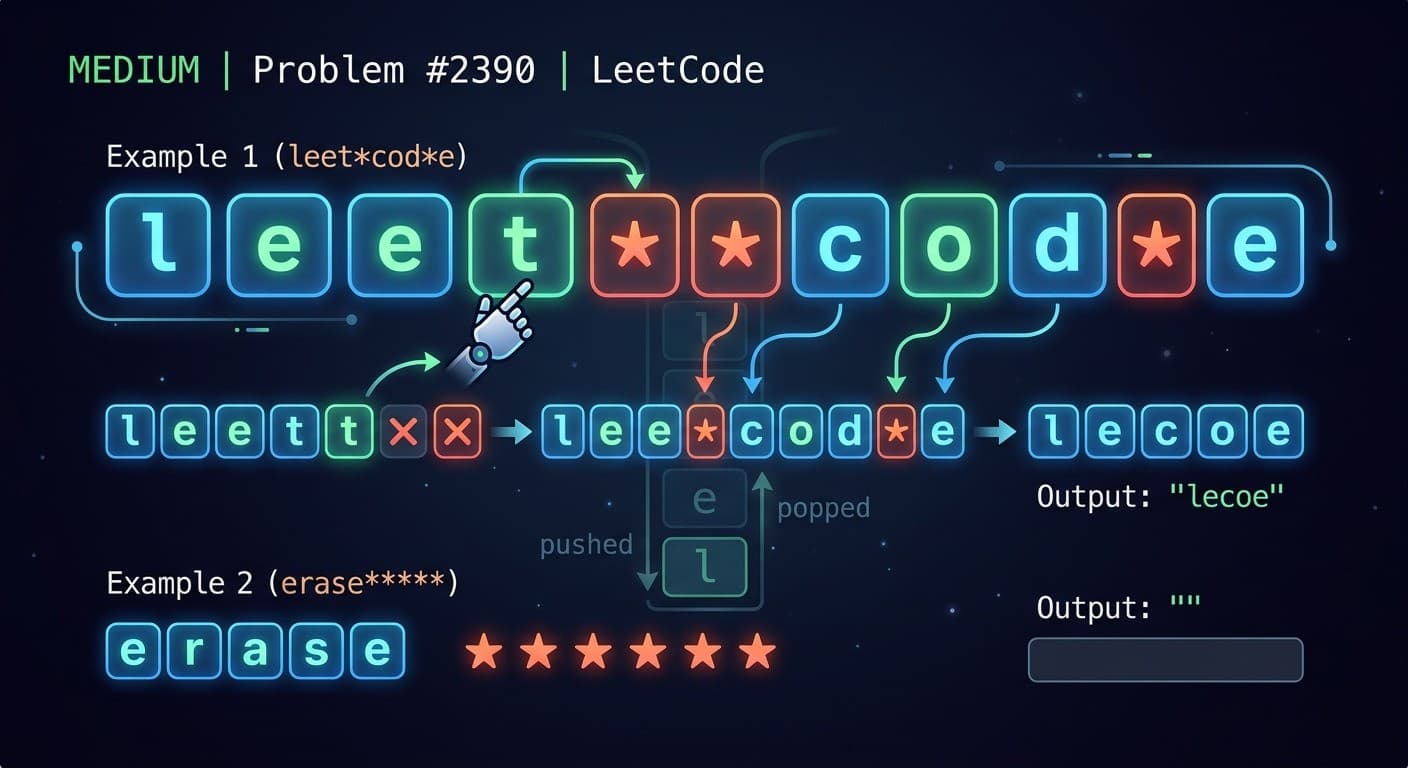
Introduction: What Is LeetCode 2390 Removing Stars From a String?If you are preparing for coding interviews at companies like Google, Amazon, or Microsoft, LeetCode 2390 Removing Stars From a String is a must-solve problem. It tests your understanding of the stack data structure and string manipulation — two of the most frequently tested topics in technical interviews.In this article, we will cover:What the problem is asking in plain English3 different Java approaches (Brute Force, Stack, StringBuilder)Step-by-step dry run with examplesTime and space complexity for each approachCommon mistakes to avoidFAQs that appear in Google's People Also AskLet's dive in!Problem Statement SummaryYou are given a string s containing lowercase letters and stars *. In one operation:Choose any * in the stringRemove the * itself AND the closest non-star character to its leftRepeat until all stars are removed and return the final string.Example:Input: s = "leet**cod*e"Output: "lecoe"Real Life Analogy — Think of It as a Backspace KeyImagine you are typing on a keyboard. Every * acts as your backspace key — it deletes itself and the character just before it.You type "leet" and press backspace twice:Backspace 1 → deletes t → "lee"Backspace 2 → deletes e → "le"That is exactly what this problem simulates! Once you see it this way, the solution becomes very obvious.Approach 1: Brute Force Simulation (Beginner Friendly)IdeaDirectly simulate the process the problem describes:Scan the string from left to rightFind the first *Remove it and the character just before itRepeat until no stars remainJava Codepublic String removeStars(String s) {StringBuilder sb = new StringBuilder(s);int i = 0;while (i < sb.length()) {if (sb.charAt(i) == '*') {sb.deleteCharAt(i); // remove the starif (i > 0) {sb.deleteCharAt(i - 1); // remove closest left characteri--;}} else {i++;}}return sb.toString();}Time and Space ComplexityComplexityValueReasonTimeO(n²)Each deletion shifts all remaining charactersSpaceO(n)StringBuilder storage⚠️ Important WarningThis problem has n up to 100,000. Brute force will get Time Limit Exceeded (TLE) on LeetCode. Use this only to understand the concept, never in production or interviews.Approach 2: Stack Based Solution (Interview Favorite)IdeaA stack is the perfect data structure here because:We always remove the most recently added letter when a * appearsThat is the definition of Last In First Out (LIFO) — exactly what a stack doesAlgorithm:Letter → push onto stack* → pop from stack (removes closest left character)At the end, build result from stack contentsJava Codepublic String removeStars(String s) {Stack<Character> st = new Stack<>();for (int i = 0; i < s.length(); i++) {char c = s.charAt(i);if (c == '*') {if (!st.empty()) {st.pop();}} else {st.push(c);}}StringBuilder sb = new StringBuilder();while (!st.empty()) {sb.append(st.pop());}return sb.reverse().toString();}Step-by-Step Dry Run — "leet**cod*e"StepCharacterActionStack State1lpush[l]2epush[l,e]3epush[l,e,e]4tpush[l,e,e,t]5*pop t[l,e,e]6*pop e[l,e]7cpush[l,e,c]8opush[l,e,c,o]9dpush[l,e,c,o,d]10*pop d[l,e,c,o]11epush[l,e,c,o,e]✅ Final Answer: "lecoe"Time and Space ComplexityComplexityValueReasonTimeO(n)Single pass through the stringSpaceO(n)Stack holds up to n charactersApproach 3: StringBuilder as Stack (Optimal Solution) ✅IdeaThis is the best and most optimized approach. A StringBuilder can act as a stack:append(c) → works like pushdeleteCharAt(sb.length() - 1) → works like popNo reverse needed at the end unlike the Stack approachJava Codepublic String removeStars(String s) {StringBuilder sb = new StringBuilder();for (int i = 0; i < s.length(); i++) {char c = s.charAt(i);if (c == '*') {if (sb.length() > 0) {sb.deleteCharAt(sb.length() - 1);}} else {sb.append(c);}}return sb.toString();}Step-by-Step Dry Run — "erase*****"StepCharacterActionStringBuilder1eappend"e"2rappend"er"3aappend"era"4sappend"eras"5eappend"erase"6*delete last"eras"7*delete last"era"8*delete last"er"9*delete last"e"10*delete last""✅ Final Answer: ""Why StringBuilder Beats Stack in JavaFactorStack<Character>StringBuilderMemoryBoxes char → Character objectWorks on primitives directlyReverse neededYesNoCode lengthMore verboseCleaner and shorterPerformanceSlightly slowerFasterTime and Space ComplexityComplexityValueReasonTimeO(n)One pass, each character processed onceSpaceO(n)StringBuilder storageAll Approaches Comparison TableApproachTimeSpacePasses LeetCode?Best ForBrute ForceO(n²)O(n)❌ TLEUnderstanding conceptStackO(n)O(n)✅ YesInterview explanationStringBuilderO(n)O(n)✅ YesBest solutionHow This Relates to LeetCode 3174 Clear DigitsIf you have already solved LeetCode 3174 Clear Digits, you will notice this problem is nearly identical:Feature3174 Clear Digits2390 Removing StarsTriggerDigit 0-9Star *RemovesClosest left non-digitClosest left non-starDifficultyEasyMediumBest approachStringBuilderStringBuilderThe exact same solution pattern works for both. This is why learning patterns matters more than memorizing individual solutions!Common Mistakes to Avoid1. Not checking sb.length() > 0 before deleting Even though the problem guarantees valid input, always add this guard. It shows clean, defensive coding in interviews.2. Forgetting to reverse when using Stack Stack gives you characters in reverse order. If you forget .reverse(), your answer will be backwards.3. Using Brute Force for large inputs With n up to 100,000, O(n²) will time out. Always use the O(n) approach.FAQs — People Also AskQ1. What data structure is best for LeetCode 2390? A Stack or StringBuilder used as a stack is the best data structure. Both give O(n) time complexity. StringBuilder is slightly more optimal in Java because it avoids object boxing overhead.Q2. Why does a star remove the closest left character? Because the problem defines it that way — think of * as a backspace key on a keyboard. It always deletes the character immediately before the cursor position.Q3. What is the time complexity of LeetCode 2390? The optimal solution runs in O(n) time and O(n) space, where n is the length of the input string.Q4. Is LeetCode 2390 asked in Google interviews? Yes, this type of stack simulation problem is commonly asked at Google, Amazon, Microsoft, and Meta interviews as it tests understanding of LIFO operations and string manipulation.Q5. What is the difference between LeetCode 2390 and LeetCode 844? Both use the same backspace simulation pattern. In 844 Backspace String Compare, # is the backspace character and you compare two strings. In 2390, * is the backspace and you return the final string.Similar LeetCode Problems to Practice NextProblemDifficultyPattern844. Backspace String CompareEasyStack simulation1047. Remove All Adjacent Duplicates In StringEasyStack simulation3174. Clear DigitsEasyStack simulation20. Valid ParenthesesEasyClassic stack735. Asteroid CollisionMediumStack simulationConclusionLeetCode 2390 Removing Stars From a String is a classic stack simulation problem that every developer preparing for coding interviews should master. The key insight is recognizing that * behaves exactly like a backspace key, which makes a stack or StringBuilder the perfect tool.Quick Recap:Brute force works conceptually but TLEs on large inputsStack solution is clean and great for explaining in interviewsStringBuilder solution is the most optimal in Java — no boxing, no reversal

StringStackMediumLeetCode
Sort Colors

Sort Colors

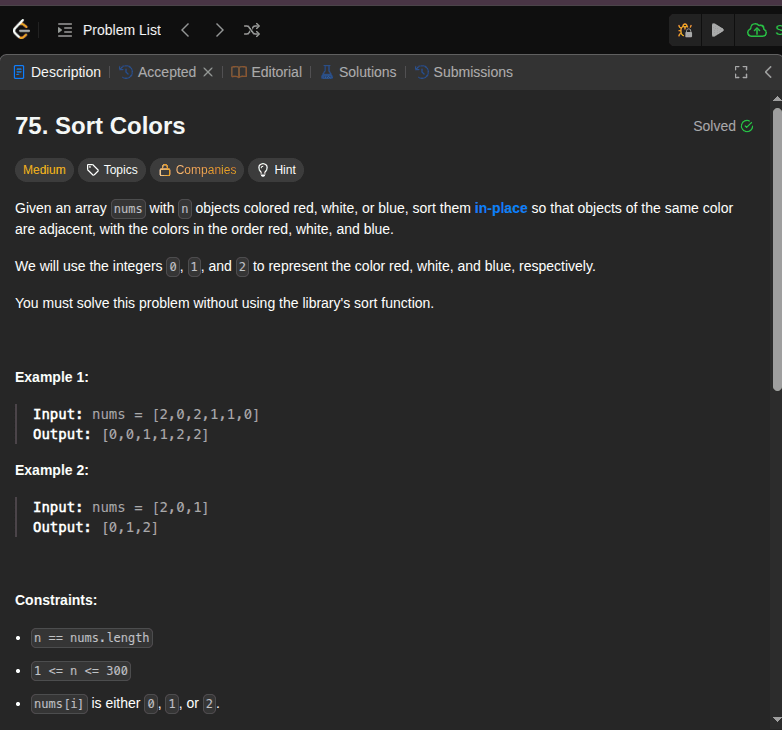
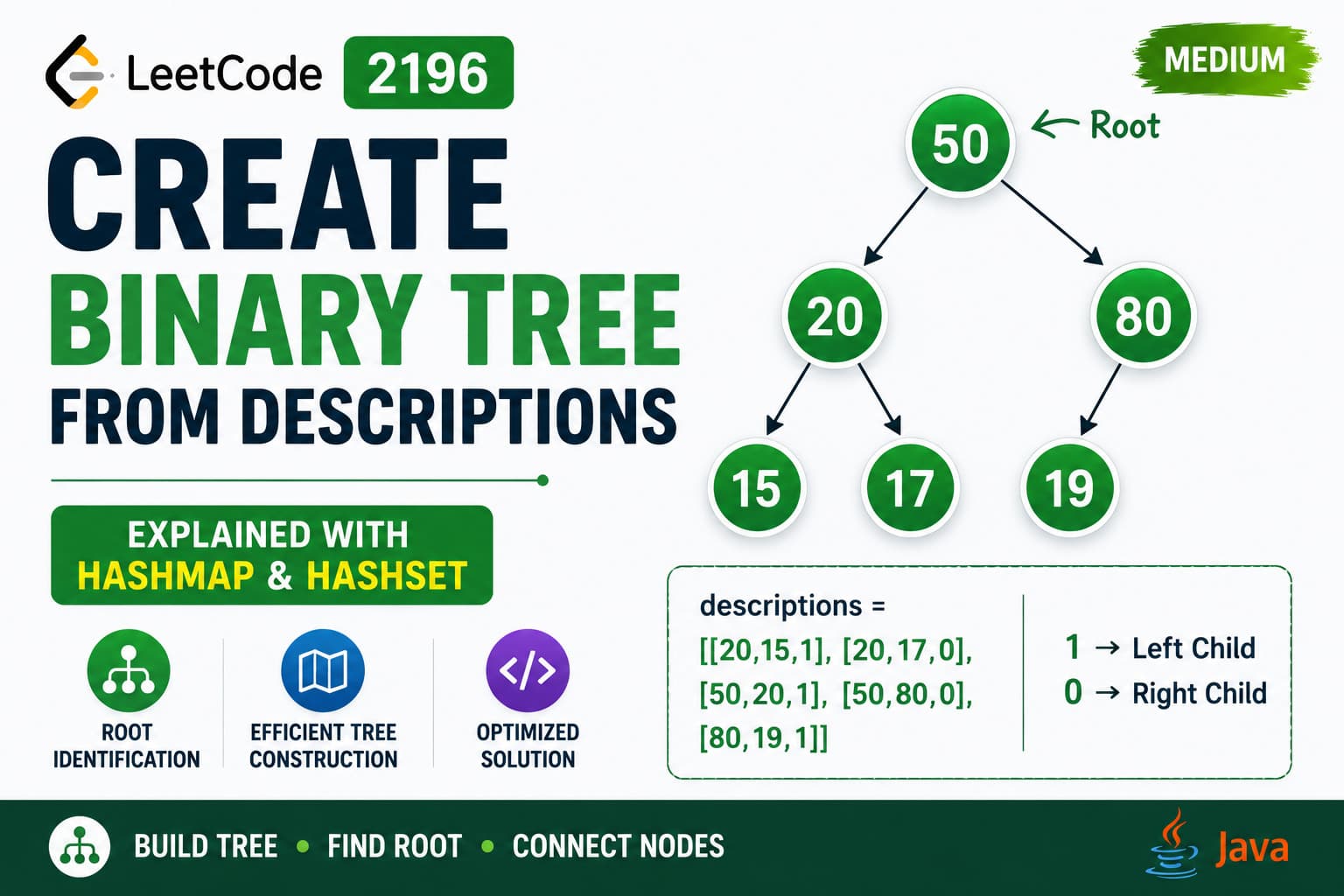
LeetCode Problem 75 Link of the Problem to try -: LinkProblem Statement :- Given an array nums with n objects colored red, white, or blue, sort them in-place so that objects of the same color are adjacent, with the colors in the order red, white, and blue.We will use the integers 0, 1, and 2 to represent the color red, white, and blue, respectively.Example 1:Input: nums = [2,0,2,1,1,0]Output: [0,0,1,1,2,2]Example 2:Input: nums = [2,0,1]Output: [0,1,2]You must solve this problem without using the library's sort function.My Approach (1)I have solved this question via my approach by counting frequency of each element like 0,1 and 2 as I avoid to use nested loops but i used for loops multiple times but as loops are used in a constant space of time that's why they did not increases the time complexity that's why my solution time complexity is O(n) even though I need to traverse array multiple time.Here is the Approach:int zeroCounter= 0;int oneCounter = 0;int twoCounter=0;int counter =0;for(int i =0; i< nums.length; i++){if(nums[i] == 0){zeroCounter++;}else if(nums[i] == 1){oneCounter++;}else{twoCounter++;}}for(int i=0; i<zeroCounter;i++){nums[i] = 0;counter++;}for(int i=0; i<oneCounter;i++){nums[counter] = 1;counter++;}for(int i=0; i<twoCounter;i++){nums[counter] = 2;counter++;}My Approach (2)This approach uses a algorithm called DNF (Dutch National Flag) Algorithm in this algorithm we have to focus on two elements out of three and make sure those two element are on the correct place as the last one came automatically to the correct position even though my approach(1) is uses loops multiple time but this approach is also take O(n) time complexity but uses loop one time that's why this approach is far cleaner than approach (1).int low =0;int high= nums.length-1;int curr =0;while(curr <= high){if(nums[curr] == 0){int temp = nums[low];nums[low] = nums[curr];nums[curr] = temp;low++;curr++;}else if( nums[curr] == 1){curr++;}else{int temp = nums[curr];nums[curr] = nums[high];nums[high] = temp;high--;}}

LeetCodeMediumTwo PointerDutchman Flag Algorithm
Range Sum Query - Immutable

Range Sum Query - Immutable

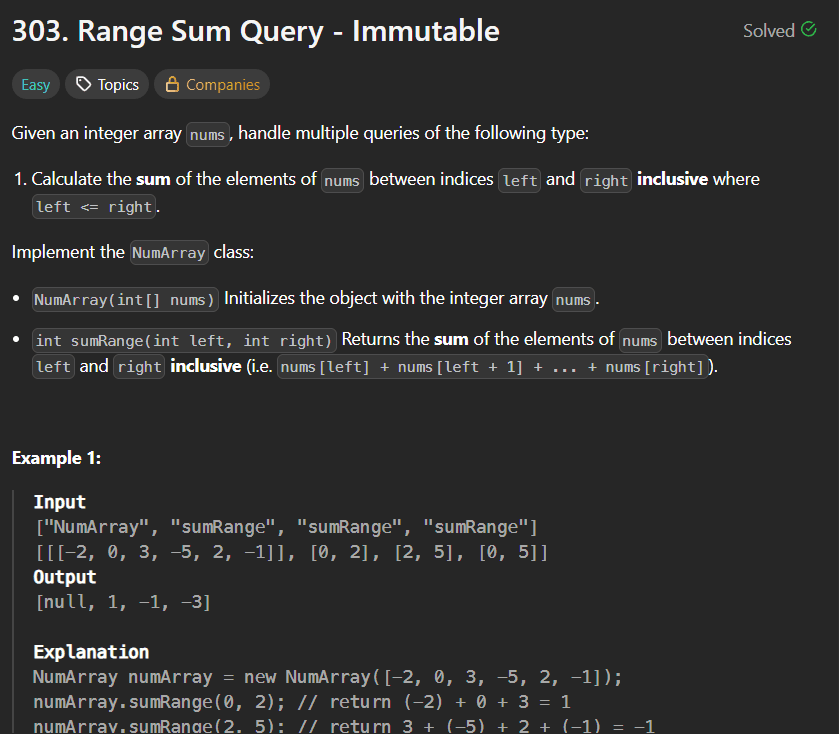
LeetCode Problem 303Link of the Problem to try -: LinkGiven an integer array nums, handle multiple queries of the following type:Calculate the sum of the elements of nums between indices left and right inclusive where left <= right.Implement the NumArray class:NumArray(int[] nums) Initializes the object with the integer array nums.int sumRange(int left, int right) Returns the sum of the elements of nums between indices left and right inclusive (i.e. nums[left] + nums[left + 1] + ... + nums[right]).Example 1:Input["NumArray", "sumRange", "sumRange", "sumRange"][[[-2, 0, 3, -5, 2, -1]], [0, 2], [2, 5], [0, 5]]Output[null, 1, -1, -3]ExplanationNumArray numArray = new NumArray([-2, 0, 3, -5, 2, -1]);numArray.sumRange(0, 2); // return (-2) + 0 + 3 = 1numArray.sumRange(2, 5); // return 3 + (-5) + 2 + (-1) = -1numArray.sumRange(0, 5); // return (-2) + 0 + 3 + (-5) + 2 + (-1) = -3Constraints:1 <= nums.length <= 104-105 <= nums[i] <= 1050 <= left <= right < nums.lengthAt most 104 calls will be made to sumRange.Solution:Efficient Range Sum Queries using Prefix SumsWhile this problem may initially seem challenging, the solution is remarkably elegant. The key is to shift the heavy lifting from the query phase to the initialization phase using a Prefix Sum array.The StrategyInstead of calculating the sum from scratch every time a range is requested, we use two steps:The Constructor: During initialization, we create a Prefix Sum array. Each index i in this new array stores the cumulative sum of all elements from the beginning of the original array up to i.The sumRange Method: To find the sum between a left and right pointer, we simply use the precalculated values. The sum of the range is calculated as:Sum(left, right) = PrefixSum[right] - PrefixSum[left - 1]Why This is BetterBy pre-calculating the sums in the constructor, we transform the sumRange operation from a slow O(n) search into a lightning-fast O(1) constant-time lookup. This approach is highly efficient for applications where the data remains the same but the number of queries is high.Code:class NumArray {int[] ans ;public NumArray(int[] nums) {ans = new int[nums.length];int pre =0;for(int i=0;i<nums.length;i++){pre += nums[i];ans[i] = pre;}}public int sumRange(int left, int right) {if(left == 0) return ans[right];return ans[right]-ans[left-1];}}/*** Your NumArray object will be instantiated and called as such:* NumArray obj = new NumArray(nums);* int param_1 = obj.sumRange(left,right);*/

LeetCodeEasyPrefix Sum
Queue Data Structure Complete Guide - Java Explained With All Operations

Queue Data Structure Complete Guide - Java Explained With All Operations

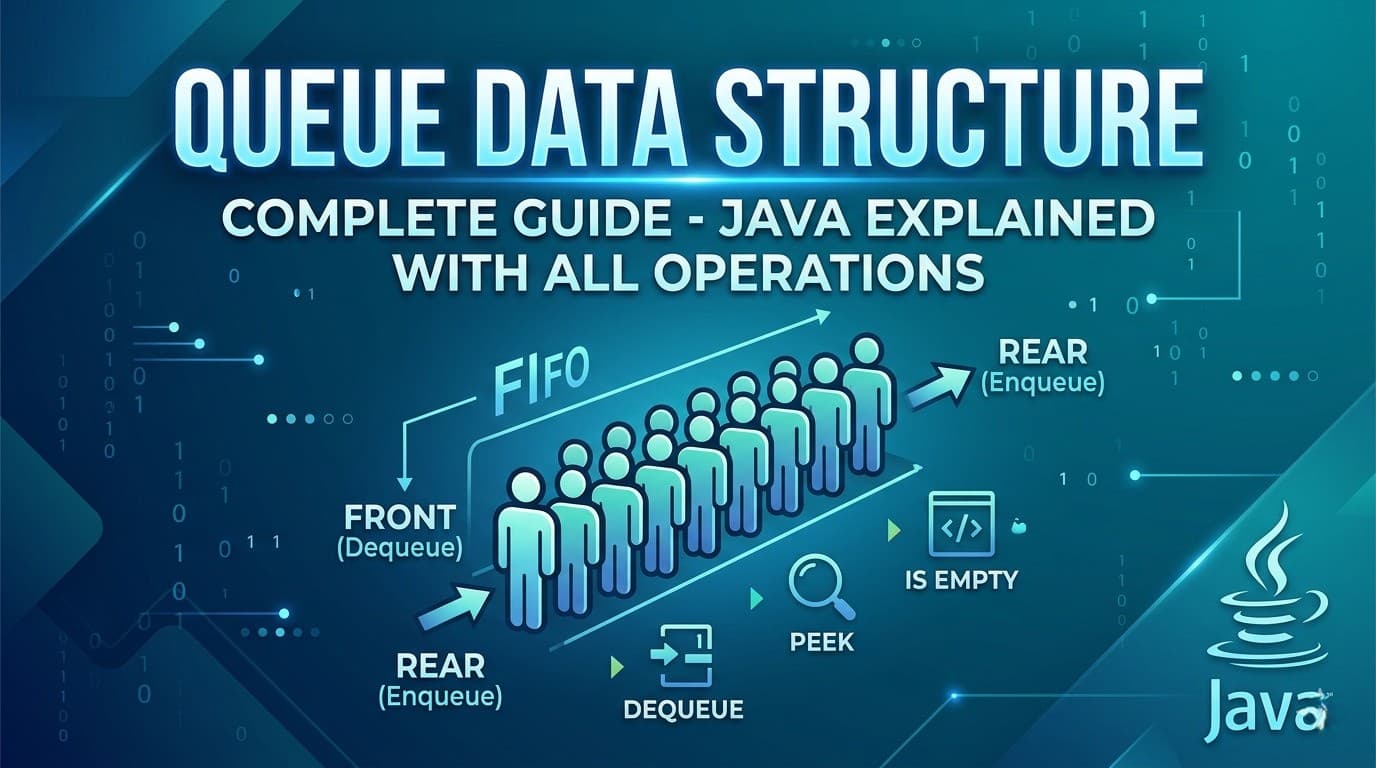
IntroductionIf you have been learning Data Structures and Algorithms, you have probably already spent time with arrays, linked lists, and stacks. Now it is time to meet one of the most important and widely used data structures in computer science — the Queue.Queue is not just a theoretical concept. It powers some of the most critical systems you use every day — from how your printer handles jobs, to how your CPU schedules tasks, to how Google Maps finds the shortest path between two locations. Understanding Queue deeply means understanding how real systems work.In this complete guide we will cover absolutely everything — what a Queue is, how it differs from a Stack, every type of Queue, all operations with code, Java implementations, time and space complexity, common interview questions, and the most important LeetCode problems that use Queue.What Is a Queue?A Queue is a linear data structure that follows the FIFO principle — First In First Out. This means the element that was added first is the one that gets removed first.Think of it exactly like a real-world queue (a line of people). The person who joined the line first gets served first. No cutting in line, no serving from the back — strict order from front to back.This is the fundamental difference between a Queue and a Stack:Stack → LIFO (Last In First Out) — like a stack of plates, you take from the topQueue → FIFO (First In First Out) — like a line of people, you serve from the frontReal Life Examples of QueueBefore writing a single line of code, let us understand where queues appear in real life. This will make every technical concept feel natural.Printer Queue — when you send multiple documents to print, they print in the order they were sent. The first document sent prints first.CPU Task Scheduling — your operating system manages running processes in a queue. Tasks get CPU time in the order they arrive (in basic scheduling).Customer Service Call Center — when you call a helpline and are put on hold, you are placed in a queue. The first caller on hold gets connected first.WhatsApp Messages — messages are delivered in the order they are sent. The first message sent is the first one received.BFS (Breadth First Search) — every time you use Google Maps or any navigation app to find the shortest path, it uses BFS internally which is entirely powered by a Queue.Ticket Booking Systems — online booking portals process requests in the order they arrive. First come first served.Queue Terminology — Key Terms You Must KnowBefore diving into code, let us get the vocabulary right:Front — the end from which elements are removed (dequeued). This is where the "first person in line" stands.Rear (or Back) — the end at which elements are added (enqueued). New arrivals join here.Enqueue — the operation of adding an element to the rear of the queue. Like joining the back of a line.Dequeue — the operation of removing an element from the front of the queue. Like the first person in line being served and leaving.Peek (or Front) — looking at the front element without removing it. Like seeing who is first in line without serving them yet.isEmpty — checking whether the queue has no elements.isFull — relevant for fixed-size queues, checking whether no more elements can be added.Types of QueuesThis is where most beginners get confused. There is not just one type of Queue — there are several variations each designed to solve specific problems.1. Simple Queue (Linear Queue)The most basic form. Elements enter from the rear and leave from the front. Strict FIFO, nothing fancy.Enqueue → [ 1 | 2 | 3 | 4 | 5 ] → Dequeue rear frontProblem with Simple Queue: In array-based implementation, once elements are dequeued from the front, those slots cannot be reused even if there is space. This wastes memory. This is why Circular Queue was invented.2. Circular QueueIn a Circular Queue, the rear wraps around to the front when it reaches the end of the array. The last position connects back to the first, forming a circle. This solves the wasted space problem of simple queues. [1] [2] [3] / \ [6] [4] \ / [5] ← rearUsed in: CPU scheduling, memory management, traffic light systems, streaming buffers.3. Double Ended Queue (Deque)A Deque (pronounced "deck") allows insertion and deletion from both ends — front and rear. It is the most flexible queue type.Enqueue Front → [ 1 | 2 | 3 | 4 | 5 ] → Dequeue FrontEnqueue Rear → [ 1 | 2 | 3 | 4 | 5 ] → Dequeue RearTwo subtypes:Input Restricted Deque — insertion only at rear, deletion from both endsOutput Restricted Deque — deletion only at front, insertion at both endsUsed in: browser history (back and forward), undo-redo operations, sliding window problems.4. Priority QueueElements are not served in FIFO order — instead each element has a priority and the element with the highest priority is served first regardless of when it was added.Think of an emergency room. A patient with a critical injury jumps ahead of someone with a minor cut even if they arrived later.Two types:Max Priority Queue — highest value = highest priorityMin Priority Queue — lowest value = highest priorityUsed in: Dijkstra's shortest path, Huffman encoding, A* search algorithm, task scheduling with priorities.5. Blocking QueueA thread-safe queue used in multi-threading. If the queue is empty, a thread trying to dequeue will wait (block) until an element is available. If the queue is full, a thread trying to enqueue will wait until space is available.Used in: Producer-Consumer problems, thread pool implementations, Java's java.util.concurrent package.Queue Operations and Time ComplexityEvery queue operation has a specific time complexity that you must know cold for interviews.OperationDescriptionTime ComplexityEnqueueAdd element to rearO(1)DequeueRemove element from frontO(1)Peek/FrontView front elementO(1)isEmptyCheck if queue is emptyO(1)SizeNumber of elementsO(1)SearchFind a specific elementO(n)Space Complexity: O(n) — where n is the number of elements stored.All core queue operations are O(1). This is what makes Queue so powerful — no matter how many elements are in the queue, adding and removing always takes constant time.Implementing Queue in Java — All WaysJava gives you multiple ways to use a Queue. Let us go through each one.Way 1: Using LinkedList (Most Common)LinkedList implements the Queue interface in Java. This is the most commonly used Queue implementation.import java.util.LinkedList;import java.util.Queue;Queue<Integer> queue = new LinkedList<>();// Enqueue — add to rearqueue.offer(10);queue.offer(20);queue.offer(30);// Peek — view front without removingSystem.out.println(queue.peek()); // 10// Dequeue — remove from frontSystem.out.println(queue.poll()); // 10System.out.println(queue.poll()); // 20// Check emptySystem.out.println(queue.isEmpty()); // false// SizeSystem.out.println(queue.size()); // 1offer() vs add() — both add to the queue. add() throws an exception if the queue is full (for bounded queues). offer() returns false instead. Always prefer offer().poll() vs remove() — both remove from front. remove() throws an exception if queue is empty. poll() returns null. Always prefer poll().peek() vs element() — both view the front. element() throws exception if empty. peek() returns null. Always prefer peek().Way 2: Using ArrayDeque (Fastest)ArrayDeque is faster than LinkedList for Queue operations because it uses a resizable array internally with no node allocation overhead.import java.util.ArrayDeque;import java.util.Queue;Queue<Integer> queue = new ArrayDeque<>();queue.offer(1);queue.offer(2);queue.offer(3);System.out.println(queue.peek()); // 1System.out.println(queue.poll()); // 1System.out.println(queue.size()); // 2When to use ArrayDeque over LinkedList? Use ArrayDeque whenever possible for Queue or Stack operations. It is faster because it avoids the overhead of node objects that LinkedList creates for every element. In competitive programming and interviews, ArrayDeque is the preferred choice.Way 3: Using Deque (Double Ended Queue)import java.util.ArrayDeque;import java.util.Deque;Deque<Integer> deque = new ArrayDeque<>();// Add to frontdeque.offerFirst(10);// Add to reardeque.offerLast(20);deque.offerLast(30);// Remove from frontSystem.out.println(deque.pollFirst()); // 10// Remove from rearSystem.out.println(deque.pollLast()); // 30// Peek front and rearSystem.out.println(deque.peekFirst()); // 20System.out.println(deque.peekLast()); // 20Way 4: Using PriorityQueueimport java.util.PriorityQueue;// Min Heap — smallest element has highest priorityPriorityQueue<Integer> minPQ = new PriorityQueue<>();minPQ.offer(30);minPQ.offer(10);minPQ.offer(20);System.out.println(minPQ.poll()); // 10 — smallest comes out first// Max Heap — largest element has highest priorityPriorityQueue<Integer> maxPQ = new PriorityQueue<>((a, b) -> b - a);maxPQ.offer(30);maxPQ.offer(10);maxPQ.offer(20);System.out.println(maxPQ.poll()); // 30 — largest comes out firstWay 5: Implementing Queue From Scratch Using ArrayUnderstanding the underlying implementation helps you in interviews when asked to build one from scratch.class MyQueue { private int[] arr; private int front; private int rear; private int size; private int capacity; public MyQueue(int capacity) { this.capacity = capacity; arr = new int[capacity]; front = 0; rear = -1; size = 0; } public void enqueue(int val) { if (size == capacity) { System.out.println("Queue is full!"); return; } rear = (rear + 1) % capacity; // circular wrapping arr[rear] = val; size++; } public int dequeue() { if (isEmpty()) { System.out.println("Queue is empty!"); return -1; } int val = arr[front]; front = (front + 1) % capacity; // circular wrapping size--; return val; } public int peek() { if (isEmpty()) return -1; return arr[front]; } public boolean isEmpty() { return size == 0; } public int size() { return size; }}Notice the % capacity in enqueue and dequeue — that is what makes it a Circular Queue. Without this, once the rear reaches the end of the array, you cannot add more even if front has moved forward and freed up space.Way 6: Implementing Queue Using Two StacksThis is a very popular interview question — implement a Queue using two stacks. The idea is to use one stack for enqueue and another for dequeue.class QueueUsingTwoStacks { Stack<Integer> s1 = new Stack<>(); // for enqueue Stack<Integer> s2 = new Stack<>(); // for dequeue public void enqueue(int val) { s1.push(val); // always push to s1 } public int dequeue() { if (s2.isEmpty()) { // transfer all elements from s1 to s2 // this reverses the order, giving FIFO behavior while (!s1.isEmpty()) { s2.push(s1.pop()); } } return s2.pop(); } public int peek() { if (s2.isEmpty()) { while (!s1.isEmpty()) { s2.push(s1.pop()); } } return s2.peek(); } public boolean isEmpty() { return s1.isEmpty() && s2.isEmpty(); }}Why does this work?When you transfer elements from s1 to s2, the order reverses. The element that was added first to s1 ends up on top of s2 — which means it gets dequeued first. FIFO achieved using two LIFOs!Amortized time complexity: Each element is pushed and popped at most twice (once in s1, once in s2). So dequeue is O(1) amortized even though individual calls might take O(n).This is LeetCode 232 — Implement Queue using Stacks.Queue vs Stack — Side by SideFeatureQueueStackPrincipleFIFO — First In First OutLIFO — Last In First OutInsert atRearTopRemove fromFrontTopReal lifeLine of peopleStack of platesJava classLinkedList, ArrayDequeStack, ArrayDequeMain useBFS, schedulingDFS, backtracking, parsingPeekFront elementTop elementBFS — The Most Important Application of QueueBreadth First Search (BFS) is the single most important algorithm that uses a Queue. Understanding BFS is why Queue matters so much in DSA.BFS explores a graph or tree level by level — all nodes at distance 1 first, then all at distance 2, and so on. A Queue naturally enforces this level-by-level behavior.public void bfs(int start, List<List<Integer>> graph) { Queue<Integer> queue = new LinkedList<>(); boolean[] visited = new boolean[graph.size()]; queue.offer(start); visited[start] = true; while (!queue.isEmpty()) { int node = queue.poll(); // process front node System.out.print(node + " "); for (int neighbor : graph.get(node)) { if (!visited[neighbor]) { visited[neighbor] = true; queue.offer(neighbor); // add unvisited neighbors to rear } } }}Why Queue and not Stack for BFS? Queue ensures you process all neighbors of a node before going deeper. Stack would take you deep into one path first — that is DFS, not BFS. The FIFO property is what guarantees level-by-level exploration.BFS with Queue is used in:Shortest path in unweighted graphsLevel order traversal of treesFinding connected componentsWord ladder problemsRotten oranges, flood fill, and matrix BFS problemsLevel Order Traversal — BFS on TreesOne of the most common Queue problems in interviews is Level Order Traversal of a binary tree.public List<List<Integer>> levelOrder(TreeNode root) { List<List<Integer>> result = new ArrayList<>(); if (root == null) return result; Queue<TreeNode> queue = new LinkedList<>(); queue.offer(root); while (!queue.isEmpty()) { int levelSize = queue.size(); // number of nodes at current level List<Integer> level = new ArrayList<>(); for (int i = 0; i < levelSize; i++) { TreeNode node = queue.poll(); level.add(node.val); if (node.left != null) queue.offer(node.left); if (node.right != null) queue.offer(node.right); } result.add(level); } return result;}The key trick here is using queue.size() at the start of each while loop iteration to know exactly how many nodes belong to the current level. Process exactly that many nodes, then move to the next level.This is LeetCode 102 — Binary Tree Level Order Traversal.Sliding Window Maximum — Monotonic DequeOne of the most impressive Queue applications is the Sliding Window Maximum problem using a Monotonic Deque. This is the queue equivalent of the Monotonic Stack pattern you saw in stack problems.The idea — maintain a deque that stores indices of elements in decreasing order. The front always holds the index of the maximum element in the current window.public int[] maxSlidingWindow(int[] nums, int k) { Deque<Integer> deque = new ArrayDeque<>(); // stores indices int[] result = new int[nums.length - k + 1]; int idx = 0; for (int i = 0; i < nums.length; i++) { // remove indices that are out of the current window while (!deque.isEmpty() && deque.peekFirst() < i - k + 1) { deque.pollFirst(); } // remove indices whose values are smaller than current // they can never be the maximum for any future window while (!deque.isEmpty() && nums[deque.peekLast()] < nums[i]) { deque.pollLast(); } deque.offerLast(i); // window is fully formed, record maximum (front of deque) if (i >= k - 1) { result[idx++] = nums[deque.peekFirst()]; } } return result;}This gives O(n) time for what would otherwise be an O(n×k) problem. This is LeetCode 239 — Sliding Window Maximum.Java Queue Interface — Complete Method ReferenceHere is every method you will ever need from Java's Queue and Deque interfaces:Queue Methods:offer(e) — add to rear, returns false if full (preferred over add) poll() — remove from front, returns null if empty (preferred over remove) peek() — view front without removing, returns null if empty (preferred over element) isEmpty() — returns true if no elements size() — returns number of elements contains(o) — returns true if element existsDeque Additional Methods:offerFirst(e) — add to front offerLast(e) — add to rear pollFirst() — remove from front pollLast() — remove from rear peekFirst() — view front peekLast() — view rearPriorityQueue Specific:offer(e) — add with natural ordering or custom comparator poll() — remove element with highest priority peek() — view highest priority element without removingCommon Interview Questions About QueueThese are the questions interviewers ask to test your understanding of queues conceptually — not just coding.Q1. What is the difference between Queue and Stack? Queue is FIFO — elements are removed in the order they were added. Stack is LIFO — the most recently added element is removed first. Queue removes from the front, Stack removes from the top.Q2. Why is ArrayDeque preferred over LinkedList for Queue in Java? ArrayDeque uses a resizable array internally and has better cache locality and no node allocation overhead. LinkedList creates a new node object for every element added, which means more garbage collection pressure. ArrayDeque is faster in practice for most Queue use cases.Q3. When would you use a PriorityQueue instead of a regular Queue? When the order of processing depends on priority rather than arrival order. For example in a hospital, critical patients are treated before minor cases regardless of when they arrived. Or in Dijkstra's algorithm, always processing the shortest known distance first.Q4. How is Queue used in BFS? BFS uses a Queue to explore nodes level by level. The starting node is enqueued first. Each time a node is dequeued, all its unvisited neighbors are enqueued. Since Queue is FIFO, all neighbors of a node are processed before going deeper — guaranteeing level-by-level exploration.Q5. What is the difference between poll() and remove() in Java Queue? Both remove the front element. remove() throws NoSuchElementException if the queue is empty. poll() returns null instead of throwing. Always use poll() for safer code.Q6. Can a Queue have duplicates? Yes. Queue does not have any restriction on duplicate values unlike Sets. The same value can appear multiple times in a Queue.Q7. What is a Blocking Queue and when is it used? A Blocking Queue is a thread-safe Queue used in multi-threaded applications. When a thread tries to dequeue from an empty queue, it blocks (waits) until an element is available. When a thread tries to enqueue into a full queue, it blocks until space is available. Used in Producer-Consumer patterns.Top LeetCode Problems on QueueHere are the most important LeetCode problems that use Queue — organized from beginner to advanced:Beginner Level:232. Implement Queue using Stacks — implement Queue with two stacks, classic interview question225. Implement Stack using Queues — reverse of 232, implement Stack using Queue933. Number of Recent Calls — sliding window with QueueIntermediate Level:102. Binary Tree Level Order Traversal — BFS on tree, must know107. Binary Tree Level Order Traversal II — same but bottom up994. Rotting Oranges — multi-source BFS on grid1091. Shortest Path in Binary Matrix — BFS shortest path542. 01 Matrix — multi-source BFS, distance to nearest 0127. Word Ladder — BFS on word graph, classicAdvanced Level:239. Sliding Window Maximum — monotonic deque, must know862. Shortest Subarray with Sum at Least K — monotonic deque with prefix sums407. Trapping Rain Water II — 3D BFS with priority queue787. Cheapest Flights Within K Stops — BFS with constraintsQueue Cheat Sheet — Everything at a GlanceCreate a Queue:Queue<Integer> q = new LinkedList<>(); // standardQueue<Integer> q = new ArrayDeque<>(); // faster, preferredDeque<Integer> dq = new ArrayDeque<>(); // double endedPriorityQueue<Integer> pq = new PriorityQueue<>(); // min heapPriorityQueue<Integer> pq = new PriorityQueue<>((a,b) -> b-a); // max heapCore Operations:q.offer(x); // enqueueq.poll(); // dequeueq.peek(); // front elementq.isEmpty(); // check emptyq.size(); // number of elementsDeque Operations:dq.offerFirst(x); // add to frontdq.offerLast(x); // add to reardq.pollFirst(); // remove from frontdq.pollLast(); // remove from reardq.peekFirst(); // view frontdq.peekLast(); // view rearBFS Template:Queue<Integer> queue = new LinkedList<>();queue.offer(start);visited[start] = true;while (!queue.isEmpty()) { int node = queue.poll(); for (int neighbor : graph.get(node)) { if (!visited[neighbor]) { visited[neighbor] = true; queue.offer(neighbor); } }}ConclusionQueue is one of those data structures that appears simple on the surface but has incredible depth once you start exploring its variations and applications. From the basic FIFO concept to Circular Queues, Deques, Priority Queues, Monotonic Deques, and BFS — each layer adds a new tool to your problem-solving arsenal.Here is the learning path to follow based on everything covered in this guide:Start with understanding FIFO vs LIFO and when each applies. Then get comfortable with Java's Queue interface — offer, poll, peek. Practice the BFS template until it feels automatic. Then move to Level Order Traversal problems. Once BFS clicks, tackle multi-source BFS problems like Rotting Oranges. Finally learn the Monotonic Deque pattern for sliding window problems.Master these and you will handle every Queue problem in any coding interview with confidence.

QueueData StructureJavaBFSDequePriority QueueCircular Queue
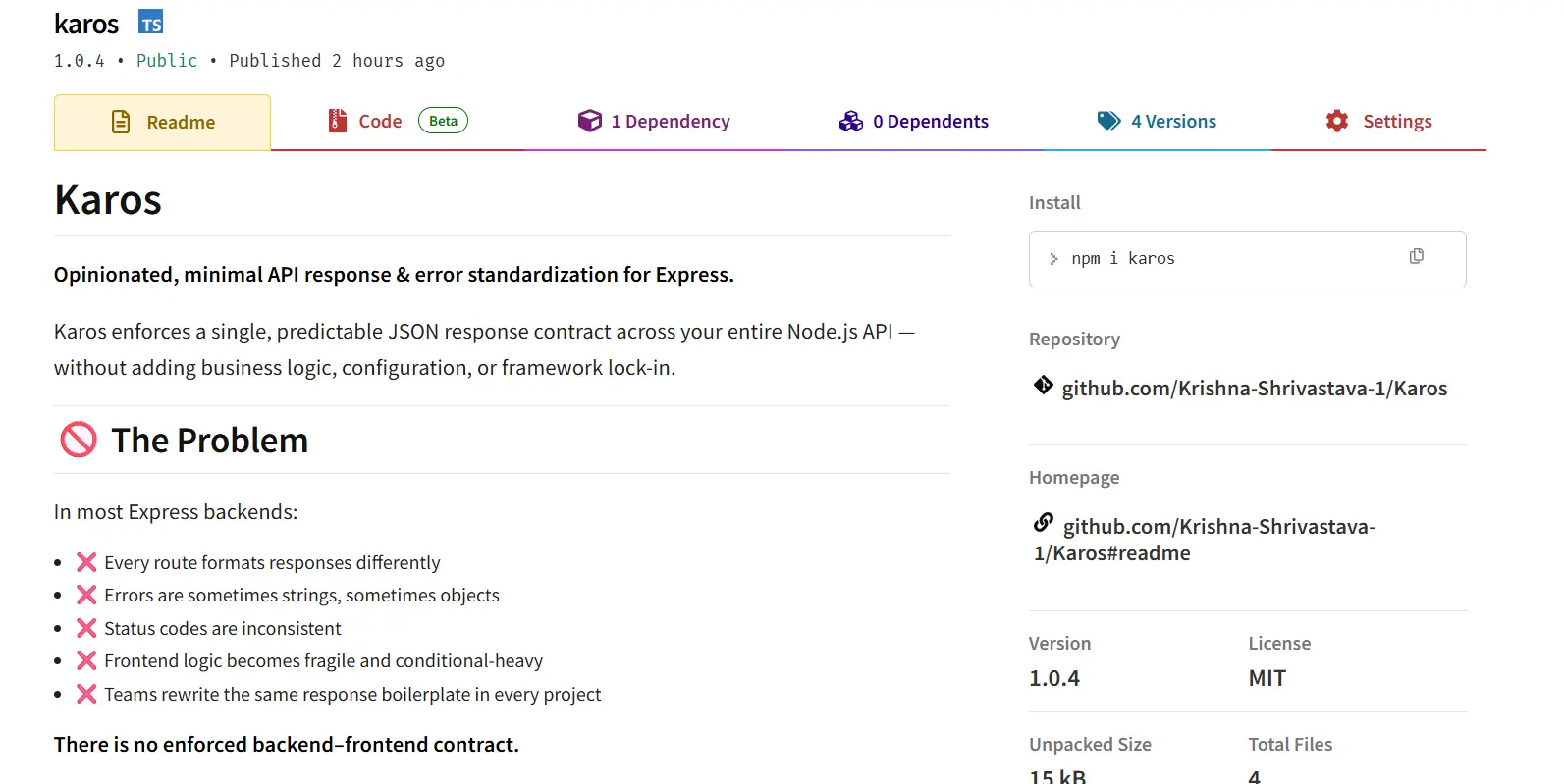
I Published My First npm Package: Karos

I Published My First npm Package: Karos

IntroductionPublishing your first npm package is not about building something revolutionary.If you think it is, you’ll either overbuild it or never ship it.Karos exists because I kept running into the same boring, frustrating problem across backend projects — inconsistent API responses and messy error handling.The Problem I Kept SeeingIn most Express or Node.js backends:Every route formats responses differentlySome errors are strings, some are objects, some leak stack tracesStatus codes are inconsistent or guessedFrontend logic becomes defensive and conditional-heavyTeams rewrite the same response boilerplate in every projectThere is no enforced backend–frontend contract.Just “best practices” that slowly decay over time.Why I Didn’t Use Existing SolutionsThere are libraries that help with errors.There are frameworks that encourage conventions.But most of them:Add heavy abstractionsRequire configuration filesLock you into a framework styleMix business logic with infrastructureI didn’t want help.I wanted enforcement — and nothing more.What Karos Does (And Only This)Karos enforces one predictable JSON response contract across your API.That’s it.Success Response{"success": true,"data": {}}Error Response{"success": false,"error": {"code": "NOT_FOUND","message": "User not found"}}No special cases.No custom shapes per route.If a response doesn’t match this structure, it’s wrong.Stop Returning Errors. Start Throwing Them.Instead of this pattern everywhere:if (!user) {return res.status(404).json({ error: 'User not found' });}Karos forces a different mindset:if (!user) {notFoundError('User not found');}The error is thrown, not returned.A single global handler catches it, formats it, and sends the response.No repeated try/catchNo duplicated error formattingNo forgotten status codesKarosError: One Error Model to Rule Them AllAt the core of Karos is a single class: KarosError.Every error has:A strict error code (TypeScript-safe)An explicit HTTP statusOptional structured detailsA guaranteed JSON shapeThis makes backend behavior predictable and frontend handling trivial.Database Errors Are Normalized AutomaticallyRaw database errors should never reach the client.Karos automatically detects and normalizes common DB errors:Prisma unique constraint → CONFLICT (409)Prisma record not found → NOT_FOUND (404)MongoDB duplicate key → CONFLICT (409)Mongoose validation errors → VALIDATION_FAILED (400)The frontend never needs to know which database you’re using.It only cares about the contract.Express and Next.js Share the Same ContractKaros supports:Express via middlewareNext.js (App Router) via Web-standard helpersBoth produce the exact same response format.That means you can switch frameworks or mix them — and your frontend logic stays unchanged.Karos API – All Methods in One PlaceCore API ReferenceCategoryFunction / ClassDescriptionSuccessok(res, data, message?, meta?)Sends a standardized success response (Express)Error BaseKarosErrorBase error class with code, status, detailsError HelpersnotFoundError()Throws 404 NOT_FOUNDvalidationError()Throws 400 VALIDATION_FAILEDunauthorizedError()Throws 401 UNAUTHORIZEDforbiddenError()Throws 403 FORBIDDENconflictError()Throws 409 CONFLICTinternalError()Throws 500 INTERNAL_ERRORhttpError()Custom error with any statusMiddlewareerrorHandlerGlobal Express error handlerDB HandlingresolveDbError()Normalizes Prisma/Mongo errorsNext.jsnextOk()Success response for App RouternextFail()Error response for App RouterhandleNextError()Global Next.js error handlerTypesErrorCodeEnum-style error codesTypesApiSuccessResponseSuccess response typeTypesApiErrorResponseError response typeWhat Karos Is NotThis matters more than features.Karos is not:A validation libraryA logging frameworkA request lifecycle managerA replacement for good architectureA silver bulletIt solves one problem and refuses to grow beyond that.How You Can Publish Your First npm Package TooIf you’re thinking “this looks doable” — it is.Here are the actual steps, no fluff.1. Create an npm AccountGo to https://www.npmjs.comSign up and verify your email2. Prepare Your Packagenpm initMake sure:name is uniquemain points to your build outputtypes points to .d.ts if using TypeScript3. Build Your Packagenpm run build(Usually outputs to dist/)4. Login to npmnpm loginEnter:UsernamePasswordEmailOTP (if 2FA enabled)5. Publishnpm publishThat’s it.No approval process. No gatekeepers.You are officially an npm package author.LinksGitHub Repository: https://github.com/Krishna-Shrivastava-1/Karosnpm Package: https://www.npmjs.com/package/karosWhy Shipping This Mattered to MeKaros won’t make headlines.It won’t go viral.But it forced me to:Design a real API contractThink about DX instead of just codeHandle edge cases like DB errors properlyShip something other people can actually useFor a first npm package, that’s a win.Final ThoughtMost backend bugs don’t come from complex logic.They come from inconsistency.Karos doesn’t make your API smarter.It makes it disciplined.And sometimes, that’s exactly what you need.

npmexpressnextjserror-handlingtypescriptopen-sourcefirst-npm-package
LeetCode 844: Backspace String Compare — Java Solution With All Approaches Explained

LeetCode 844: Backspace String Compare — Java Solution With All Approaches Explained

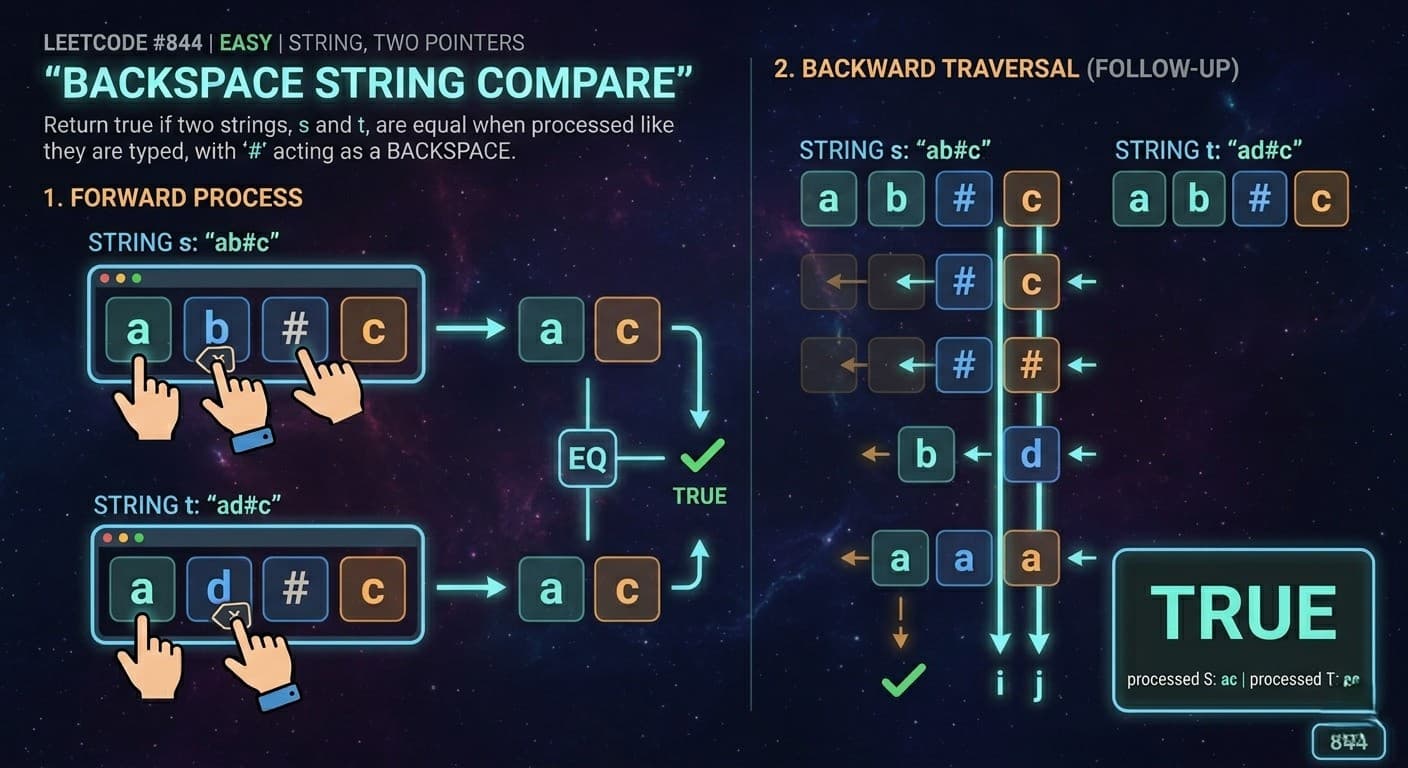
IntroductionLeetCode 844 Backspace String Compare is a fantastic problem that shows up frequently in coding interviews. It combines string manipulation, stack simulation, and even has a follow-up that challenges you to solve it in O(1) space — which is what separates a good candidate from a great one.Here is the Link of Question -: LeetCode 844In this article we cover a plain English explanation, real life analogy, 3 Java approaches including the O(1) space two pointer solution, dry runs, complexity analysis, common mistakes, and FAQs.What Is the Problem Really Asking?You are given two strings s and t. Both contain lowercase letters and # characters. Think of # as the backspace key on your keyboard — it deletes the character just before it. If there is nothing to delete, it does nothing.Process both strings through these backspace operations and check if the resulting strings are equal. Return true if equal, false otherwise.Quick Example:s = "ab#c" → # deletes b → becomes "ac"t = "ad#c" → # deletes d → becomes "ac"Both equal "ac" → return true ✅Real Life Analogy — The Keyboard TypoYou are typing a message. You type "ab", realize you made a typo, hit backspace, and type "c". Your friend types "ad", hits backspace, and types "c". Even though you both typed differently, the final message on screen is the same — "ac".That is exactly what this problem is about. Two people typing differently but ending up with the same result.Approach 1: StringBuilder as Stack (Optimal & Clean) ✅The IdeaThis is your own solution and the best O(n) approach. Process each string independently using a StringBuilder as a stack:Letter → append to StringBuilder (push)# → delete last character if StringBuilder is not empty (pop)Then simply compare the two resulting StringBuilders.public boolean backspaceCompare(String s, String t) { return process(s).equals(process(t));}private String process(String str) { StringBuilder sb = new StringBuilder(); for (int i = 0; i < str.length(); i++) { char c = str.charAt(i); if (c == '#') { if (sb.length() > 0) { sb.deleteCharAt(sb.length() - 1); } } else { sb.append(c); } } return sb.toString();}Notice how extracting a process() helper method makes the code cleaner and avoids repeating the same loop twice — a great habit to show in interviews!Dry Run — s = "ab##", t = "c#d#"Processing s = "ab##":a → append → "a"b → append → "ab"# → delete last → "a"# → delete last → ""Processing t = "c#d#":c → append → "c"# → delete last → ""d → append → "d"# → delete last → ""Both result in "" → return true ✅Time Complexity: O(n + m) — where n and m are lengths of s and t Space Complexity: O(n + m) — two StringBuilders storing processed stringsApproach 2: Stack Based Solution (Interview Classic)The IdeaSame logic as above but using explicit Stack<Character> objects. Great for explaining your thought process clearly in an interview even though StringBuilder is cleaner.public boolean backspaceCompare(String s, String t) { return processStack(s).equals(processStack(t));}private String processStack(String str) { Stack<Character> st = new Stack<>(); for (int i = 0; i < str.length(); i++) { char c = str.charAt(i); if (c == '#') { if (!st.empty()) { st.pop(); } } else { st.push(c); } } StringBuilder sb = new StringBuilder(); while (!st.empty()) { sb.append(st.pop()); } return sb.reverse().toString();}Dry Run — s = "a#c", t = "b"Processing s = "a#c":a → push → stack: [a]# → pop → stack: []c → push → stack: [c]Result: "c"Processing t = "b":b → push → stack: [b]Result: "b""c" does not equal "b" → return false ✅Time Complexity: O(n + m) Space Complexity: O(n + m)Approach 3: Two Pointer — O(1) Space (Follow-Up Solution) 🔥This is the follow-up the problem asks about — can you solve it in O(n) time and O(1) space? This means no extra StringBuilder or Stack allowed.The IdeaInstead of building processed strings, traverse both strings from right to left simultaneously. Keep a count of pending backspaces. Skip characters that would be deleted and compare characters that survive.Why right to left? Because # affects characters to its left, so processing from the end lets us know upfront how many characters to skip.public boolean backspaceCompare(String s, String t) { int i = s.length() - 1; int j = t.length() - 1; int skipS = 0, skipT = 0; while (i >= 0 || j >= 0) { // Find next valid character in s while (i >= 0) { if (s.charAt(i) == '#') { skipS++; i--; } else if (skipS > 0) { skipS--; i--; } else { break; } } // Find next valid character in t while (j >= 0) { if (t.charAt(j) == '#') { skipT++; j--; } else if (skipT > 0) { skipT--; j--; } else { break; } } // Compare the valid characters if (i >= 0 && j >= 0) { if (s.charAt(i) != t.charAt(j)) { return false; } } else if (i >= 0 || j >= 0) { return false; // one string still has chars, other doesn't } i--; j--; } return true;}Dry Run — s = "ab#c", t = "ad#c"Starting from the right end of both strings:Round 1:s[3] = 'c' → valid, no skips → stopt[3] = 'c' → valid, no skips → stopCompare 'c' == 'c' ✅ → move both pointers leftRound 2:s[2] = '#' → skipS = 1, move lefts[1] = 'b' → skipS > 0, skipS = 0, move lefts[0] = 'a' → valid, stopt[2] = '#' → skipT = 1, move leftt[1] = 'd' → skipT > 0, skipT = 0, move leftt[0] = 'a' → valid, stopCompare 'a' == 'a' ✅ → move both pointers leftBoth pointers exhausted → return true ✅Time Complexity: O(n + m) — each character visited at most once Space Complexity: O(1) — only pointer and counter variables, no extra storage!Approach ComparisonThe StringBuilder approach is the easiest to write and explain. The Stack approach is slightly more verbose but shows clear intent. The Two Pointer approach is the hardest to code but the most impressive — it solves the follow-up and uses zero extra space.In an interview, start with the StringBuilder solution, explain it clearly, then mention the Two Pointer approach as the O(1) space optimization if asked.How This Fits the Stack Simulation PatternYou have now seen this same pattern across four problems:3174 Clear Digits — digit deletes closest left non-digit 2390 Removing Stars — star deletes closest left non-star 1047 Remove Adjacent Duplicates — character cancels matching top of stack 844 Backspace String Compare — # deletes closest left character, then compare two stringsAll four use the same StringBuilder-as-stack core. The only differences are the trigger character and what you do with the result. This is the power of pattern recognition in DSA.Common Mistakes to AvoidNot handling backspace on empty string When # appears but the StringBuilder is already empty, do nothing. Always guard with sb.length() > 0 before calling deleteCharAt. The problem explicitly states backspace on empty text keeps it empty.Using Stack and forgetting to handle # when stack is empty In the Stack approach, only pop if the stack is not empty. Pushing # onto the stack when it is empty is a common bug that gives wrong answers.In Two Pointer, comparing before both pointers find valid characters Make sure both inner while loops fully complete before comparing. Comparing too early is the most common mistake in the O(1) space solution.FAQs — People Also AskQ1. What is the best approach for LeetCode 844 in Java? For most interviews, the StringBuilder approach is the best — clean, readable, and O(n) time. If the interviewer asks for O(1) space, switch to the Two Pointer approach traversing from right to left.Q2. How does the O(1) space solution work for LeetCode 844? It uses two pointers starting from the end of both strings, keeping a skip counter to track pending backspaces. Characters that would be deleted are skipped, and only surviving characters are compared.Q3. What is the time complexity of LeetCode 844? All three approaches run in O(n + m) time where n and m are the lengths of the two strings. The Two Pointer approach achieves this with O(1) space instead of O(n + m).Q4. Why traverse from right to left in the Two Pointer approach? Because # affects characters to its left. Scanning from the right lets you know upfront how many characters to skip before you reach them, avoiding the need to store anything.Q5. Is LeetCode 844 asked in Google interviews? Yes, it is commonly used as a warmup or screening problem. The follow-up O(1) space solution is what makes it interesting for senior-level interviews.Similar LeetCode Problems to Practice Next1047. Remove All Adjacent Duplicates In String — Easy — same stack pattern2390. Removing Stars From a String — Medium — star as backspace3174. Clear Digits — Easy — digit as backspace1209. Remove All Adjacent Duplicates in String II — Medium — k adjacent duplicates678. Valid Parenthesis String — Medium — stack with wildcardsConclusionLeetCode 844 Backspace String Compare is a well-rounded problem that tests string manipulation, stack simulation, and space optimization all in one. The StringBuilder solution is your go-to for interviews. But always be ready to explain the Two Pointer O(1) space follow-up — that is what shows real depth of understanding.Check out these problems alongside 1047, 2390, and 3174 and you will have the entire stack simulation pattern locked down for any coding interview.

StringStackTwo PointerString Builder
Intersection of Two Arrays

Intersection of Two Arrays

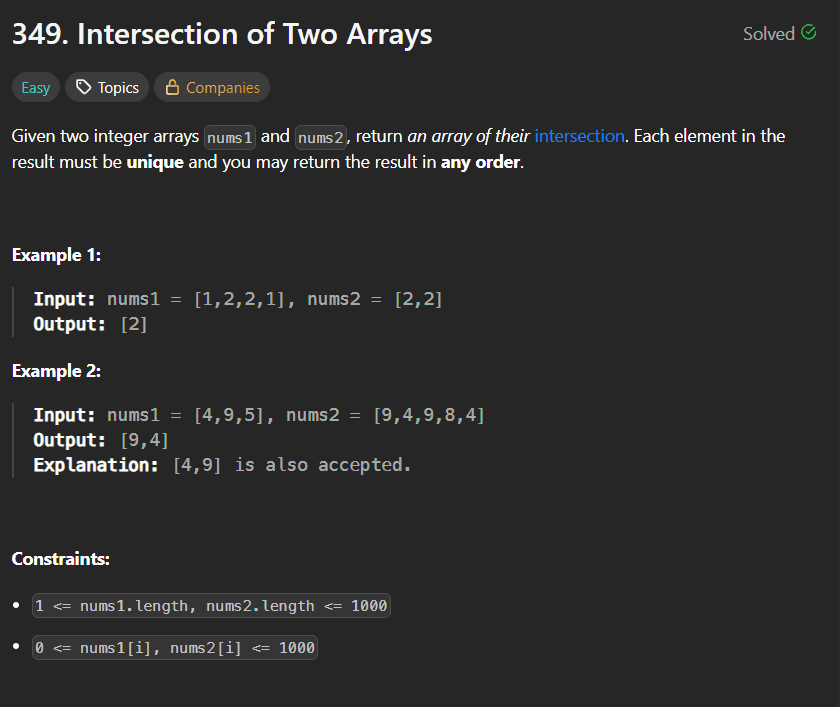
LeetCode Problem 349Link of the Problem to try -: LinkGiven two integer arrays nums1 and nums2, return an array of their intersection. Each element in the result must be unique and you may return the result in any order. Example 1:Input: nums1 = [1,2,2,1], nums2 = [2,2]Output: [2]Example 2:Input: nums1 = [4,9,5], nums2 = [9,4,9,8,4]Output: [9,4]Explanation: [4,9] is also accepted. Constraints:1 <= nums1.length, nums2.length <= 10000 <= nums1[i], nums2[i] <= 1000Solution: Using HashMap and HashSet for IntersectionCore Objective: The primary goal of this problem is to identify common elements between two arrays and return them as a unique set. To achieve this efficiently, we utilize a combination of a HashMap for quick lookup and a HashSet to handle uniqueness in the result.Logic & Implementation:Populate Lookup Table: We begin by iterating through the first array (nums1) and storing its elements in a HashMap. This allows us to verify the existence of any number in $O(1)$ average time.Identify Intersection: Next, we iterate through the second array (nums2). For each element, we check if it exists within our HashMap.Handle Uniqueness: If a match is found, we add the element to a HashSet. This is a crucial step because the problem requires the output to contain unique elements, even if a common number appears multiple times in the input arrays.Final Conversion: Since the required return type is an array, we determine the size of our HashSet to initialize the result array. Using a for-each loop, we transfer the values from the Set into the array and return it as the final answer.Code Implementation:public int[] intersection(int[] nums1, int[] nums2) { // HashMap to store elements from the first array for lookup HashMap<Integer, Integer> mp = new HashMap<>(); // HashSet to store unique common elements HashSet<Integer> ms = new HashSet<>(); // Populate the map with elements from nums1 for (int i = 0; i < nums1.length; i++) { if (mp.containsKey(nums1[i])) { continue; } mp.put(nums1[i], i); } // Check for common elements in nums2 for (int i = 0; i < nums2.length; i++) { if (mp.containsKey(nums2[i])) { ms.add(nums2[i]); // HashSet ensures duplicates are not added } } // Convert the HashSet to the final integer array int[] ans = new int[ms.size()]; int co = 0; for (int i : ms) { ans[co] = i; co++; } return ans;}

LeetCodeArrayEasyHashMap
🚀 My First Spring Boot Backend

🚀 My First Spring Boot Backend

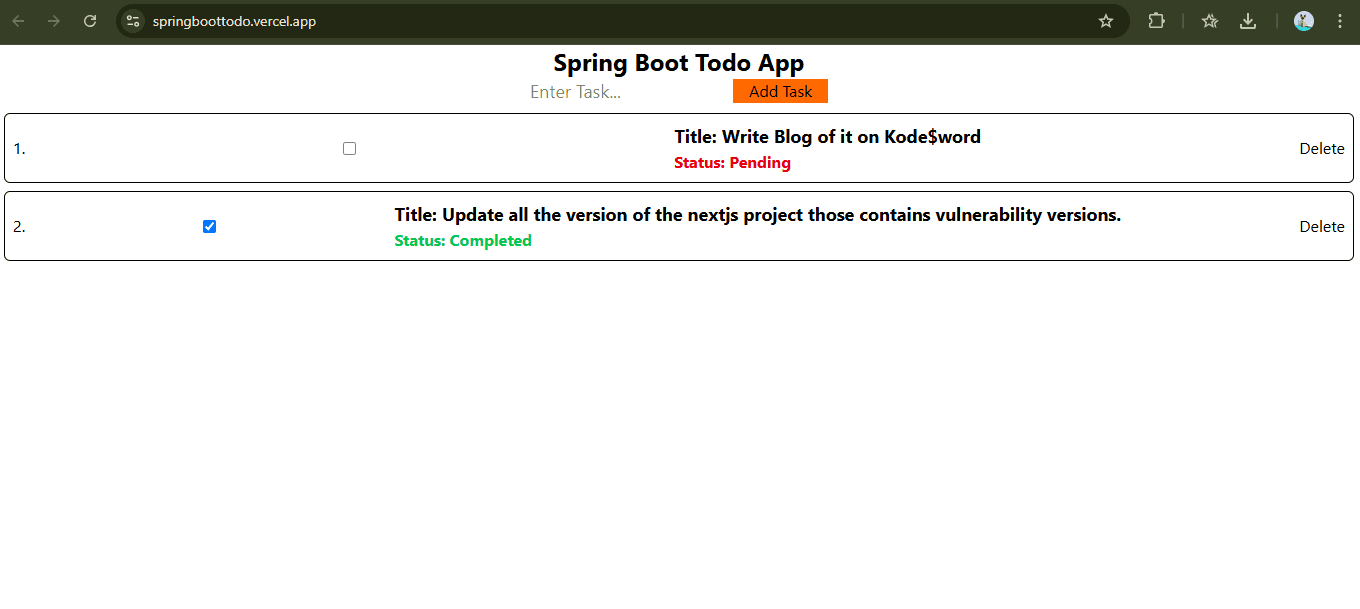
Why Spring Boot? 🔥✅ MongoRepository = FREE CRUD (no Mongoose models!)✅ Docker 1-file deploy (Render/Vercel style)✅ TypeScript-level safety (Java types)✅ Enterprise-grade (Netflix/Amazon use)✅ 120MB Docker image (super fast deploy)My Stack: Spring Boot + MongoDB Atlas + Render DockerProject Setup ⚙️pom.xml:<dependencies><groupId>org.springframework.boot</groupId><artifactId>spring-boot-starter-web</artifactId><groupId>org.springframework.boot</groupId><artifactId>spring-boot-starter-data-mongodb</artifactId><groupId>org.springframework.boot</groupId><artifactId>spring-boot-devtools</artifactId></dependencies>Core Files 💻Todo.java:@Document(collection = "todo")@Datapublic class Todo {@Id @JsonProperty("_id") private String id;private String title;private Boolean status;}TodoRepository.java (EMPTY!):public interface TodoRepository extends MongoRepository<Todo, String> {// FREE: findAll(), save(), findById(), deleteById()}TodoController.java:@RestController @RequestMapping("/api") @CrossOrigin("*")public class TodoController {@Autowired private TodoRepository todoRepository;@GetMapping("/todos")public ResponseEntity<Map<String, Object>> getAll() {List<Todo> todos = todoRepository.findAll();return ResponseEntity.ok(Map.of("success", true,"message", "Todos fetched!","data", todos,"count", todos.size()));}}Docker Magic 🐳# STAGE 1: BUILD (Temporary - Heavy)FROM maven:3.9.6-eclipse-temurin-17-alpine AS buildWORKDIR /appCOPY . . # Copy ALL filesRUN mvn clean package -DskipTests # Build JAR# STAGE 2: RUNTIME (Lightweight - Production)FROM eclipse-temurin:17-jdk-alpineWORKDIR /appCOPY --from=build /app/target/*.jar app.jar # JAR ONLY!EXPOSE $PORTENTRYPOINT ["java", "-jar", "app.jar"]Render Deployment (EXACT Steps) 🌐Step 1: Create DockerfileProject root (same level as pom.xml):└── Dockerfile ← EXACT name, NO extension!Step 2: GitHub Pushgit add Dockerfilegit commit -m "Add multi-stage Docker"git push origin mainStep 3: Render.com (5 Clicks)1. render.com → Sign up (GitHub)2. "New +" → "Web Service"3. Connect GitHub repo → Select branch "main"4. ⚙️ Settings:├── Name: firstcrud-spring├── Runtime: **Docker** ✅├── Build Command: (EMPTY)├── Start Command: (EMPTY)5. Environment → Add Variable:├── Key: SPRING_DATA_MONGODB_URI├── Value: mongodb+srv://user:pass@cluster0...6. "Create Web Service" → Deploy!Step 4: Watch Magic (3-5 mins)Render Logs:✅ Cloning GitHub repo✅ Building Docker image✅ Maven: BUILD SUCCESS✅ JAR created: 25MB✅ Deploying → LIVE!Step 5: Test Live APIGET: https://firstcrud-spring.onrender.com/api/todosPOST: https://firstcrud-spring.onrender.com/api/todosAuto-deploy: git push → Render LIVE in 2 mins! 🚀Configuration (Secure!) 🔒application.yml (GitHub - Safe):spring:data:mongodb:uri: ${SPRING_DATA_MONGODB_URI:mongodb://localhost:27017/todos}server:port: ${PORT:8080}Local: mvn spring-boot:run -Dspring.profiles.active=localSecurity Checklist ✅1. Atlas: New user (delete leaked db_user)2. Network Access: 0.0.0.0/03. GitHub: NO secrets (use ${ENV_VAR})4. Render: Environment Variables5. CORS: @CrossOrigin("*")Live Demo 🌟API: https://firstcrud-spring.onrender.com/api/todosPOST Body: {"title": "Buy Milk", "status": false}Response:{"success": true,"message": "Created!","data": {"_id": "abc123", "title": "Buy Milk"}}Frontend (Vite):VITE_API_URL=https://firstcrud-spring.onrender.com/apifetch(`${import.meta.env.VITE_API_URL}/todos`)Stack Cost: $0 💰✅ MongoDB Atlas: 512MB free✅ Render: 750 hours free✅ GitHub: Free✅ Docker Hub: FreeYou can see the live demo project here -: https://springboottodo.vercel.app/Github Link -: Link(Note : Render free tier is slow due to cold start of server so if the application is not active then it takes more time to respond in that case wait for 2 to 3 minutes.)

SpringBoot
Ai Assistant Kas