Search Blogs

Showing results for "Deque"

Found 3 results

Queue Data Structure Complete Guide - Java Explained With All Operations

Queue Data Structure Complete Guide - Java Explained With All Operations

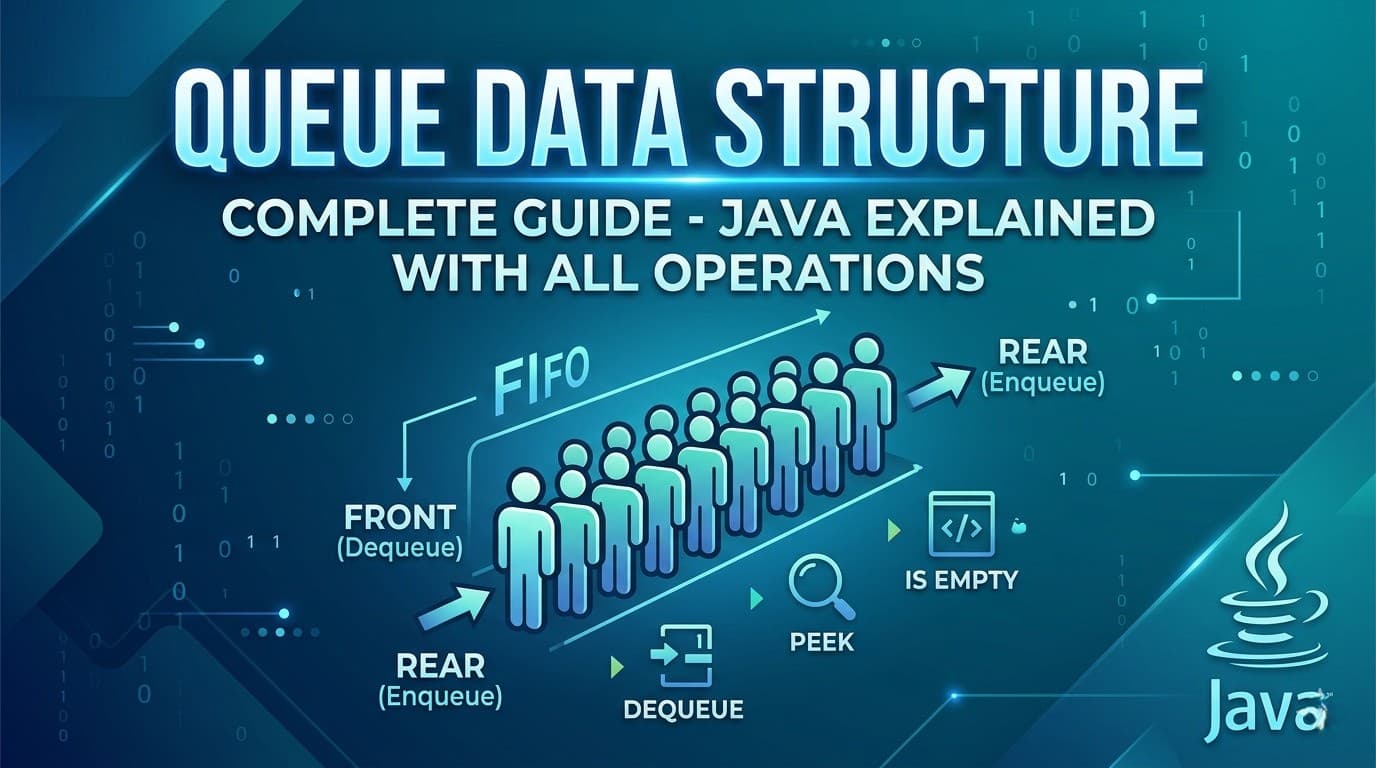
IntroductionIf you have been learning Data Structures and Algorithms, you have probably already spent time with arrays, linked lists, and stacks. Now it is time to meet one of the most important and widely used data structures in computer science — the Queue.Queue is not just a theoretical concept. It powers some of the most critical systems you use every day — from how your printer handles jobs, to how your CPU schedules tasks, to how Google Maps finds the shortest path between two locations. Understanding Queue deeply means understanding how real systems work.In this complete guide we will cover absolutely everything — what a Queue is, how it differs from a Stack, every type of Queue, all operations with code, Java implementations, time and space complexity, common interview questions, and the most important LeetCode problems that use Queue.What Is a Queue?A Queue is a linear data structure that follows the FIFO principle — First In First Out. This means the element that was added first is the one that gets removed first.Think of it exactly like a real-world queue (a line of people). The person who joined the line first gets served first. No cutting in line, no serving from the back — strict order from front to back.This is the fundamental difference between a Queue and a Stack:Stack → LIFO (Last In First Out) — like a stack of plates, you take from the topQueue → FIFO (First In First Out) — like a line of people, you serve from the frontReal Life Examples of QueueBefore writing a single line of code, let us understand where queues appear in real life. This will make every technical concept feel natural.Printer Queue — when you send multiple documents to print, they print in the order they were sent. The first document sent prints first.CPU Task Scheduling — your operating system manages running processes in a queue. Tasks get CPU time in the order they arrive (in basic scheduling).Customer Service Call Center — when you call a helpline and are put on hold, you are placed in a queue. The first caller on hold gets connected first.WhatsApp Messages — messages are delivered in the order they are sent. The first message sent is the first one received.BFS (Breadth First Search) — every time you use Google Maps or any navigation app to find the shortest path, it uses BFS internally which is entirely powered by a Queue.Ticket Booking Systems — online booking portals process requests in the order they arrive. First come first served.Queue Terminology — Key Terms You Must KnowBefore diving into code, let us get the vocabulary right:Front — the end from which elements are removed (dequeued). This is where the "first person in line" stands.Rear (or Back) — the end at which elements are added (enqueued). New arrivals join here.Enqueue — the operation of adding an element to the rear of the queue. Like joining the back of a line.Dequeue — the operation of removing an element from the front of the queue. Like the first person in line being served and leaving.Peek (or Front) — looking at the front element without removing it. Like seeing who is first in line without serving them yet.isEmpty — checking whether the queue has no elements.isFull — relevant for fixed-size queues, checking whether no more elements can be added.Types of QueuesThis is where most beginners get confused. There is not just one type of Queue — there are several variations each designed to solve specific problems.1. Simple Queue (Linear Queue)The most basic form. Elements enter from the rear and leave from the front. Strict FIFO, nothing fancy.Enqueue → [ 1 | 2 | 3 | 4 | 5 ] → Dequeue rear frontProblem with Simple Queue: In array-based implementation, once elements are dequeued from the front, those slots cannot be reused even if there is space. This wastes memory. This is why Circular Queue was invented.2. Circular QueueIn a Circular Queue, the rear wraps around to the front when it reaches the end of the array. The last position connects back to the first, forming a circle. This solves the wasted space problem of simple queues. [1] [2] [3] / \ [6] [4] \ / [5] ← rearUsed in: CPU scheduling, memory management, traffic light systems, streaming buffers.3. Double Ended Queue (Deque)A Deque (pronounced "deck") allows insertion and deletion from both ends — front and rear. It is the most flexible queue type.Enqueue Front → [ 1 | 2 | 3 | 4 | 5 ] → Dequeue FrontEnqueue Rear → [ 1 | 2 | 3 | 4 | 5 ] → Dequeue RearTwo subtypes:Input Restricted Deque — insertion only at rear, deletion from both endsOutput Restricted Deque — deletion only at front, insertion at both endsUsed in: browser history (back and forward), undo-redo operations, sliding window problems.4. Priority QueueElements are not served in FIFO order — instead each element has a priority and the element with the highest priority is served first regardless of when it was added.Think of an emergency room. A patient with a critical injury jumps ahead of someone with a minor cut even if they arrived later.Two types:Max Priority Queue — highest value = highest priorityMin Priority Queue — lowest value = highest priorityUsed in: Dijkstra's shortest path, Huffman encoding, A* search algorithm, task scheduling with priorities.5. Blocking QueueA thread-safe queue used in multi-threading. If the queue is empty, a thread trying to dequeue will wait (block) until an element is available. If the queue is full, a thread trying to enqueue will wait until space is available.Used in: Producer-Consumer problems, thread pool implementations, Java's java.util.concurrent package.Queue Operations and Time ComplexityEvery queue operation has a specific time complexity that you must know cold for interviews.OperationDescriptionTime ComplexityEnqueueAdd element to rearO(1)DequeueRemove element from frontO(1)Peek/FrontView front elementO(1)isEmptyCheck if queue is emptyO(1)SizeNumber of elementsO(1)SearchFind a specific elementO(n)Space Complexity: O(n) — where n is the number of elements stored.All core queue operations are O(1). This is what makes Queue so powerful — no matter how many elements are in the queue, adding and removing always takes constant time.Implementing Queue in Java — All WaysJava gives you multiple ways to use a Queue. Let us go through each one.Way 1: Using LinkedList (Most Common)LinkedList implements the Queue interface in Java. This is the most commonly used Queue implementation.import java.util.LinkedList;import java.util.Queue;Queue<Integer> queue = new LinkedList<>();// Enqueue — add to rearqueue.offer(10);queue.offer(20);queue.offer(30);// Peek — view front without removingSystem.out.println(queue.peek()); // 10// Dequeue — remove from frontSystem.out.println(queue.poll()); // 10System.out.println(queue.poll()); // 20// Check emptySystem.out.println(queue.isEmpty()); // false// SizeSystem.out.println(queue.size()); // 1offer() vs add() — both add to the queue. add() throws an exception if the queue is full (for bounded queues). offer() returns false instead. Always prefer offer().poll() vs remove() — both remove from front. remove() throws an exception if queue is empty. poll() returns null. Always prefer poll().peek() vs element() — both view the front. element() throws exception if empty. peek() returns null. Always prefer peek().Way 2: Using ArrayDeque (Fastest)ArrayDeque is faster than LinkedList for Queue operations because it uses a resizable array internally with no node allocation overhead.import java.util.ArrayDeque;import java.util.Queue;Queue<Integer> queue = new ArrayDeque<>();queue.offer(1);queue.offer(2);queue.offer(3);System.out.println(queue.peek()); // 1System.out.println(queue.poll()); // 1System.out.println(queue.size()); // 2When to use ArrayDeque over LinkedList? Use ArrayDeque whenever possible for Queue or Stack operations. It is faster because it avoids the overhead of node objects that LinkedList creates for every element. In competitive programming and interviews, ArrayDeque is the preferred choice.Way 3: Using Deque (Double Ended Queue)import java.util.ArrayDeque;import java.util.Deque;Deque<Integer> deque = new ArrayDeque<>();// Add to frontdeque.offerFirst(10);// Add to reardeque.offerLast(20);deque.offerLast(30);// Remove from frontSystem.out.println(deque.pollFirst()); // 10// Remove from rearSystem.out.println(deque.pollLast()); // 30// Peek front and rearSystem.out.println(deque.peekFirst()); // 20System.out.println(deque.peekLast()); // 20Way 4: Using PriorityQueueimport java.util.PriorityQueue;// Min Heap — smallest element has highest priorityPriorityQueue<Integer> minPQ = new PriorityQueue<>();minPQ.offer(30);minPQ.offer(10);minPQ.offer(20);System.out.println(minPQ.poll()); // 10 — smallest comes out first// Max Heap — largest element has highest priorityPriorityQueue<Integer> maxPQ = new PriorityQueue<>((a, b) -> b - a);maxPQ.offer(30);maxPQ.offer(10);maxPQ.offer(20);System.out.println(maxPQ.poll()); // 30 — largest comes out firstWay 5: Implementing Queue From Scratch Using ArrayUnderstanding the underlying implementation helps you in interviews when asked to build one from scratch.class MyQueue { private int[] arr; private int front; private int rear; private int size; private int capacity; public MyQueue(int capacity) { this.capacity = capacity; arr = new int[capacity]; front = 0; rear = -1; size = 0; } public void enqueue(int val) { if (size == capacity) { System.out.println("Queue is full!"); return; } rear = (rear + 1) % capacity; // circular wrapping arr[rear] = val; size++; } public int dequeue() { if (isEmpty()) { System.out.println("Queue is empty!"); return -1; } int val = arr[front]; front = (front + 1) % capacity; // circular wrapping size--; return val; } public int peek() { if (isEmpty()) return -1; return arr[front]; } public boolean isEmpty() { return size == 0; } public int size() { return size; }}Notice the % capacity in enqueue and dequeue — that is what makes it a Circular Queue. Without this, once the rear reaches the end of the array, you cannot add more even if front has moved forward and freed up space.Way 6: Implementing Queue Using Two StacksThis is a very popular interview question — implement a Queue using two stacks. The idea is to use one stack for enqueue and another for dequeue.class QueueUsingTwoStacks { Stack<Integer> s1 = new Stack<>(); // for enqueue Stack<Integer> s2 = new Stack<>(); // for dequeue public void enqueue(int val) { s1.push(val); // always push to s1 } public int dequeue() { if (s2.isEmpty()) { // transfer all elements from s1 to s2 // this reverses the order, giving FIFO behavior while (!s1.isEmpty()) { s2.push(s1.pop()); } } return s2.pop(); } public int peek() { if (s2.isEmpty()) { while (!s1.isEmpty()) { s2.push(s1.pop()); } } return s2.peek(); } public boolean isEmpty() { return s1.isEmpty() && s2.isEmpty(); }}Why does this work?When you transfer elements from s1 to s2, the order reverses. The element that was added first to s1 ends up on top of s2 — which means it gets dequeued first. FIFO achieved using two LIFOs!Amortized time complexity: Each element is pushed and popped at most twice (once in s1, once in s2). So dequeue is O(1) amortized even though individual calls might take O(n).This is LeetCode 232 — Implement Queue using Stacks.Queue vs Stack — Side by SideFeatureQueueStackPrincipleFIFO — First In First OutLIFO — Last In First OutInsert atRearTopRemove fromFrontTopReal lifeLine of peopleStack of platesJava classLinkedList, ArrayDequeStack, ArrayDequeMain useBFS, schedulingDFS, backtracking, parsingPeekFront elementTop elementBFS — The Most Important Application of QueueBreadth First Search (BFS) is the single most important algorithm that uses a Queue. Understanding BFS is why Queue matters so much in DSA.BFS explores a graph or tree level by level — all nodes at distance 1 first, then all at distance 2, and so on. A Queue naturally enforces this level-by-level behavior.public void bfs(int start, List<List<Integer>> graph) { Queue<Integer> queue = new LinkedList<>(); boolean[] visited = new boolean[graph.size()]; queue.offer(start); visited[start] = true; while (!queue.isEmpty()) { int node = queue.poll(); // process front node System.out.print(node + " "); for (int neighbor : graph.get(node)) { if (!visited[neighbor]) { visited[neighbor] = true; queue.offer(neighbor); // add unvisited neighbors to rear } } }}Why Queue and not Stack for BFS? Queue ensures you process all neighbors of a node before going deeper. Stack would take you deep into one path first — that is DFS, not BFS. The FIFO property is what guarantees level-by-level exploration.BFS with Queue is used in:Shortest path in unweighted graphsLevel order traversal of treesFinding connected componentsWord ladder problemsRotten oranges, flood fill, and matrix BFS problemsLevel Order Traversal — BFS on TreesOne of the most common Queue problems in interviews is Level Order Traversal of a binary tree.public List<List<Integer>> levelOrder(TreeNode root) { List<List<Integer>> result = new ArrayList<>(); if (root == null) return result; Queue<TreeNode> queue = new LinkedList<>(); queue.offer(root); while (!queue.isEmpty()) { int levelSize = queue.size(); // number of nodes at current level List<Integer> level = new ArrayList<>(); for (int i = 0; i < levelSize; i++) { TreeNode node = queue.poll(); level.add(node.val); if (node.left != null) queue.offer(node.left); if (node.right != null) queue.offer(node.right); } result.add(level); } return result;}The key trick here is using queue.size() at the start of each while loop iteration to know exactly how many nodes belong to the current level. Process exactly that many nodes, then move to the next level.This is LeetCode 102 — Binary Tree Level Order Traversal.Sliding Window Maximum — Monotonic DequeOne of the most impressive Queue applications is the Sliding Window Maximum problem using a Monotonic Deque. This is the queue equivalent of the Monotonic Stack pattern you saw in stack problems.The idea — maintain a deque that stores indices of elements in decreasing order. The front always holds the index of the maximum element in the current window.public int[] maxSlidingWindow(int[] nums, int k) { Deque<Integer> deque = new ArrayDeque<>(); // stores indices int[] result = new int[nums.length - k + 1]; int idx = 0; for (int i = 0; i < nums.length; i++) { // remove indices that are out of the current window while (!deque.isEmpty() && deque.peekFirst() < i - k + 1) { deque.pollFirst(); } // remove indices whose values are smaller than current // they can never be the maximum for any future window while (!deque.isEmpty() && nums[deque.peekLast()] < nums[i]) { deque.pollLast(); } deque.offerLast(i); // window is fully formed, record maximum (front of deque) if (i >= k - 1) { result[idx++] = nums[deque.peekFirst()]; } } return result;}This gives O(n) time for what would otherwise be an O(n×k) problem. This is LeetCode 239 — Sliding Window Maximum.Java Queue Interface — Complete Method ReferenceHere is every method you will ever need from Java's Queue and Deque interfaces:Queue Methods:offer(e) — add to rear, returns false if full (preferred over add) poll() — remove from front, returns null if empty (preferred over remove) peek() — view front without removing, returns null if empty (preferred over element) isEmpty() — returns true if no elements size() — returns number of elements contains(o) — returns true if element existsDeque Additional Methods:offerFirst(e) — add to front offerLast(e) — add to rear pollFirst() — remove from front pollLast() — remove from rear peekFirst() — view front peekLast() — view rearPriorityQueue Specific:offer(e) — add with natural ordering or custom comparator poll() — remove element with highest priority peek() — view highest priority element without removingCommon Interview Questions About QueueThese are the questions interviewers ask to test your understanding of queues conceptually — not just coding.Q1. What is the difference between Queue and Stack? Queue is FIFO — elements are removed in the order they were added. Stack is LIFO — the most recently added element is removed first. Queue removes from the front, Stack removes from the top.Q2. Why is ArrayDeque preferred over LinkedList for Queue in Java? ArrayDeque uses a resizable array internally and has better cache locality and no node allocation overhead. LinkedList creates a new node object for every element added, which means more garbage collection pressure. ArrayDeque is faster in practice for most Queue use cases.Q3. When would you use a PriorityQueue instead of a regular Queue? When the order of processing depends on priority rather than arrival order. For example in a hospital, critical patients are treated before minor cases regardless of when they arrived. Or in Dijkstra's algorithm, always processing the shortest known distance first.Q4. How is Queue used in BFS? BFS uses a Queue to explore nodes level by level. The starting node is enqueued first. Each time a node is dequeued, all its unvisited neighbors are enqueued. Since Queue is FIFO, all neighbors of a node are processed before going deeper — guaranteeing level-by-level exploration.Q5. What is the difference between poll() and remove() in Java Queue? Both remove the front element. remove() throws NoSuchElementException if the queue is empty. poll() returns null instead of throwing. Always use poll() for safer code.Q6. Can a Queue have duplicates? Yes. Queue does not have any restriction on duplicate values unlike Sets. The same value can appear multiple times in a Queue.Q7. What is a Blocking Queue and when is it used? A Blocking Queue is a thread-safe Queue used in multi-threaded applications. When a thread tries to dequeue from an empty queue, it blocks (waits) until an element is available. When a thread tries to enqueue into a full queue, it blocks until space is available. Used in Producer-Consumer patterns.Top LeetCode Problems on QueueHere are the most important LeetCode problems that use Queue — organized from beginner to advanced:Beginner Level:232. Implement Queue using Stacks — implement Queue with two stacks, classic interview question225. Implement Stack using Queues — reverse of 232, implement Stack using Queue933. Number of Recent Calls — sliding window with QueueIntermediate Level:102. Binary Tree Level Order Traversal — BFS on tree, must know107. Binary Tree Level Order Traversal II — same but bottom up994. Rotting Oranges — multi-source BFS on grid1091. Shortest Path in Binary Matrix — BFS shortest path542. 01 Matrix — multi-source BFS, distance to nearest 0127. Word Ladder — BFS on word graph, classicAdvanced Level:239. Sliding Window Maximum — monotonic deque, must know862. Shortest Subarray with Sum at Least K — monotonic deque with prefix sums407. Trapping Rain Water II — 3D BFS with priority queue787. Cheapest Flights Within K Stops — BFS with constraintsQueue Cheat Sheet — Everything at a GlanceCreate a Queue:Queue<Integer> q = new LinkedList<>(); // standardQueue<Integer> q = new ArrayDeque<>(); // faster, preferredDeque<Integer> dq = new ArrayDeque<>(); // double endedPriorityQueue<Integer> pq = new PriorityQueue<>(); // min heapPriorityQueue<Integer> pq = new PriorityQueue<>((a,b) -> b-a); // max heapCore Operations:q.offer(x); // enqueueq.poll(); // dequeueq.peek(); // front elementq.isEmpty(); // check emptyq.size(); // number of elementsDeque Operations:dq.offerFirst(x); // add to frontdq.offerLast(x); // add to reardq.pollFirst(); // remove from frontdq.pollLast(); // remove from reardq.peekFirst(); // view frontdq.peekLast(); // view rearBFS Template:Queue<Integer> queue = new LinkedList<>();queue.offer(start);visited[start] = true;while (!queue.isEmpty()) { int node = queue.poll(); for (int neighbor : graph.get(node)) { if (!visited[neighbor]) { visited[neighbor] = true; queue.offer(neighbor); } }}ConclusionQueue is one of those data structures that appears simple on the surface but has incredible depth once you start exploring its variations and applications. From the basic FIFO concept to Circular Queues, Deques, Priority Queues, Monotonic Deques, and BFS — each layer adds a new tool to your problem-solving arsenal.Here is the learning path to follow based on everything covered in this guide:Start with understanding FIFO vs LIFO and when each applies. Then get comfortable with Java's Queue interface — offer, poll, peek. Practice the BFS template until it feels automatic. Then move to Level Order Traversal problems. Once BFS clicks, tackle multi-source BFS problems like Rotting Oranges. Finally learn the Monotonic Deque pattern for sliding window problems.Master these and you will handle every Queue problem in any coding interview with confidence.
QueueData StructureJavaBFSDequePriority QueueCircular Queue
LeetCode 682 Baseball Game - Java Solution Explained

LeetCode 682 Baseball Game - Java Solution Explained

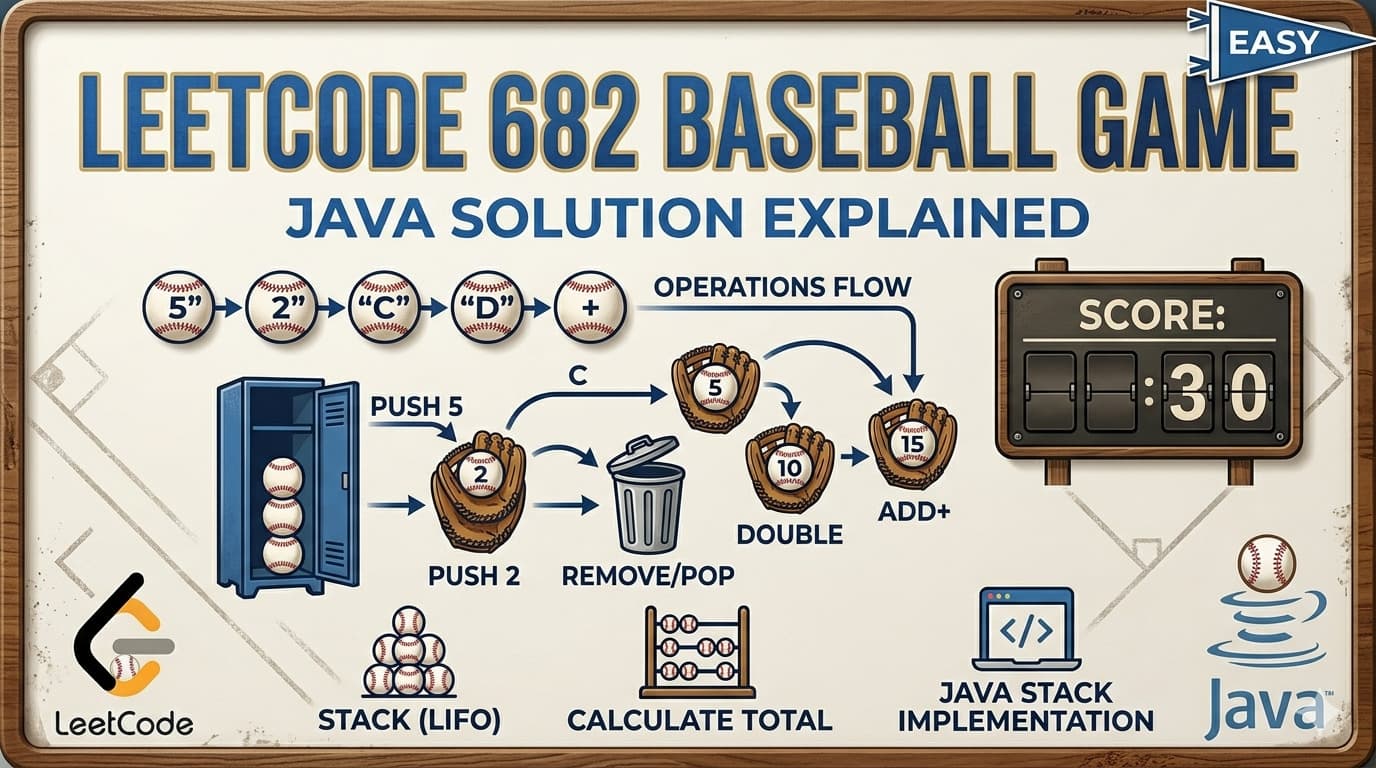
IntroductionLeetCode 682 Baseball Game is one of the cleanest and most beginner-friendly stack simulation problems on LeetCode. It does not require any fancy algorithm or deep insight — it purely tests whether you can carefully read the rules and simulate them faithfully using the right data structure.But do not let "Easy" fool you. This problem is a great place to practice thinking about which data structure fits best and why. We will solve it three different ways — Stack, ArrayList, and Deque — so you can see the tradeoffs and pick the one that makes most sense to you.You can find the problem here — LeetCode 682 Baseball Game.What Is the Problem Really Asking?You are keeping score for a baseball game with four special rules. You process a list of operations one by one and maintain a record of scores. At the end, return the total sum of all scores in the record.The four operations are:A number (like "5" or "-2") — just add that number as a new score to the record."C" — the last score was invalid, remove it from the record."D" — add a new score that is double the most recent score."+" — add a new score that is the sum of the two most recent scores.That is it. Four rules, simulate them in order, sum up what is left.Real Life Analogy — A Scoreboard With CorrectionsImagine a scoreboard operator at a sports event. They write scores on a whiteboard as the game progresses:A player scores 5 points → write 5Another player scores 2 → write 2Referee says last score was invalid → erase the last number (C)Special bonus rule kicks in → double the last valid score (D)Two scores combine → add the last two scores as one entry (+)At the end, add up everything on the whiteboard. The stack is your whiteboard — you write on top and erase from the top.Why Stack Is the Natural FitAll four operations only ever look at or modify the most recently added scores. C removes the last one. D doubles the last one. + uses the last two. This "most recent first" access pattern is the definition of LIFO — Last In First Out — which is exactly what a Stack provides.Any time a problem says "the previous score" or "the last two scores," your brain should immediately think Stack.Approach 1: Stack (Your Solution) ✅The IdeaUse a Stack of integers. For each operation:Number → parse and pushC → pop the topD → peek the top, push doubled value+ → pop top two, push both back, push their sumpublic int calPoints(String[] operations) { Stack<Integer> st = new Stack<>(); for (int i = 0; i < operations.length; i++) { String op = operations[i]; if (op.equals("C")) { st.pop(); // remove last score } else if (op.equals("D")) { st.push(st.peek() * 2); // double of last score } else if (op.equals("+")) { int prev1 = st.pop(); // most recent score int prev2 = st.pop(); // second most recent score int sum = prev1 + prev2; st.push(prev2); // put them back st.push(prev1); st.push(sum); // push the new score } else { st.push(Integer.parseInt(op)); // regular number } } // sum all remaining scores int total = 0; while (!st.empty()) { total += st.pop(); } return total;}One small improvement over your original solution — using op.equals("C") instead of op.charAt(0) == 'C'. This is cleaner and handles edge cases better since negative numbers like "-2" also start with - not a digit, so charAt(0) comparisons can get tricky. Using equals is always safer for string operations.Why the + Operation Needs Pop-Push-PopThe trickiest part is the + operation. You need the two most recent scores. Stack only lets you see the top. So you pop the first, then the second, compute the sum, then push both back before pushing the sum. This restores the record correctly — the previous two scores stay, and the new sum score is added on top.Detailed Dry Run — ops = ["5","2","C","D","+"]Let us trace every step carefully:"5" → number, parse and push Stack: [5]"2" → number, parse and push Stack: [5, 2]"C" → remove last score, pop Stack: [5]"D" → double last score, peek=5, push 10 Stack: [5, 10]"+" → sum of last two:pop prev1 = 10pop prev2 = 5sum = 15push prev2=5, push prev1=10, push sum=15 Stack: [5, 10, 15]Sum all: 5 + 10 + 15 = 30 ✅Detailed Dry Run — ops = ["5","-2","4","C","D","9","+","+"]"5" → push 5. Stack: [5]"-2" → push -2. Stack: [5, -2]"4" → push 4. Stack: [5, -2, 4]"C" → pop 4. Stack: [5, -2]"D" → peek=-2, push -4. Stack: [5, -2, -4]"9" → push 9. Stack: [5, -2, -4, 9]"+" → prev1=9, prev2=-4, sum=5. Push -4, 9, 5. Stack: [5, -2, -4, 9, 5]"+" → prev1=5, prev2=9, sum=14. Push 9, 5, 14. Stack: [5, -2, -4, 9, 5, 14]Sum: 5 + (-2) + (-4) + 9 + 5 + 14 = 27 ✅Approach 2: ArrayList (Most Readable)The IdeaArrayList gives you index-based access which makes the + operation much cleaner — no need to pop and push back. Just access the last two elements directly using size()-1 and size()-2.public int calPoints(String[] operations) { ArrayList<Integer> record = new ArrayList<>(); for (String op : operations) { int n = record.size(); if (op.equals("C")) { record.remove(n - 1); // remove last element } else if (op.equals("D")) { record.add(record.get(n - 1) * 2); // double last } else if (op.equals("+")) { // sum of last two — no need to remove and re-add! record.add(record.get(n - 1) + record.get(n - 2)); } else { record.add(Integer.parseInt(op)); } } int total = 0; for (int score : record) { total += score; } return total;}See how the + operation becomes a single line with ArrayList? record.get(n-1) + record.get(n-2) directly accesses the last two elements without any pop-push gymnastics.Dry Run — ops = ["5","2","C","D","+"]"5" → add 5. List: [5]"2" → add 2. List: [5, 2]"C" → remove last. List: [5]"D" → 5×2=10, add 10. List: [5, 10]"+" → get(0)+get(1) = 5+10=15, add 15. List: [5, 10, 15]Sum: 30 ✅Time Complexity: O(n) — single pass through operations Space Complexity: O(n) — ArrayList stores at most n scoresThe one tradeoff — remove(n-1) on an ArrayList is O(1) for the last element (no shifting needed). And get() is O(1). So this is fully O(n) overall and arguably the cleanest solution to read and understand.Approach 3: Deque (ArrayDeque — Fastest in Java)The IdeaArrayDeque is faster than Stack in Java because Stack is synchronized (thread-safe overhead) and ArrayDeque is not. For single-threaded LeetCode problems, ArrayDeque is always the better choice over Stack.public int calPoints(String[] operations) { Deque<Integer> deque = new ArrayDeque<>(); for (String op : operations) { if (op.equals("C")) { deque.pollLast(); // remove last } else if (op.equals("D")) { deque.offerLast(deque.peekLast() * 2); // double last } else if (op.equals("+")) { int prev1 = deque.pollLast(); int prev2 = deque.pollLast(); int sum = prev1 + prev2; deque.offerLast(prev2); // restore deque.offerLast(prev1); // restore deque.offerLast(sum); // new score } else { deque.offerLast(Integer.parseInt(op)); } } int total = 0; for (int score : deque) { total += score; } return total;}The logic is identical to the Stack approach. The only difference is the method names — offerLast instead of push, pollLast instead of pop, peekLast instead of peek.Time Complexity: O(n) Space Complexity: O(n)For iterating a Deque to sum, you can use a for-each loop directly — no need to pop everything out like with Stack.Approach ComparisonApproachTimeSpaceBest ForStackO(n)O(n)Classic interview answer, clear LIFO intentArrayListO(n)O(n)Cleanest code, easiest to readArrayDequeO(n)O(n)Best performance, preferred in productionAll three approaches have identical time and space complexity. The difference is purely in code style and readability. In an interview, any of these is perfectly acceptable. Mention that ArrayDeque is preferred over Stack in Java for performance if you want to impress.Why op.equals() Is Better Than op.charAt(0)Your original solution uses operations[i].charAt(0) == 'C' to check operations. This works but has a subtle risk — the + character check with charAt(0) is fine, but imagine if a future test had a number starting with C or D (it will not in this problem but defensive coding is a good habit). More importantly, "-2".charAt(0) is '-' which is fine, but using equals is semantically clearer — you are comparing the whole string, not just the first character. This shows cleaner coding habits in interviews.Edge Cases to KnowNegative numbers like "-2" Integer.parseInt("-2") handles negatives perfectly. The D operation on -2 gives -4. The + operation works correctly with negatives too. No special handling needed."C" after a "+" that added a score The problem guarantees C always has at least one score to remove. So after + adds a score, a C removes just that one new score — the previous two scores that + used remain intact. This is correct behavior and our solution handles it automatically.All scores removed If all operations are numbers followed by C operations removing every score, the stack ends up empty and the sum is 0. Our while loop handles this correctly — it simply never executes and returns 0.Only one operation A single number like ["5"] → push 5, sum is 5. Works fine.Common Mistakes to AvoidIn the + operation, forgetting to push both numbers back When you pop prev1 and prev2 to compute the sum, you must push them back onto the stack before pushing the sum. If you only push the sum without restoring prev1 and prev2, those scores disappear from the record permanently — which is wrong. The + operation only adds a new score, it does not remove the previous ones.Using charAt(0) comparison for detecting numbers Negative numbers start with -, not a digit. If you check charAt(0) >= '0' && charAt(0) <= '9' to detect numbers, you will miss negatives. The safest approach is to check for C, D, and + explicitly using equals, and fall through to the else for everything else (which covers both positive and negative numbers).Calling st.peek() or st.pop() without checking empty The problem guarantees valid operations — C always has something to remove, + always has two previous scores, D always has one. But in real code and defensive interview solutions, adding empty checks shows good habits even when the constraints guarantee safety.FAQs — People Also AskQ1. Why is Stack a good choice for LeetCode 682 Baseball Game? Because all four operations only access the most recently added scores — the last score for C and D, the last two for +. This "most recent first" access pattern is exactly what LIFO (Last In First Out) provides. Stack's push, pop, and peek all run in O(1) making it perfectly efficient.Q2. What is the time complexity of LeetCode 682? O(n) time where n is the number of operations. Each operation performs a constant number of stack operations (at most 3 pushes/pops for the + case). Space complexity is O(n) for storing scores.Q3. Why does the + operation need to pop and push back in the Stack approach? Stack only gives direct access to the top element. To get the second most recent score, you must pop the first one, peek/pop the second, then push the first one back. The ArrayList approach avoids this by using index-based access directly.Q4. What is the difference between Stack and ArrayDeque in Java for this problem? Both work correctly. ArrayDeque is faster because Stack is a legacy class that extends Vector and is synchronized (thread-safe), adding unnecessary overhead for single-threaded use. ArrayDeque has no synchronization overhead. For LeetCode and interviews, either is acceptable but ArrayDeque is technically better.Q5. Is LeetCode 682 asked in coding interviews? It appears occasionally as a warmup or screening problem. Its main value is testing whether you can carefully simulate rules without making logical errors — a skill that matters in systems programming, game development, and any domain with complex state management.Similar LeetCode Problems to Practice Next71. Simplify Path — Medium — stack simulation with path operations1047. Remove All Adjacent Duplicates In String — Easy — stack simulation735. Asteroid Collision — Medium — stack simulation with conditions150. Evaluate Reverse Polish Notation — Medium — stack with arithmetic operations, very similar pattern227. Basic Calculator II — Medium — stack with operator precedenceConclusionLeetCode 682 Baseball Game is a perfect problem to build confidence with stack simulation. The four operations are clearly defined, the rules are unambiguous, and the stack maps naturally to every operation. Once you understand why pop-push-back is needed for + in the stack approach and how ArrayList simplifies that with index access, you have genuinely understood the tradeoffs between these data structures.If you are newer to stacks, start with the ArrayList solution for clarity. Once that clicks, rewrite it with Stack to understand the LIFO mechanics. Then try ArrayDeque to understand why it is preferred in modern Java code.

LeetCodeJavaStackArrayListDequeEasy
Stack Data Structure in Java: The Complete In-Depth Guide

Stack Data Structure in Java: The Complete In-Depth Guide

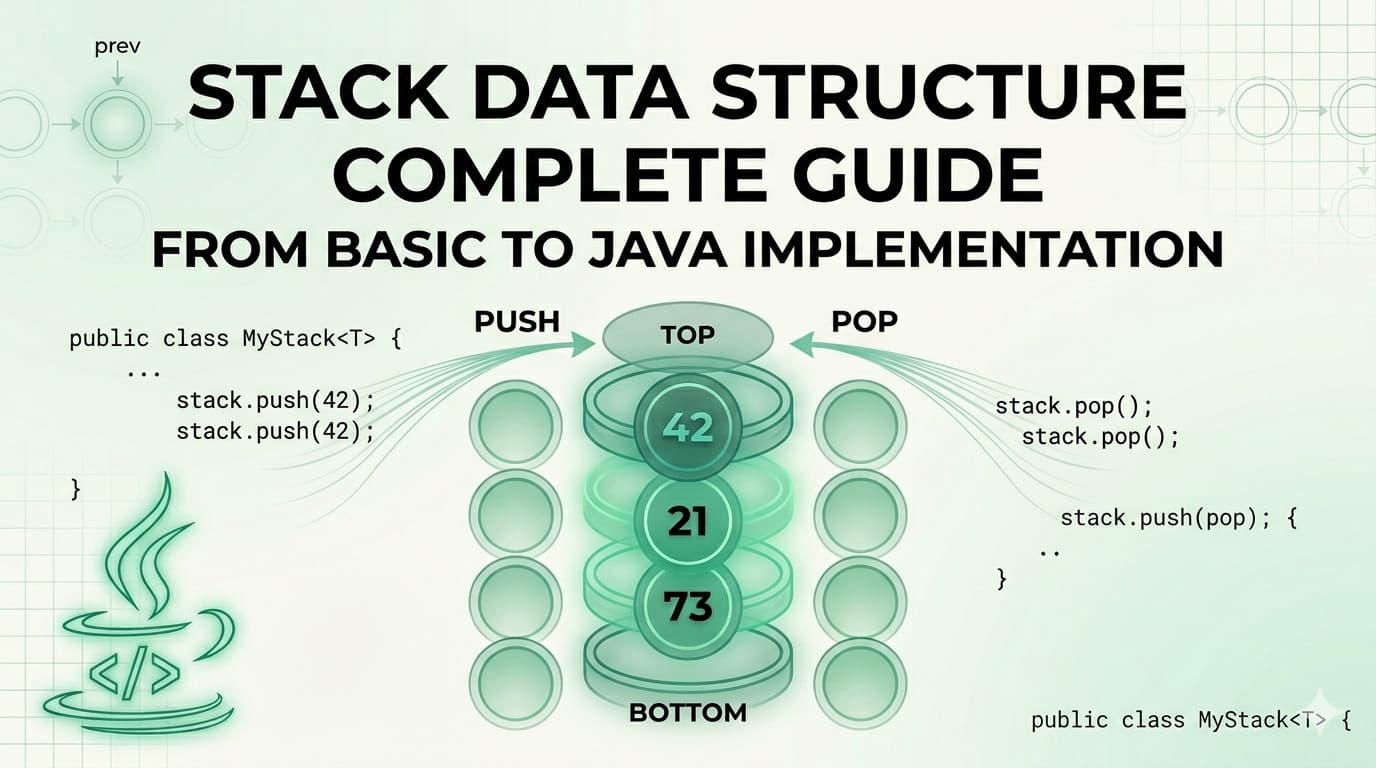
1. What Is a Stack?A Stack is a linear data structure that stores elements in a sequential order, but with one strict rule — you can only insert or remove elements from one end, called the top.It is one of the simplest yet most powerful data structures in computer science. Its strength comes from its constraint. Because everything happens at one end, the behavior of a stack is completely predictable.The formal definition: A Stack is a linear data structure that follows the Last In, First Out (LIFO) principle — the element inserted last is the first one to be removed.Here is what a stack looks like visually: ┌──────────┐ │ 50 │ ← TOP (last inserted, first removed) ├──────────┤ │ 40 │ ├──────────┤ │ 30 │ ├──────────┤ │ 20 │ ├──────────┤ │ 10 │ ← BOTTOM (first inserted, last removed) └──────────┘When you push 60 onto this stack, it goes on top. When you pop, 60 comes out first. That is LIFO.2. Real-World AnalogiesBefore writing a single line of code, it helps to see stacks in the real world. These analogies will make the concept permanently stick.A Pile of Plates In a cafeteria, clean plates are stacked on top of each other. You always pick the top plate. You always place a new plate on top. You never reach into the middle. This is a stack.Browser Back Button Every time you visit a new webpage, it gets pushed onto a history stack. When you press the Back button, the browser pops the most recent page off the stack and takes you there. The page you visited first is at the bottom — you only reach it after going back through everything else.Undo Feature in Text Editors When you type in a document and press Ctrl+Z, the most recent action is undone first. That is because every action you perform is pushed onto a stack. Undo simply pops from that stack.Call Stack in Programming When a function calls another function, the current function's state is pushed onto the call stack. When the inner function finishes, it is popped off and execution returns to the outer function. This is the literal stack your programs run on.A Stack of Books Put five books on a table, one on top of another. You can only take the top book without knocking the pile over. That is a stack.3. The LIFO Principle ExplainedLIFO stands for Last In, First Out.It means whatever you put in last is the first thing to come out. This is the exact opposite of a Queue (which is FIFO — First In, First Out).Let us trace through an example step by step:Start: Stack is empty → []Push 10 → [10] (10 is at the top)Push 20 → [10, 20] (20 is at the top)Push 30 → [10, 20, 30] (30 is at the top)Pop → returns 30 (30 was last in, first out) Stack: [10, 20]Pop → returns 20 Stack: [10]Peek → returns 10 (just looks, does not remove) Stack: [10]Pop → returns 10 Stack: [] (stack is now empty)Every single operation happens only at the top. The bottom of the stack is never directly accessible.4. Stack Operations & Time ComplexityA stack supports the following core operations:OperationDescriptionTime Complexitypush(x)Insert element x onto the top of the stackO(1)pop()Remove and return the top elementO(1)peek() / top()Return the top element without removing itO(1)isEmpty()Check if the stack has no elementsO(1)isFull()Check if the stack has reached its capacity (Array only)O(1)size()Return the number of elements in the stackO(1)search(x)Find position of element from top (Java built-in only)O(n)All primary stack operations — push, pop, peek, isEmpty — run in O(1) constant time. This is what makes the stack so efficient. It does not matter whether the stack has 10 elements or 10 million — these operations are always instant.Space complexity for a stack holding n elements is O(n).5. Implementation 1 — Using a Static ArrayThis is the most fundamental way to implement a stack. We use a fixed-size array and a variable called top to track where the top of the stack currently is.How it works:top starts at -1 (stack is empty)On push: increment top, then place the element at arr[top]On pop: return arr[top], then decrement topOn peek: return arr[top] without changing it// StackUsingArray.javapublic class StackUsingArray { private int[] arr; private int top; private int capacity; // Constructor — initialize with a fixed capacity public StackUsingArray(int capacity) { this.capacity = capacity; arr = new int[capacity]; top = -1; } // Push: add element to the top public void push(int value) { if (isFull()) { System.out.println("Stack Overflow! Cannot push " + value); return; } arr[++top] = value; System.out.println("Pushed: " + value); } // Pop: remove and return top element public int pop() { if (isEmpty()) { System.out.println("Stack Underflow! Stack is empty."); return -1; } return arr[top--]; } // Peek: view the top element without removing public int peek() { if (isEmpty()) { System.out.println("Stack is empty."); return -1; } return arr[top]; } // Check if stack is empty public boolean isEmpty() { return top == -1; } // Check if stack is full public boolean isFull() { return top == capacity - 1; } // Return current size public int size() { return top + 1; } // Display all elements public void display() { if (isEmpty()) { System.out.println("Stack is empty."); return; } System.out.print("Stack (top → bottom): "); for (int i = top; i >= 0; i--) { System.out.print(arr[i] + " "); } System.out.println(); } // Main method to test public static void main(String[] args) { StackUsingArray stack = new StackUsingArray(5); stack.push(10); stack.push(20); stack.push(30); stack.push(40); stack.push(50); stack.push(60); // This will trigger Stack Overflow stack.display(); System.out.println("Peek: " + stack.peek()); System.out.println("Pop: " + stack.pop()); System.out.println("Pop: " + stack.pop()); stack.display(); System.out.println("Size: " + stack.size()); }}```**Output:**```Pushed: 10Pushed: 20Pushed: 30Pushed: 40Pushed: 50Stack Overflow! Cannot push 60Stack (top → bottom): 50 40 30 20 10Peek: 50Pop: 50Pop: 40Stack (top → bottom): 30 20 10Size: 3Key Points about Array Implementation:Fixed size — you must declare capacity upfrontVery fast — direct array index accessStack Overflow is possible if capacity is exceededMemory is pre-allocated even if stack is not full6. Implementation 2 — Using an ArrayListAn ArrayList-based stack removes the fixed-size limitation. The ArrayList grows dynamically, so you never have to worry about stack overflow due to capacity.How it works:The end of the ArrayList acts as the topadd() is used for pushremove(size - 1) is used for popget(size - 1) is used for peek// StackUsingArrayList.javaimport java.util.ArrayList;public class StackUsingArrayList { private ArrayList<Integer> list; // Constructor public StackUsingArrayList() { list = new ArrayList<>(); } // Push: add to the end (which is our top) public void push(int value) { list.add(value); System.out.println("Pushed: " + value); } // Pop: remove and return the last element public int pop() { if (isEmpty()) { System.out.println("Stack Underflow! Stack is empty."); return -1; } int top = list.get(list.size() - 1); list.remove(list.size() - 1); return top; } // Peek: view the last element public int peek() { if (isEmpty()) { System.out.println("Stack is empty."); return -1; } return list.get(list.size() - 1); } // Check if stack is empty public boolean isEmpty() { return list.isEmpty(); } // Return size public int size() { return list.size(); } // Display elements from top to bottom public void display() { if (isEmpty()) { System.out.println("Stack is empty."); return; } System.out.print("Stack (top → bottom): "); for (int i = list.size() - 1; i >= 0; i--) { System.out.print(list.get(i) + " "); } System.out.println(); } // Main method to test public static void main(String[] args) { StackUsingArrayList stack = new StackUsingArrayList(); stack.push(5); stack.push(15); stack.push(25); stack.push(35); stack.display(); System.out.println("Peek: " + stack.peek()); System.out.println("Pop: " + stack.pop()); System.out.println("Pop: " + stack.pop()); stack.display(); System.out.println("Is Empty: " + stack.isEmpty()); System.out.println("Size: " + stack.size()); }}```**Output:**```Pushed: 5Pushed: 15Pushed: 25Pushed: 35Stack (top → bottom): 35 25 15 5Peek: 35Pop: 35Pop: 25Stack (top → bottom): 15 5Is Empty: falseSize: 2Key Points about ArrayList Implementation:Dynamic size — grows automatically as neededNo overflow riskSlight overhead compared to raw array due to ArrayList internalsExcellent for most practical use cases7. Implementation 3 — Using a LinkedListA LinkedList-based stack is the most memory-efficient approach when you do not know the stack size in advance. Each element (node) holds data and a pointer to the next node. The head of the LinkedList acts as the top of the stack.How it works:Each node stores a value and a reference to the node below itPush creates a new node and makes it the new headPop removes the head node and returns its valuePeek returns the head node's value without removing it// StackUsingLinkedList.javapublic class StackUsingLinkedList { // Inner Node class private static class Node { int data; Node next; Node(int data) { this.data = data; this.next = null; } } private Node top; // Head of the linked list = top of stack private int size; // Constructor public StackUsingLinkedList() { top = null; size = 0; } // Push: create new node and link it to top public void push(int value) { Node newNode = new Node(value); newNode.next = top; // new node points to current top top = newNode; // new node becomes the new top size++; System.out.println("Pushed: " + value); } // Pop: remove and return top node's data public int pop() { if (isEmpty()) { System.out.println("Stack Underflow! Stack is empty."); return -1; } int value = top.data; top = top.next; // move top pointer to next node size--; return value; } // Peek: return top node's data without removing public int peek() { if (isEmpty()) { System.out.println("Stack is empty."); return -1; } return top.data; } // Check if empty public boolean isEmpty() { return top == null; } // Return size public int size() { return size; } // Display elements from top to bottom public void display() { if (isEmpty()) { System.out.println("Stack is empty."); return; } System.out.print("Stack (top → bottom): "); Node current = top; while (current != null) { System.out.print(current.data + " "); current = current.next; } System.out.println(); } // Main method to test public static void main(String[] args) { StackUsingLinkedList stack = new StackUsingLinkedList(); stack.push(100); stack.push(200); stack.push(300); stack.push(400); stack.display(); System.out.println("Peek: " + stack.peek()); System.out.println("Pop: " + stack.pop()); System.out.println("Pop: " + stack.pop()); stack.display(); System.out.println("Size: " + stack.size()); }}```**Output:**```Pushed: 100Pushed: 200Pushed: 300Pushed: 400Stack (top → bottom): 400 300 200 100Peek: 400Pop: 400Pop: 300Stack (top → bottom): 200 100Size: 2Key Points about LinkedList Implementation:Truly dynamic — each node allocated only when neededNo wasted memory from pre-allocationSlightly more memory per element (each node carries a pointer)Ideal for stacks where size is completely unknown8. Java's Built-in Stack ClassJava provides a ready-made Stack class inside java.util. It extends Vector and is thread-safe by default.// JavaBuiltinStack.javaimport java.util.Stack;public class JavaBuiltinStack { public static void main(String[] args) { Stack<Integer> stack = new Stack<>(); // Push elements stack.push(10); stack.push(20); stack.push(30); stack.push(40); System.out.println("Stack: " + stack); // Peek — look at top without removing System.out.println("Peek: " + stack.peek()); // Pop — remove top System.out.println("Pop: " + stack.pop()); System.out.println("After pop: " + stack); // Search — returns 1-based position from top System.out.println("Search 20: position " + stack.search(20)); // isEmpty System.out.println("Is Empty: " + stack.isEmpty()); // Size System.out.println("Size: " + stack.size()); }}```**Output:**```Stack: [10, 20, 30, 40]Peek: 40Pop: 40After pop: [10, 20, 30]Search 20: position 2Is Empty: falseSize: 3Important Note: In modern Java development, it is often recommended to use Deque (specifically ArrayDeque) instead of Stack for better performance, since Stack is synchronized and carries the overhead of Vector.// Using ArrayDeque as a stack (modern preferred approach)import java.util.ArrayDeque;import java.util.Deque;public class ModernStack { public static void main(String[] args) { Deque<Integer> stack = new ArrayDeque<>(); stack.push(10); // pushes to front stack.push(20); stack.push(30); System.out.println("Top: " + stack.peek()); System.out.println("Pop: " + stack.pop()); System.out.println("Stack: " + stack); }}9. Comparison of All ImplementationsFeatureArrayArrayListLinkedListJava StackArrayDequeSizeFixedDynamicDynamicDynamicDynamicStack Overflow RiskYesNoNoNoNoMemory UsagePre-allocatedAuto-growsPer-node overheadAuto-growsAuto-growsPush TimeO(1)O(1) amortizedO(1)O(1)O(1)Pop TimeO(1)O(1)O(1)O(1)O(1)Peek TimeO(1)O(1)O(1)O(1)O(1)Thread SafeNoNoNoYesNoBest ForKnown size, max speedGeneral useUnknown/huge sizeLegacy codeModern Java10. Advantages & DisadvantagesAdvantagesAdvantageExplanationSimple to implementVery few rules and operations to worry aboutO(1) operationsPush, pop, and peek are all constant timeMemory efficientNo extra pointers needed (array-based)Supports recursionThe call stack is itself a stackEasy undo/redoNatural fit for reversible action trackingBacktrackingPerfectly suited for maze, puzzle, and game solvingExpression evaluationPowers compilers and calculatorsDisadvantagesDisadvantageExplanationLimited accessCannot access elements in the middle directlyFixed size (array)Array-based stacks overflow if size is exceededNo random accessYou cannot do stack[2] — only top is accessibleMemory waste (array)Pre-allocated array wastes space if underusedNot suitable for all problemsMany problems need queues, trees, or graphs insteadStack overflow in recursionVery deep recursion can overflow the JVM call stack11. Real-World Use Cases of StackUnderstanding when to use a stack is just as important as knowing how to implement one. Here is where stacks show up in real software:Function Call Management (Call Stack) Every time your Java program calls a method, the JVM pushes that method's frame onto the call stack. When the method returns, the frame is popped. This is why you see "StackOverflowError" when you write infinite recursion.Undo and Redo Operations Text editors, image editors (Photoshop), and IDEs use two stacks — one for undo history and one for redo history. Every action pushes onto the undo stack. Ctrl+Z pops from it and pushes to the redo stack.Browser Navigation Your browser maintains a back-stack and a forward-stack. Visiting a new page pushes to the back-stack. Pressing Back pops from it and pushes to the forward-stack.Expression Evaluation and Conversion Compilers use stacks to evaluate arithmetic expressions and convert between infix, prefix, and postfix notations. For example: 3 + 4 * 2 must be evaluated considering operator precedence — this is done with a stack.Balanced Parentheses Checking Linters, compilers, and IDEs use stacks to check if brackets are balanced: {[()]} is valid, {[(])} is not.Backtracking Algorithms Maze solving, N-Queens, Sudoku solvers, and depth-first search all use stacks (explicitly or via recursion) to backtrack to previous states when a path fails.Syntax Parsing Compilers parse source code using stacks to match opening and closing constructs like if/else, try/catch, { and }.12. Practice Problems with Full SolutionsHere is where things get really interesting. These problems will sharpen your stack intuition and prepare you for coding interviews.Problem 1 — Reverse a String Using a StackDifficulty: EasyProblem: Write a Java program to reverse a string using a Stack.Approach: Push every character of the string onto a stack, then pop them all. Since LIFO reverses the order, the characters come out reversed.// ReverseString.javaimport java.util.Stack;public class ReverseString { public static String reverse(String str) { Stack<Character> stack = new Stack<>(); // Push all characters for (char c : str.toCharArray()) { stack.push(c); } // Pop all characters to build reversed string StringBuilder reversed = new StringBuilder(); while (!stack.isEmpty()) { reversed.append(stack.pop()); } return reversed.toString(); } public static void main(String[] args) { System.out.println(reverse("hello")); // olleh System.out.println(reverse("java")); // avaj System.out.println(reverse("racecar")); // racecar (palindrome) System.out.println(reverse("datastructure")); // erutcurtasatad }}Problem 2 — Check Balanced ParenthesesDifficulty: Easy–MediumProblem: Given a string containing (, ), {, }, [, ], determine if the brackets are balanced.Approach: Push every opening bracket onto the stack. When you see a closing bracket, check if it matches the top of the stack. If it does, pop. If it does not, the string is unbalanced.// BalancedParentheses.javaimport java.util.Stack;public class BalancedParentheses { public static boolean isBalanced(String expr) { Stack<Character> stack = new Stack<>(); for (char c : expr.toCharArray()) { // Push all opening brackets if (c == '(' || c == '{' || c == '[') { stack.push(c); } // For closing brackets, check the top of stack else if (c == ')' || c == '}' || c == ']') { if (stack.isEmpty()) return false; char top = stack.pop(); if (c == ')' && top != '(') return false; if (c == '}' && top != '{') return false; if (c == ']' && top != '[') return false; } } // Stack must be empty at the end for a balanced expression return stack.isEmpty(); } public static void main(String[] args) { System.out.println(isBalanced("{[()]}")); // true System.out.println(isBalanced("{[(])}")); // false System.out.println(isBalanced("((()))")); // true System.out.println(isBalanced("{]")); // false System.out.println(isBalanced("")); // true (empty is balanced) }}Problem 3 — Reverse a Stack (Without Extra Data Structure)Difficulty: Medium–HardProblem: Reverse all elements of a stack using only recursion — no array or extra stack allowed.Approach: This is a classic recursion problem. You need two recursive functions:insertAtBottom(stack, item) — inserts an element at the very bottom of the stackreverseStack(stack) — pops all elements, reverses, and uses insertAtBottom to rebuild// ReverseStack.javaimport java.util.Stack;public class ReverseStack { // Insert an element at the bottom of the stack public static void insertAtBottom(Stack<Integer> stack, int item) { if (stack.isEmpty()) { stack.push(item); return; } int top = stack.pop(); insertAtBottom(stack, item); stack.push(top); } // Reverse the stack using insertAtBottom public static void reverseStack(Stack<Integer> stack) { if (stack.isEmpty()) return; int top = stack.pop(); reverseStack(stack); // reverse the remaining stack insertAtBottom(stack, top); // insert popped element at bottom } public static void main(String[] args) { Stack<Integer> stack = new Stack<>(); stack.push(1); stack.push(2); stack.push(3); stack.push(4); stack.push(5); System.out.println("Before: " + stack); // [1, 2, 3, 4, 5] reverseStack(stack); System.out.println("After: " + stack); // [5, 4, 3, 2, 1] }}Problem 4 — Evaluate a Postfix ExpressionDifficulty: MediumProblem: Evaluate a postfix (Reverse Polish Notation) expression. Example: "2 3 4 * +" should return 14 because it is 2 + (3 * 4).Approach: Scan left to right. If you see a number, push it. If you see an operator, pop two numbers, apply the operator, and push the result.// PostfixEvaluation.javaimport java.util.Stack;public class PostfixEvaluation { public static int evaluate(String expression) { Stack<Integer> stack = new Stack<>(); String[] tokens = expression.split(" "); for (String token : tokens) { // If it's a number, push it if (token.matches("-?\\d+")) { stack.push(Integer.parseInt(token)); } // If it's an operator, pop two and apply else { int b = stack.pop(); // second operand int a = stack.pop(); // first operand switch (token) { case "+": stack.push(a + b); break; case "-": stack.push(a - b); break; case "*": stack.push(a * b); break; case "/": stack.push(a / b); break; } } } return stack.pop(); } public static void main(String[] args) { System.out.println(evaluate("2 3 4 * +")); // 14 → 2 + (3*4) System.out.println(evaluate("5 1 2 + 4 * + 3 -")); // 14 → 5+((1+2)*4)-3 System.out.println(evaluate("3 4 +")); // 7 }}Problem 5 — Next Greater ElementDifficulty: MediumProblem: For each element in an array, find the next greater element to its right. If none exists, output -1.Example: Input: [4, 5, 2, 10, 8] → Output: [5, 10, 10, -1, -1]Approach: Iterate right to left. Maintain a stack of candidates. For each element, pop all stack elements that are smaller than or equal to it — they can never be the answer for any element to the left. The top of the stack (if not empty) is the next greater element.// NextGreaterElement.javaimport java.util.Stack;import java.util.Arrays;public class NextGreaterElement { public static int[] nextGreater(int[] arr) { int n = arr.length; int[] result = new int[n]; Stack<Integer> stack = new Stack<>(); // stores elements, not indices // Traverse from right to left for (int i = n - 1; i >= 0; i--) { // Pop elements smaller than or equal to current while (!stack.isEmpty() && stack.peek() <= arr[i]) { stack.pop(); } // Next greater element result[i] = stack.isEmpty() ? -1 : stack.peek(); // Push current element for future comparisons stack.push(arr[i]); } return result; } public static void main(String[] args) { int[] arr1 = {4, 5, 2, 10, 8}; System.out.println(Arrays.toString(nextGreater(arr1))); // [5, 10, 10, -1, -1] int[] arr2 = {1, 3, 2, 4}; System.out.println(Arrays.toString(nextGreater(arr2))); // [3, 4, 4, -1] int[] arr3 = {5, 4, 3, 2, 1}; System.out.println(Arrays.toString(nextGreater(arr3))); // [-1, -1, -1, -1, -1] }}Problem 6 — Sort a Stack Using RecursionDifficulty: HardProblem: Sort a stack in ascending order (smallest on top) using only recursion — no loops, no extra data structure.// SortStack.javaimport java.util.Stack;public class SortStack { // Insert element in correct sorted position public static void sortedInsert(Stack<Integer> stack, int item) { if (stack.isEmpty() || item > stack.peek()) { stack.push(item); return; } int top = stack.pop(); sortedInsert(stack, item); stack.push(top); } // Sort the stack public static void sortStack(Stack<Integer> stack) { if (stack.isEmpty()) return; int top = stack.pop(); sortStack(stack); // sort remaining sortedInsert(stack, top); // insert top in sorted position } public static void main(String[] args) { Stack<Integer> stack = new Stack<>(); stack.push(34); stack.push(3); stack.push(31); stack.push(98); stack.push(92); stack.push(23); System.out.println("Before sort: " + stack); sortStack(stack); System.out.println("After sort: " + stack); // smallest on top }}13. Summary & Key TakeawaysA stack is a simple, elegant, and powerful data structure. Here is everything in one place:What it is: A linear data structure that follows LIFO — Last In, First Out.Core operations: push (add to top), pop (remove from top), peek (view top), isEmpty — all in O(1) time.Three ways to implement it in Java:Array-based: fast, fixed size, risk of overflowArrayList-based: dynamic, easy, slightly more overheadLinkedList-based: truly dynamic, memory-efficient per-element, best for unknown sizesWhen to use it:Undo/redo systemsBrowser navigationBalancing brackets and parenthesesEvaluating mathematical expressionsBacktracking problemsManaging recursive function callsDepth-first searchWhen NOT to use it:When you need random access to elementsWhen insertion/deletion is needed from both ends (use Deque)When you need to search efficiently (use HashMap or BST)Modern Java recommendation: Prefer ArrayDeque over the legacy Stack class for non-thread-safe scenarios. Use Stack only when you need synchronized access.The stack is one of those data structures that once you truly understand, you start seeing it everywhere — in your browser, in your IDE, in recursive algorithms, and deep within the operating system itself.This article covered everything from the fundamentals of the Stack data structure to multiple Java implementations, time complexity analysis, real-world applications, and six practice problems of increasing difficulty. Bookmark it as a reference and revisit the practice problems regularly — they are the real test of your understanding.

DataStructuresJavaStackDataStructureLIFO
Ai Assistant Kas