Search Blogs

Showing results for "System Design"

Found 6 results

Scaling Real-Time Video: WebRTC, MCU, and SFU Architectures

Scaling Real-Time Video: WebRTC, MCU, and SFU Architectures

IntroductionBuilding a video conferencing application like Zoom or Google Meet is one of the most challenging tasks in system design. It requires handling massive amounts of real-time data with minimal latency. To understand how these systems scale to support multiple users, we must look at the evolution of video architectures: from simple Peer-to-Peer (P2P) connections to advanced Selective Forwarding Units (SFU).1. Peer-to-Peer (P2P) and WebRTCThe foundation of web-based video calling is WebRTC (Web Real-Time Communication). In its simplest form, it uses a P2P connection.How it works: Two users (peers) connect directly to each other using the UDP protocol. There is no central server handling the media; Peer A sends its stream directly to Peer B.Advantages: It is essentially "free" regarding server costs because the server only helps with the initial handshake (signaling).Limitations: This architecture is designed for 1-on-1 calls. Once you add more participants, it becomes a "Mesh" network.2. The Mesh ArchitectureIn a Mesh setup, every participant opens a direct P2P connection with every other participant.The Problem: If there are five people in a call, your device must upload your video four times and download four separate streams. This places an immense load on the user's CPU and upload bandwidth. It is not scalable for large groups and frequently crashes due to complexity.3. Multipoint Control Unit (MCU)To solve the Mesh scaling issue, the industry introduced the MCU. This architecture introduces a central server that acts as a "mixer."How it works: Every participant sends one stream to the server. The server then takes all incoming video/audio feeds, "mixes" them into a single composite stream (like a collage), and sends that one stream back to everyone.Pros: Each user only handles one upload and one download stream, regardless of how many people are in the call.Cons: Mixing video in real-time is extremely CPU-intensive for the server. Furthermore, because the server sends a single "baked" image, users cannot customize their UI—you can't "pin" a specific person or hide someone locally because the layout is decided by the server.4. Selective Forwarding Unit (SFU)The SFU is the modern gold standard used by most professional platforms.How it works: Like an MCU, everyone sends their stream to a central server. However, the SFU does not mix the streams. Instead, it acts as a "traffic cop" or a "router." It receives your stream and forwards it to the other participants as separate, raw feeds.Why it wins:Low Server Load: The server doesn't process or "mix" the video; it just routes packets, making it much cheaper and faster.Client Control: Since you receive separate streams for each participant, your app can decide how to render them. You can make one person's video larger, mute a specific person locally, or ignore a stream entirely to save data.ConclusionWhile P2P is excellent for simple 1-on-1 chats, production-grade applications requiring multi-conference capabilities almost always rely on SFU architecture. It offers the best balance of scalability, server efficiency, and client-side flexibility. For developers looking to implement this, low-level libraries like Mediasoup provide the necessary infrastructure to build robust, scalable selective forwarding units that can handle the demands of modern real-time communication


SystemDesignWebRTCVideoConferencingSFUMCUBackendArchitectureRealTimeCommunicationSystem Design
LeetCode 735: Asteroid Collision — Java Solution Explained

LeetCode 735: Asteroid Collision — Java Solution Explained

IntroductionIf you have been building your stack skills through problems like Valid Parentheses, Next Greater Element, and Backspace String Compare, then LeetCode 735 Asteroid Collision is the problem where everything comes together. It is one of the most satisfying Medium problems on LeetCode because it feels like a real simulation — you are literally modelling asteroids flying through space and crashing into each other.You can find the problem here — LeetCode 735 Asteroid Collision.This article breaks everything down in plain English so that anyone — beginner or experienced — can understand exactly what is happening and why the stack is the perfect tool for this problem.What Is the Problem Really Asking?You have a row of asteroids moving through space. Each asteroid has a size and a direction:Positive number → asteroid moving to the rightNegative number → asteroid moving to the leftAll asteroids move at the same speed. When a right-moving asteroid and a left-moving asteroid meet head-on, they collide:The smaller one explodesIf they are the same size, both explodeThe bigger one survives and keeps movingTwo asteroids moving in the same direction never meet, so they never collide.Return the final state of all surviving asteroids after every possible collision has happened.Real Life Analogy — Cars on a HighwayImagine a highway with cars driving in both directions. Cars going right are in one lane, cars going left are in another lane. Now imagine the lanes overlap at some point.A small car going right crashes into a big truck going left — the car gets destroyed, the truck keeps going. Two equally sized cars crash — both are destroyed. A massive truck going right demolishes everything coming from the left until it meets something bigger or nothing at all.That is exactly the asteroid problem. The stack helps us track which asteroids are still "alive" and moving right, waiting to potentially collide with the next left-moving asteroid that comes along.Why Stack Is the Perfect Data Structure HereThe key observation is this — only a right-moving asteroid followed by a left-moving asteroid can collide. A left-moving asteroid might destroy several right-moving ones in a chain before it either survives or gets destroyed itself.This chain reaction behavior — where the outcome of one collision immediately triggers the possibility of another — is exactly what a stack handles naturally. The stack holds right-moving asteroids that are still alive and waiting. When a left-moving asteroid arrives, it battles the top of the stack repeatedly until either it is destroyed or no more collisions are possible.All Possible Collision ScenariosBefore looking at code it is important to understand every case that can happen:Case 1 — Right-moving asteroid (ast[i] > 0) No collision possible immediately. Push it onto the stack and move on.Case 2 — Left-moving asteroid, stack is empty Nothing to collide with. Push it onto the stack.Case 3 — Left-moving asteroid, top of stack is also left-moving (negative) Two asteroids going the same direction never meet. Push it onto the stack.Case 4 — Left-moving asteroid meets right-moving asteroid (collision!) Three sub-cases:Stack top is bigger → left-moving asteroid explodes, stack top survivesStack top is smaller → stack top explodes, left-moving asteroid continues (loop again)Same size → both explodeThe Solution — Stack Simulationpublic int[] asteroidCollision(int[] ast) { Stack<Integer> st = new Stack<>(); for (int i = 0; i < ast.length; i++) { boolean survived = true; // assume current asteroid survives // collision only happens when stack top is positive // and current asteroid is negative while (!st.empty() && st.peek() > 0 && ast[i] < 0) { if (st.peek() > Math.abs(ast[i])) { // stack top is bigger — current asteroid explodes survived = false; break; } else if (st.peek() < Math.abs(ast[i])) { // current asteroid is bigger — stack top explodes // current asteroid keeps going, check next stack element st.pop(); } else { // equal size — both explode st.pop(); survived = false; break; } } if (survived) { st.push(ast[i]); } } // build result array from stack (stack gives reverse order) int[] ans = new int[st.size()]; for (int i = ans.length - 1; i >= 0; i--) { ans[i] = st.pop(); } return ans;}Step-by-Step Dry Run — asteroids = [10, 2, -5]Let us trace exactly what happens:Processing 10:Stack is empty, no collision possiblesurvived = true → push 10Stack: [10]Processing 2:Stack top is 10 (positive), current is 2 (positive) — same direction, no collisionsurvived = true → push 2Stack: [10, 2]Processing -5:Stack top is 2 (positive), current is -5 (negative) — collision!2 < 5 → stack top smaller, pop 2. survived stays trueStack: [10]Stack top is 10 (positive), current is -5 (negative) — collision again!10 > 5 → stack top bigger, current asteroid destroyed. survived = false, breakStack: [10]survived = false → do not push -5Final stack: [10] → output: [10] ✅Step-by-Step Dry Run — asteroids = [3, 5, -6, 2, -1, 4]Processing 3: stack empty → push. Stack: [3]Processing 5: both positive, same direction → push. Stack: [3, 5]Processing -6:Collision with 5: 5 < 6 → pop 5. Stack: [3]Collision with 3: 3 < 6 → pop 3. Stack: []Stack empty → survived = true → push -6Stack: [-6]Processing 2: stack top is -6 (negative), current is 2 (positive) — same direction check fails, no collision → push. Stack: [-6, 2]Processing -1:Collision with 2: 2 > 1 → stack top bigger, -1 explodes. survived = falseStack: [-6, 2]Processing 4: stack top is 2 (positive), current is 4 (positive) — same direction → push. Stack: [-6, 2, 4]Final stack: [-6, 2, 4] → output: [-6, 2, 4] ✅Understanding the survived FlagThe survived boolean flag is the most important design decision in this solution. It tracks whether the current asteroid makes it through all collisions.It starts as true — we assume the asteroid survives until proven otherwise. It only becomes false in two situations — when the stack top is bigger (current asteroid destroyed) or when both are equal size (mutual destruction). If survived is still true after the while loop, the asteroid either won all its battles or never had any — either way it gets pushed onto the stack.This flag eliminates the need for complicated nested conditions and makes the logic clean and readable.Building the Result ArrayOne important detail — when you pop everything from a stack to build an array, the order is reversed. The stack gives you elements from top to bottom (last to first). So we fill the result array from the end to the beginning using i = ans.length - 1 going down to 0. This preserves the original left-to-right order of surviving asteroids.Time and Space ComplexityTime Complexity: O(n) — each asteroid is pushed onto the stack at most once and popped at most once. Even though there is a while loop inside the for loop, each element participates in at most one push and one pop across the entire run. Total operations stay linear.Space Complexity: O(n) — in the worst case (all asteroids moving right, no collisions) all n asteroids sit on the stack simultaneously.Common Mistakes to AvoidForgetting that same-direction asteroids never collide The collision condition is specifically st.peek() > 0 && ast[i] < 0. Two positive asteroids, two negative asteroids, or a negative followed by a positive — none of these collide. Only right then left.Not using a loop for chain collisions A single left-moving asteroid can destroy multiple right-moving ones in sequence. If you only check the stack top once instead of looping, you will miss chain destructions like in the [3, 5, -6] example.Forgetting the survived flag and always pushing Without the flag, a destroyed asteroid still gets pushed onto the stack, giving wrong results.Wrong array reconstruction from stack Forgetting that stack order is reversed and filling the array from left to right gives a backwards answer. Always fill from the last index downward.How This Problem Differs From Previous Stack ProblemsEvery previous stack problem in this series had a simple push-or-pop decision per character. Asteroid Collision introduces something new — a while loop inside the for loop. This is because one incoming asteroid can trigger multiple consecutive pops (chain collisions). The stack is no longer just storing history — it is actively participating in a simulation where multiple stored elements can be affected by a single incoming element.This is the defining characteristic of harder stack problems and is exactly what appears in problems like Largest Rectangle in Histogram and Trapping Rain Water.FAQs — People Also AskQ1. Why is a Stack used to solve LeetCode 735 Asteroid Collision? Because right-moving asteroids wait on the stack until a left-moving asteroid arrives. The left-moving asteroid battles the top of the stack repeatedly — this LIFO chain reaction behavior is exactly what a stack handles naturally and efficiently.Q2. What is the time complexity of LeetCode 735? O(n) time because each asteroid is pushed and popped at most once regardless of how many chain collisions happen. Space complexity is O(n) for the stack in the worst case.Q3. When do two asteroids NOT collide in LeetCode 735? Two asteroids never collide when both move right (both positive), both move left (both negative), or when a left-moving asteroid comes before a right-moving one — they move away from each other in that case.Q4. Is LeetCode 735 asked in coding interviews? Yes, it is commonly asked at companies like Amazon, Google, and Microsoft as a Medium stack problem. It tests whether you can handle simulation problems with multiple conditional branches and chain reactions — skills that translate directly to real world system design thinking.Q5. What is the difference between LeetCode 735 and LeetCode 496 Next Greater Element? Both use a stack and involve comparing elements. In Next Greater Element, you search forward for something bigger. In Asteroid Collision, collisions happen between the current element and stack contents, and the current element might destroy multiple previous elements in a chain before settling. The collision logic in 735 is more complex.Similar LeetCode Problems to Practice Next496. Next Greater Element I — Easy — monotonic stack pattern739. Daily Temperatures — Medium — next greater with index distance1047. Remove All Adjacent Duplicates In String — Easy — chain removal with stack84. Largest Rectangle in Histogram — Hard — advanced stack simulation503. Next Greater Element II — Medium — circular array with monotonic stackConclusionLeetCode 735 Asteroid Collision is a wonderful problem that takes the stack simulation pattern to the next level. The key insight is recognizing that only right-then-left asteroid pairs can collide, that chain collisions require a while loop not just an if statement, and that the survived flag keeps the logic clean across all cases.Work through every dry run in this article carefully — especially the [3, 5, -6, 2, -1, 4] example — because seeing chain collisions play out step by step is what makes this pattern click permanently.Once this problem makes sense, you are genuinely ready for the harder stack problems that follow. Keep going!

LeetCodeJavaStackArrayMedium
Efficient & Ethical: How to Scrape API Data Continuously Using Python

Efficient & Ethical: How to Scrape API Data Continuously Using Python

In the world of data science, the data you need isn't always available in a neat, downloadable package. Often, it sits behind an API that requires individual queries for every piece of information.If you try to "blast" an API with thousands of requests per second, you’ll likely trigger a DDoS (Distributed Denial of Service) protection system, resulting in a blocked IP or a banned account. Today, we’ll walk through a professional Python template designed to fetch data sequentially, respect server limits, and save the results into a clean CSV file.The Strategy: "Slow and Steady Wins the Race"When scraping an API, we want to mimic human behavior. Our script follows three golden rules:Iterative Logic: Loop through a range of IDs (or "Bib numbers" in this case).Defensive Timing: Introduce a random delay between requests.Graceful Error Handling: Ensure one failed request doesn't crash the whole script.The Python ImplementationBelow is the generalized template. Notice how we use the requests library for communication and pandas for data organization.Python Code Snippet:import requestsimport jsonimport timeimport randomimport pandas as pd# --- 1. Configuration ---# Use placeholders for sensitive informationAPI_URL = "https://api.example.com/v1/search"HEADERS = { 'accept': 'application/json', 'apikey': 'YOUR_API_KEY_HERE', # Keep your keys private! 'user-agent': 'DataCollector/1.0'}# Define the range of data you want to fetchSTART_ID = 10001END_ID = 11000OUTPUT_FILE = "collected_data.csv"all_data = []print(f"Starting data fetch from ID {START_ID} to {END_ID}...")# --- 2. The Request Loop ---for current_id in range(START_ID, END_ID + 1): payload = {"id": str(current_id)} try: # Sending the POST request response = requests.post(API_URL, headers=HEADERS, json=payload) if response.status_code == 200: result = response.json() # Check if the data key exists and has content if result.get("status") and result.get("data"): for entry in result["data"]: # Flatten the JSON response into a clean dictionary record = { "id": current_id, "name": entry.get("name"), "category": entry.get("category"), "rank": entry.get("rank"), # Add or remove fields as per your API response } all_data.append(record) print(f"Success: ID {current_id}") else: print(f"No data found for ID {current_id}") else: print(f"Error {response.status_code} for ID {current_id}") except Exception as e: print(f"Failed to fetch ID {current_id}: {e}") # --- 3. The Anti-Blocking Mechanism --- # We use a random delay to prevent being flagged as a bot/DoS attack wait_time = random.uniform(1.0, 3.0) time.sleep(wait_time)# --- 4. Data Storage ---if all_data: df = pd.DataFrame(all_data) df.to_csv(OUTPUT_FILE, index=False) print(f"\nTask complete! Data saved to {OUTPUT_FILE}")else: print("\nNo data was collected.")Deep Dive: Why This Works1. Randomized Delays (The time.sleep Trick)Most security systems look for "rhythmic" behavior (e.g., a request exactly every 0.5 seconds). By using random.uniform(1.0, 3.0), the interval between requests is always different. This makes your script look less like a bot and more like an organic user.2. The Power of HeadersIn the HEADERS dictionary, we include a user-agent. This tells the server what "browser" is visiting. Without this, some APIs block requests because they see them as "unidentified scripts."3. Data Flattening with PandasAPIs often return deeply nested JSON. By extracting only the fields we need (like name and rank) and putting them into a list of dictionaries, we make it incredibly easy for Pandas to convert that list into a structured table (CSV).4. Safety FirstThe try...except block is your safety net. If your internet flickers or the server hiccups, the script won't stop; it will simply log the error and move on to the next ID.ConclusionAutomating data collection is a superpower for any developer or analyst. By using this template, you can gather thousands of records while staying on the "good side" of the API providers. Just remember: always check a website’s robots.txt or Terms of Service before you start scraping!

PythonWebScrapingAutomationAPIsPandas
My 2025 Year Rewind: Krishna Shrivastava

My 2025 Year Rewind: Krishna Shrivastava

My 2025 Builder Rewind: From Overthinking to Getting it Done2025 wasn't the year where everything suddenly worked out for me.No big announcements. No viral launches.But this was the year I stopped staying in perpetual learning mode and started building real things.Instead of waiting to be "ready," I shipped projects. Some were small, some were complex, and some broke more times than I expected — but every one of them taught me something real about what it actually takes to build software that works beyond localhost.Here's a rewind of what I built this year and why each one mattered.Brillicode — Online Code IDE & CompilerTry Brillicode →Brillicode is a browser-based code editor where you can write and compile code in multiple programming languages without setting up anything locally.I built this because environment setup is still one of the biggest blockers for beginners — and even experienced devs sometimes just want to test an idea quickly without spinning up Docker containers or installing dependencies.What this project taught me:Running untrusted user code is risky and complex. Sandboxing, resource limits, and security aren't nice-to-haves — they're critical from day one. One infinite loop could crash the entire server if not properly isolated.Edge cases are not actually edge cases. Syntax errors, empty inputs, massive files, concurrent requests — these happen constantly in production and need proper handling.This was my first real push beyond frontend thinking into building systems that need to handle unpredictable user behavior reliably.Mokai — Online Mock Test PlatformTake a Mock Test →Mokai is an online mock test platform where users can take role-based mock tests, track their test history over time, and compete using a leaderboard system.This wasn't just about creating another quiz app. I deliberately focused on things that are usually ignored in side projects but critical in production systems:Security — Never trusting client-side data blindly. Validation happens on the server, answers are verified server-side, and timing is controlled backend-first.Caching — Implementing smart caching strategies to reduce database load and improve response times without serving stale data.Fair and consistent test evaluation — Ensuring the scoring system works identically for all users regardless of network conditions or device performance.This project made one thing crystal clear to me: "It works on my machine" is not the same as "it works correctly for real users."Working on Mokai taught me about database optimization, proper API design, AI integration and why authentication/authorization patterns exist the way they do.Krido Studio — Code Writing Video GeneratorGenerate Your Video →Krido Studio turns plain code into professional code-writing videos:Paste your codeGenerate smooth typing animationAdd voice-over and customize timingExport and post directly to YouTube or social mediaI built this because creating coding content is harder than it should be. Screen recording, editing, syncing audio, re-recording when you make typos — it's all slow, manual, and exhausting.What made Krido challenging:Animation timing — Making the typing speed feel natural, not robotic. Too fast feels fake, too slow loses viewer attention.UX details that break easily if done wrong — Things like preview accuracy, progress indicators, and error messages when generation fails.A cool idea on paper, but way harder in execution — and that's exactly why it was worth building. Krido Studio attracted 100+ visitors organically and taught me that solving real creator pain points matters more than technical complexity.My First Mobile App — Calculator (React Native + Expo)Download APK → | GitHub →This was a simple calculator app built using React Native with Expo, packaged into a real APK and installed on actual Android devices.I didn't build this to innovate or disrupt the calculator market.I built it to understand mobile app development — from writing React Native code to generating a working APK that real people can download and use.What I learned:Mobile apps have their own constraints. Touch targets, screen sizes, keyboard behavior, app lifecycle — everything behaves differently from the web.Packaging and builds are real challenges. Gradle errors, dependency conflicts, signing certificates — the "boring" DevOps side of mobile is where beginners get stuck.Cross-platform doesn't mean zero platform knowledge. You still need to understand Android/iOS differences, even when using React Native.This project removed my hesitation around mobile development completely. Now I know that shipping mobile apps is very achievable, not some mystical separate skill tree.Karos — My First Published NPM PackageInstall: npm install karos → | GitHub → | BlogKaros is a Node.js utility package that standardizes API responses and error handling for Express applications.I built it because every backend project ends up doing the same thing manually:Different JSON response formats across routesInconsistent HTTP status codesMessy error handling with try-catch everywhereNo predictable structure for frontend developersInstead of rewriting the same wrapper functions again and again, I packaged it into a reusable library with TypeScript support and clean documentation.What publishing Karos taught me:Small, boring tools can still be valuable. Not every package needs to be a framework. Solving one specific pain point well is enough.Documentation matters more than clever code. If other developers can't understand how to use it in 2 minutes, they'll just write their own version.Shipping something is more important than perfect design. I can always publish v2 with improvements. Version 1 just needs to work and solve the core problem.Publishing Karos was a huge personal milestone — it's one thing to write code for yourself, another to write code that others trust enough to install in their projects.What This Year Actually ChangedThis year didn't make me an expert.But it did something more important.It forced me to:Stop hiding behind tutorials and actually finish what I startThink in terms of systems, not just features — considering failure modes, scale, and maintainabilityAccept that breaking things is part of building things — bugs aren't failures, they're feedbackShip imperfect products instead of perfect plans that never launchMost of what I built won't go viral — and that's completely okay.What matters is that I now understand how real projects behave in the real world: how users break assumptions, how systems fail under load, and how to recover gracefully when things go wrong.On to 2026Next year isn't about building more projects just to build them.It's about:Taking existing projects deeper (scaling Krido, improving Mokai's backend architecture)Contributing to open source beyond my own packagesWriting more technical content sharing what I've learnedFocusing on fewer things, but executing them at a higher levelIf you've been stuck in tutorial hell or afraid to ship something "not good enough yet" — this is your sign.Pick one idea. Scope it down brutally. Build it. Ship it. Learn from it.The version you release today will always teach you more than the perfect version that never leaves your localhost.Happy New Year 🎉Connect with me:📝 Read more on my blog: KodeSword💻 GitHub:Github Krishna Shrivastava🔗 LinkedIn: LinkedIn Krishna Shrivastava📦 NPM: NPM Pakcage KAROS📩 Contact me: Reach Out Me

YearInReview2025Rewind
Queue Data Structure Complete Guide - Java Explained With All Operations

Queue Data Structure Complete Guide - Java Explained With All Operations

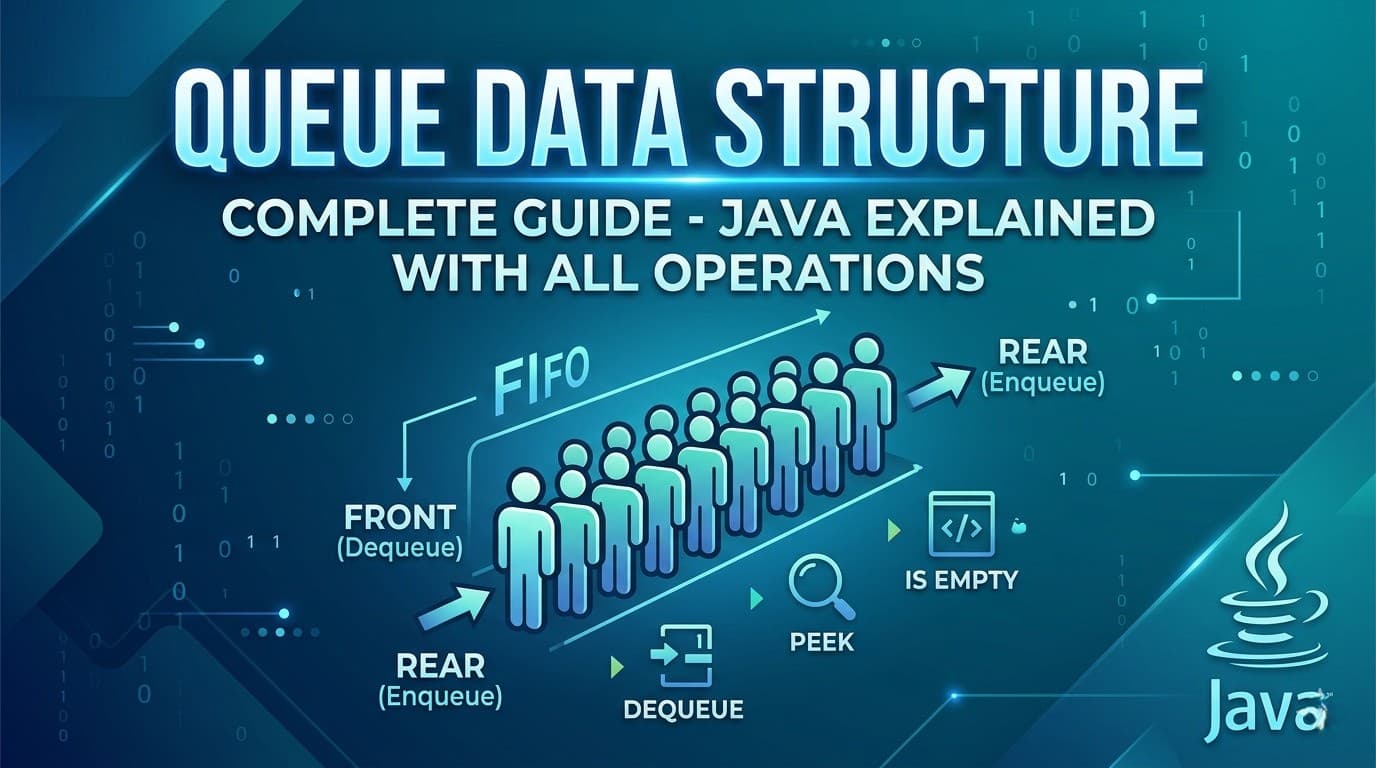
IntroductionIf you have been learning Data Structures and Algorithms, you have probably already spent time with arrays, linked lists, and stacks. Now it is time to meet one of the most important and widely used data structures in computer science — the Queue.Queue is not just a theoretical concept. It powers some of the most critical systems you use every day — from how your printer handles jobs, to how your CPU schedules tasks, to how Google Maps finds the shortest path between two locations. Understanding Queue deeply means understanding how real systems work.In this complete guide we will cover absolutely everything — what a Queue is, how it differs from a Stack, every type of Queue, all operations with code, Java implementations, time and space complexity, common interview questions, and the most important LeetCode problems that use Queue.What Is a Queue?A Queue is a linear data structure that follows the FIFO principle — First In First Out. This means the element that was added first is the one that gets removed first.Think of it exactly like a real-world queue (a line of people). The person who joined the line first gets served first. No cutting in line, no serving from the back — strict order from front to back.This is the fundamental difference between a Queue and a Stack:Stack → LIFO (Last In First Out) — like a stack of plates, you take from the topQueue → FIFO (First In First Out) — like a line of people, you serve from the frontReal Life Examples of QueueBefore writing a single line of code, let us understand where queues appear in real life. This will make every technical concept feel natural.Printer Queue — when you send multiple documents to print, they print in the order they were sent. The first document sent prints first.CPU Task Scheduling — your operating system manages running processes in a queue. Tasks get CPU time in the order they arrive (in basic scheduling).Customer Service Call Center — when you call a helpline and are put on hold, you are placed in a queue. The first caller on hold gets connected first.WhatsApp Messages — messages are delivered in the order they are sent. The first message sent is the first one received.BFS (Breadth First Search) — every time you use Google Maps or any navigation app to find the shortest path, it uses BFS internally which is entirely powered by a Queue.Ticket Booking Systems — online booking portals process requests in the order they arrive. First come first served.Queue Terminology — Key Terms You Must KnowBefore diving into code, let us get the vocabulary right:Front — the end from which elements are removed (dequeued). This is where the "first person in line" stands.Rear (or Back) — the end at which elements are added (enqueued). New arrivals join here.Enqueue — the operation of adding an element to the rear of the queue. Like joining the back of a line.Dequeue — the operation of removing an element from the front of the queue. Like the first person in line being served and leaving.Peek (or Front) — looking at the front element without removing it. Like seeing who is first in line without serving them yet.isEmpty — checking whether the queue has no elements.isFull — relevant for fixed-size queues, checking whether no more elements can be added.Types of QueuesThis is where most beginners get confused. There is not just one type of Queue — there are several variations each designed to solve specific problems.1. Simple Queue (Linear Queue)The most basic form. Elements enter from the rear and leave from the front. Strict FIFO, nothing fancy.Enqueue → [ 1 | 2 | 3 | 4 | 5 ] → Dequeue rear frontProblem with Simple Queue: In array-based implementation, once elements are dequeued from the front, those slots cannot be reused even if there is space. This wastes memory. This is why Circular Queue was invented.2. Circular QueueIn a Circular Queue, the rear wraps around to the front when it reaches the end of the array. The last position connects back to the first, forming a circle. This solves the wasted space problem of simple queues. [1] [2] [3] / \ [6] [4] \ / [5] ← rearUsed in: CPU scheduling, memory management, traffic light systems, streaming buffers.3. Double Ended Queue (Deque)A Deque (pronounced "deck") allows insertion and deletion from both ends — front and rear. It is the most flexible queue type.Enqueue Front → [ 1 | 2 | 3 | 4 | 5 ] → Dequeue FrontEnqueue Rear → [ 1 | 2 | 3 | 4 | 5 ] → Dequeue RearTwo subtypes:Input Restricted Deque — insertion only at rear, deletion from both endsOutput Restricted Deque — deletion only at front, insertion at both endsUsed in: browser history (back and forward), undo-redo operations, sliding window problems.4. Priority QueueElements are not served in FIFO order — instead each element has a priority and the element with the highest priority is served first regardless of when it was added.Think of an emergency room. A patient with a critical injury jumps ahead of someone with a minor cut even if they arrived later.Two types:Max Priority Queue — highest value = highest priorityMin Priority Queue — lowest value = highest priorityUsed in: Dijkstra's shortest path, Huffman encoding, A* search algorithm, task scheduling with priorities.5. Blocking QueueA thread-safe queue used in multi-threading. If the queue is empty, a thread trying to dequeue will wait (block) until an element is available. If the queue is full, a thread trying to enqueue will wait until space is available.Used in: Producer-Consumer problems, thread pool implementations, Java's java.util.concurrent package.Queue Operations and Time ComplexityEvery queue operation has a specific time complexity that you must know cold for interviews.OperationDescriptionTime ComplexityEnqueueAdd element to rearO(1)DequeueRemove element from frontO(1)Peek/FrontView front elementO(1)isEmptyCheck if queue is emptyO(1)SizeNumber of elementsO(1)SearchFind a specific elementO(n)Space Complexity: O(n) — where n is the number of elements stored.All core queue operations are O(1). This is what makes Queue so powerful — no matter how many elements are in the queue, adding and removing always takes constant time.Implementing Queue in Java — All WaysJava gives you multiple ways to use a Queue. Let us go through each one.Way 1: Using LinkedList (Most Common)LinkedList implements the Queue interface in Java. This is the most commonly used Queue implementation.import java.util.LinkedList;import java.util.Queue;Queue<Integer> queue = new LinkedList<>();// Enqueue — add to rearqueue.offer(10);queue.offer(20);queue.offer(30);// Peek — view front without removingSystem.out.println(queue.peek()); // 10// Dequeue — remove from frontSystem.out.println(queue.poll()); // 10System.out.println(queue.poll()); // 20// Check emptySystem.out.println(queue.isEmpty()); // false// SizeSystem.out.println(queue.size()); // 1offer() vs add() — both add to the queue. add() throws an exception if the queue is full (for bounded queues). offer() returns false instead. Always prefer offer().poll() vs remove() — both remove from front. remove() throws an exception if queue is empty. poll() returns null. Always prefer poll().peek() vs element() — both view the front. element() throws exception if empty. peek() returns null. Always prefer peek().Way 2: Using ArrayDeque (Fastest)ArrayDeque is faster than LinkedList for Queue operations because it uses a resizable array internally with no node allocation overhead.import java.util.ArrayDeque;import java.util.Queue;Queue<Integer> queue = new ArrayDeque<>();queue.offer(1);queue.offer(2);queue.offer(3);System.out.println(queue.peek()); // 1System.out.println(queue.poll()); // 1System.out.println(queue.size()); // 2When to use ArrayDeque over LinkedList? Use ArrayDeque whenever possible for Queue or Stack operations. It is faster because it avoids the overhead of node objects that LinkedList creates for every element. In competitive programming and interviews, ArrayDeque is the preferred choice.Way 3: Using Deque (Double Ended Queue)import java.util.ArrayDeque;import java.util.Deque;Deque<Integer> deque = new ArrayDeque<>();// Add to frontdeque.offerFirst(10);// Add to reardeque.offerLast(20);deque.offerLast(30);// Remove from frontSystem.out.println(deque.pollFirst()); // 10// Remove from rearSystem.out.println(deque.pollLast()); // 30// Peek front and rearSystem.out.println(deque.peekFirst()); // 20System.out.println(deque.peekLast()); // 20Way 4: Using PriorityQueueimport java.util.PriorityQueue;// Min Heap — smallest element has highest priorityPriorityQueue<Integer> minPQ = new PriorityQueue<>();minPQ.offer(30);minPQ.offer(10);minPQ.offer(20);System.out.println(minPQ.poll()); // 10 — smallest comes out first// Max Heap — largest element has highest priorityPriorityQueue<Integer> maxPQ = new PriorityQueue<>((a, b) -> b - a);maxPQ.offer(30);maxPQ.offer(10);maxPQ.offer(20);System.out.println(maxPQ.poll()); // 30 — largest comes out firstWay 5: Implementing Queue From Scratch Using ArrayUnderstanding the underlying implementation helps you in interviews when asked to build one from scratch.class MyQueue { private int[] arr; private int front; private int rear; private int size; private int capacity; public MyQueue(int capacity) { this.capacity = capacity; arr = new int[capacity]; front = 0; rear = -1; size = 0; } public void enqueue(int val) { if (size == capacity) { System.out.println("Queue is full!"); return; } rear = (rear + 1) % capacity; // circular wrapping arr[rear] = val; size++; } public int dequeue() { if (isEmpty()) { System.out.println("Queue is empty!"); return -1; } int val = arr[front]; front = (front + 1) % capacity; // circular wrapping size--; return val; } public int peek() { if (isEmpty()) return -1; return arr[front]; } public boolean isEmpty() { return size == 0; } public int size() { return size; }}Notice the % capacity in enqueue and dequeue — that is what makes it a Circular Queue. Without this, once the rear reaches the end of the array, you cannot add more even if front has moved forward and freed up space.Way 6: Implementing Queue Using Two StacksThis is a very popular interview question — implement a Queue using two stacks. The idea is to use one stack for enqueue and another for dequeue.class QueueUsingTwoStacks { Stack<Integer> s1 = new Stack<>(); // for enqueue Stack<Integer> s2 = new Stack<>(); // for dequeue public void enqueue(int val) { s1.push(val); // always push to s1 } public int dequeue() { if (s2.isEmpty()) { // transfer all elements from s1 to s2 // this reverses the order, giving FIFO behavior while (!s1.isEmpty()) { s2.push(s1.pop()); } } return s2.pop(); } public int peek() { if (s2.isEmpty()) { while (!s1.isEmpty()) { s2.push(s1.pop()); } } return s2.peek(); } public boolean isEmpty() { return s1.isEmpty() && s2.isEmpty(); }}Why does this work?When you transfer elements from s1 to s2, the order reverses. The element that was added first to s1 ends up on top of s2 — which means it gets dequeued first. FIFO achieved using two LIFOs!Amortized time complexity: Each element is pushed and popped at most twice (once in s1, once in s2). So dequeue is O(1) amortized even though individual calls might take O(n).This is LeetCode 232 — Implement Queue using Stacks.Queue vs Stack — Side by SideFeatureQueueStackPrincipleFIFO — First In First OutLIFO — Last In First OutInsert atRearTopRemove fromFrontTopReal lifeLine of peopleStack of platesJava classLinkedList, ArrayDequeStack, ArrayDequeMain useBFS, schedulingDFS, backtracking, parsingPeekFront elementTop elementBFS — The Most Important Application of QueueBreadth First Search (BFS) is the single most important algorithm that uses a Queue. Understanding BFS is why Queue matters so much in DSA.BFS explores a graph or tree level by level — all nodes at distance 1 first, then all at distance 2, and so on. A Queue naturally enforces this level-by-level behavior.public void bfs(int start, List<List<Integer>> graph) { Queue<Integer> queue = new LinkedList<>(); boolean[] visited = new boolean[graph.size()]; queue.offer(start); visited[start] = true; while (!queue.isEmpty()) { int node = queue.poll(); // process front node System.out.print(node + " "); for (int neighbor : graph.get(node)) { if (!visited[neighbor]) { visited[neighbor] = true; queue.offer(neighbor); // add unvisited neighbors to rear } } }}Why Queue and not Stack for BFS? Queue ensures you process all neighbors of a node before going deeper. Stack would take you deep into one path first — that is DFS, not BFS. The FIFO property is what guarantees level-by-level exploration.BFS with Queue is used in:Shortest path in unweighted graphsLevel order traversal of treesFinding connected componentsWord ladder problemsRotten oranges, flood fill, and matrix BFS problemsLevel Order Traversal — BFS on TreesOne of the most common Queue problems in interviews is Level Order Traversal of a binary tree.public List<List<Integer>> levelOrder(TreeNode root) { List<List<Integer>> result = new ArrayList<>(); if (root == null) return result; Queue<TreeNode> queue = new LinkedList<>(); queue.offer(root); while (!queue.isEmpty()) { int levelSize = queue.size(); // number of nodes at current level List<Integer> level = new ArrayList<>(); for (int i = 0; i < levelSize; i++) { TreeNode node = queue.poll(); level.add(node.val); if (node.left != null) queue.offer(node.left); if (node.right != null) queue.offer(node.right); } result.add(level); } return result;}The key trick here is using queue.size() at the start of each while loop iteration to know exactly how many nodes belong to the current level. Process exactly that many nodes, then move to the next level.This is LeetCode 102 — Binary Tree Level Order Traversal.Sliding Window Maximum — Monotonic DequeOne of the most impressive Queue applications is the Sliding Window Maximum problem using a Monotonic Deque. This is the queue equivalent of the Monotonic Stack pattern you saw in stack problems.The idea — maintain a deque that stores indices of elements in decreasing order. The front always holds the index of the maximum element in the current window.public int[] maxSlidingWindow(int[] nums, int k) { Deque<Integer> deque = new ArrayDeque<>(); // stores indices int[] result = new int[nums.length - k + 1]; int idx = 0; for (int i = 0; i < nums.length; i++) { // remove indices that are out of the current window while (!deque.isEmpty() && deque.peekFirst() < i - k + 1) { deque.pollFirst(); } // remove indices whose values are smaller than current // they can never be the maximum for any future window while (!deque.isEmpty() && nums[deque.peekLast()] < nums[i]) { deque.pollLast(); } deque.offerLast(i); // window is fully formed, record maximum (front of deque) if (i >= k - 1) { result[idx++] = nums[deque.peekFirst()]; } } return result;}This gives O(n) time for what would otherwise be an O(n×k) problem. This is LeetCode 239 — Sliding Window Maximum.Java Queue Interface — Complete Method ReferenceHere is every method you will ever need from Java's Queue and Deque interfaces:Queue Methods:offer(e) — add to rear, returns false if full (preferred over add) poll() — remove from front, returns null if empty (preferred over remove) peek() — view front without removing, returns null if empty (preferred over element) isEmpty() — returns true if no elements size() — returns number of elements contains(o) — returns true if element existsDeque Additional Methods:offerFirst(e) — add to front offerLast(e) — add to rear pollFirst() — remove from front pollLast() — remove from rear peekFirst() — view front peekLast() — view rearPriorityQueue Specific:offer(e) — add with natural ordering or custom comparator poll() — remove element with highest priority peek() — view highest priority element without removingCommon Interview Questions About QueueThese are the questions interviewers ask to test your understanding of queues conceptually — not just coding.Q1. What is the difference between Queue and Stack? Queue is FIFO — elements are removed in the order they were added. Stack is LIFO — the most recently added element is removed first. Queue removes from the front, Stack removes from the top.Q2. Why is ArrayDeque preferred over LinkedList for Queue in Java? ArrayDeque uses a resizable array internally and has better cache locality and no node allocation overhead. LinkedList creates a new node object for every element added, which means more garbage collection pressure. ArrayDeque is faster in practice for most Queue use cases.Q3. When would you use a PriorityQueue instead of a regular Queue? When the order of processing depends on priority rather than arrival order. For example in a hospital, critical patients are treated before minor cases regardless of when they arrived. Or in Dijkstra's algorithm, always processing the shortest known distance first.Q4. How is Queue used in BFS? BFS uses a Queue to explore nodes level by level. The starting node is enqueued first. Each time a node is dequeued, all its unvisited neighbors are enqueued. Since Queue is FIFO, all neighbors of a node are processed before going deeper — guaranteeing level-by-level exploration.Q5. What is the difference between poll() and remove() in Java Queue? Both remove the front element. remove() throws NoSuchElementException if the queue is empty. poll() returns null instead of throwing. Always use poll() for safer code.Q6. Can a Queue have duplicates? Yes. Queue does not have any restriction on duplicate values unlike Sets. The same value can appear multiple times in a Queue.Q7. What is a Blocking Queue and when is it used? A Blocking Queue is a thread-safe Queue used in multi-threaded applications. When a thread tries to dequeue from an empty queue, it blocks (waits) until an element is available. When a thread tries to enqueue into a full queue, it blocks until space is available. Used in Producer-Consumer patterns.Top LeetCode Problems on QueueHere are the most important LeetCode problems that use Queue — organized from beginner to advanced:Beginner Level:232. Implement Queue using Stacks — implement Queue with two stacks, classic interview question225. Implement Stack using Queues — reverse of 232, implement Stack using Queue933. Number of Recent Calls — sliding window with QueueIntermediate Level:102. Binary Tree Level Order Traversal — BFS on tree, must know107. Binary Tree Level Order Traversal II — same but bottom up994. Rotting Oranges — multi-source BFS on grid1091. Shortest Path in Binary Matrix — BFS shortest path542. 01 Matrix — multi-source BFS, distance to nearest 0127. Word Ladder — BFS on word graph, classicAdvanced Level:239. Sliding Window Maximum — monotonic deque, must know862. Shortest Subarray with Sum at Least K — monotonic deque with prefix sums407. Trapping Rain Water II — 3D BFS with priority queue787. Cheapest Flights Within K Stops — BFS with constraintsQueue Cheat Sheet — Everything at a GlanceCreate a Queue:Queue<Integer> q = new LinkedList<>(); // standardQueue<Integer> q = new ArrayDeque<>(); // faster, preferredDeque<Integer> dq = new ArrayDeque<>(); // double endedPriorityQueue<Integer> pq = new PriorityQueue<>(); // min heapPriorityQueue<Integer> pq = new PriorityQueue<>((a,b) -> b-a); // max heapCore Operations:q.offer(x); // enqueueq.poll(); // dequeueq.peek(); // front elementq.isEmpty(); // check emptyq.size(); // number of elementsDeque Operations:dq.offerFirst(x); // add to frontdq.offerLast(x); // add to reardq.pollFirst(); // remove from frontdq.pollLast(); // remove from reardq.peekFirst(); // view frontdq.peekLast(); // view rearBFS Template:Queue<Integer> queue = new LinkedList<>();queue.offer(start);visited[start] = true;while (!queue.isEmpty()) { int node = queue.poll(); for (int neighbor : graph.get(node)) { if (!visited[neighbor]) { visited[neighbor] = true; queue.offer(neighbor); } }}ConclusionQueue is one of those data structures that appears simple on the surface but has incredible depth once you start exploring its variations and applications. From the basic FIFO concept to Circular Queues, Deques, Priority Queues, Monotonic Deques, and BFS — each layer adds a new tool to your problem-solving arsenal.Here is the learning path to follow based on everything covered in this guide:Start with understanding FIFO vs LIFO and when each applies. Then get comfortable with Java's Queue interface — offer, poll, peek. Practice the BFS template until it feels automatic. Then move to Level Order Traversal problems. Once BFS clicks, tackle multi-source BFS problems like Rotting Oranges. Finally learn the Monotonic Deque pattern for sliding window problems.Master these and you will handle every Queue problem in any coding interview with confidence.

QueueData StructureJavaBFSDequePriority QueueCircular Queue
Understanding HashMap and Hashing Techniques: A Complete Guide

Understanding HashMap and Hashing Techniques: A Complete Guide

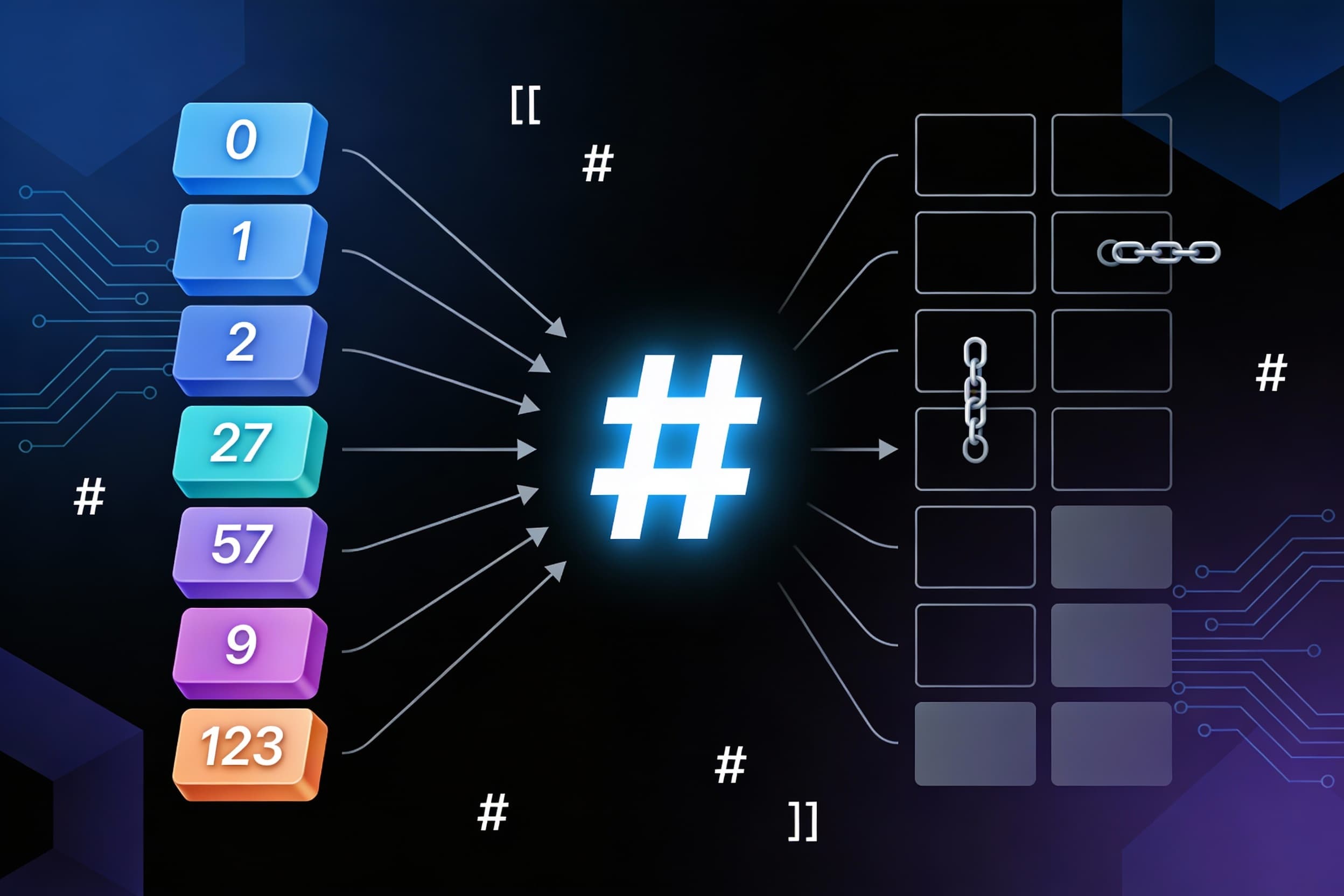
What is HashMap?HashMap is a non-linear data structure that lives inside Java's collection framework, alongside other structures like Trees and Graphs (see the generated image above). What makes it special? It uses a clever technique called hashing to store and retrieve data at blazing speeds.Think of hashing as a smart address system. It converts large keys (like long strings or big numbers) into smaller values that work as array indices. This simple trick transforms your data lookup from slow O(n)O(n) or O(log⁡n)O(logn) operations into lightning-fast O(1)O(1) access times!Understanding Hashing MappingsBefore diving deeper, let's understand the four types of hashing mappings:One-to-one mapping — Each key maps to exactly one indexMany-to-one mapping — Multiple keys can map to the same indexOne-to-many mapping — One key maps to multiple indicesMany-to-many mapping — Multiple keys map to multiple indicesHashMap primarily uses one-to-one and many-to-one mapping strategies to achieve its performance goals.The Problem: Why Not Just Use Arrays?Let's say you want to store 7 elements with keys: 1, 5, 23, 57, 234, 678, and 1000.Using direct indexing (where key = array index), you'd need an array of size 1000 just to store 7 items! That leaves 993 empty slots wasting precious memory. Imagine having a parking lot with 1000 spaces for just 7 cars — totally inefficient!This is the exact problem hash functions solve.Hash Functions: The SolutionA hash function takes your key and calculates which array index to use. The beauty? You can now store those same 7 elements in an array of just size 10!The most common hash function uses the modulus operator:hash(key)=keymod array sizehash(key)=keymodarray sizeExample: With array size = 10:Key 57 → Index: 57mod 10=757mod10=7Key 234 → Index: 234mod 10=4234mod10=4Key 1000 → Index: 1000mod 10=01000mod10=0Now you only need an array of size 10 instead of 1000. Problem solved!Three Popular Hash Function TypesModulus MethodThe most widely used technique. Divide the key by array size (or a prime number) and use the remainder as the index.index=keymod sizeindex=keymodsizeMid Square MethodSquare the key value, then extract the middle digits to form your hash value.Example: Key = 57 → 572=3249572=3249 → Extract middle digits "24"Folding HashingDivide the key into equal parts, add them together, then apply modulus.Example: Key = 123456Split into: 12, 34, 56Sum: 12+34+56=10212+34+56=102Apply modulus: 102mod 10=2102mod10=2The Collision ProblemHere's the catch: sometimes two different keys produce the same index. This is called a collision.Example:Key 27 → 27mod 10=727mod10=7Key 57 → 57mod 10=757mod10=7Both keys want index 7! We need smart strategies to handle this.Collision Resolution: Two Main TechniquesTechnique 1: Open Chaining (Separate Chaining)Mapping Type: Many-to-oneWhen a collision happens, create a linked list at that index and store all colliding values in sorted order.Example: Keys 22 and 32 both map to index 2:Index 2: [22] → [32] → nullAdvantage: Simple and works well in practiceDrawback: If too many collisions occur, the linked list becomes long and searching degrades to O(n)O(n). However, Java's collection framework uses highly optimized hash functions that achieve amortized O(1)O(1) time complexity.Technique 2: Closed Addressing (Open Addressing)Mapping Type: One-to-manyInstead of creating a list, find another empty slot in the array. There are three approaches:Linear ProbingWhen collision occurs, check the next index. If it's occupied, keep checking the next one until you find an empty slot.Hash Function:h(x)=xmod sizeh(x)=xmodsizeOn Collision:h(x)=(h(x)+i)mod sizeh(x)=(h(x)+i)modsizewhere i=0,1,2,3,…i=0,1,2,3,…Example: Keys 22 and 32 both map to index 2:Store 22 at index 2Try 32 at index 2 → occupiedCheck index 3 → empty, store 32 thereProblems:Clustering: Keys bunch together in adjacent indices, slowing down searchesDeleted Slot Problem: When you delete a key, it creates an empty slot that breaks the search chainThe Deleted Slot Problem Explained:Keys 22 and 32 are at indices 2 and 3Delete key 22 from index 2Now when searching for key 32, the algorithm reaches index 2 (empty), thinks key 32 doesn't exist, and stops searching!Solution: Mark deleted slots with a special marker (like -1) or perform rehashing after deletions.Quadratic ProbingSame concept as linear probing, but instead of checking consecutive slots, jump in quadratic increments: 1, 4, 9, 16, 25...Hash Function:h(x)=xmod sizeh(x)=xmodsizeOn Collision:h(x)=(h(x)+i2)mod sizeh(x)=(h(x)+i2)modsizewhere i=0,1,2,3,…i=0,1,2,3,…Advantage: Significantly reduces clusteringDrawback: Still suffers from the deleted slot problemDouble HashingThe most sophisticated approach! Uses two different hash functions to create unique probe sequences for each key.First Hash Function:h1(x)=xmod sizeh1(x)=xmodsizeSecond Hash Function:h2(x)=prime−(xmod prime)h2(x)=prime−(xmodprime)On Collision:h(x)=(h1(x)+i×h2(x))mod sizeh(x)=(h1(x)+i×h2(x))modsizewhere i=0,1,2,3,…i=0,1,2,3,…Advantage: Effectively avoids clustering and provides the best performance among probing techniquesLoad Factor: The Performance IndicatorThe load factor tells you how full your hash table is:Load Factor=Number of elementsArray sizeLoad Factor=Array sizeNumber of elementsPerformance GuidelinesLoad Factor ≤ 0.5 → Good performance, fast operations Load Factor > 0.7 → Poor performance, time to rehash ExamplesBad Load Factor:Array size = 10, Elements = 8Load Factor = 8/10=0.88/10=0.8Action: Rehash the array (typically double the size)Good Load Factor:Array size = 200, Elements = 100Load Factor = 100/200=0.5100/200=0.5Action: No changes needed, performing optimallyWhat is Rehashing?When the load factor exceeds the threshold (usually 0.7), the hash table is resized — typically doubled in size. All existing elements are then rehashed and redistributed into the new larger array. This maintains optimal performance as your data grows.Performance SummaryHashMap delivers exceptional average-case performance:Insertion: O(1)O(1)Deletion: O(1)O(1)Search: O(1)O(1)However, in the worst case (many collisions with poor hash functions), operations can degrade to O(n)O(n).The key to maintaining O(1)O(1) performance:Use a good hash functionChoose an appropriate collision resolution strategyMonitor and maintain a healthy load factorRehash when necessaryConclusionHashMap is one of the most powerful and frequently used data structures in programming. By understanding hashing techniques, collision resolution strategies, and load factors, you can write more efficient code and make better design decisions.Whether you're building a cache, implementing a frequency counter, or solving complex algorithm problems, HashMap is your go-to tool for fast data access!

hashmapdata-structureshashingjavaalgorithmscollision-resolutiontime-complexity
Ai Assistant Kas