Search Blogs

Showing results for "Automation"

Found 3 results

Efficient & Ethical: How to Scrape API Data Continuously Using Python

Efficient & Ethical: How to Scrape API Data Continuously Using Python

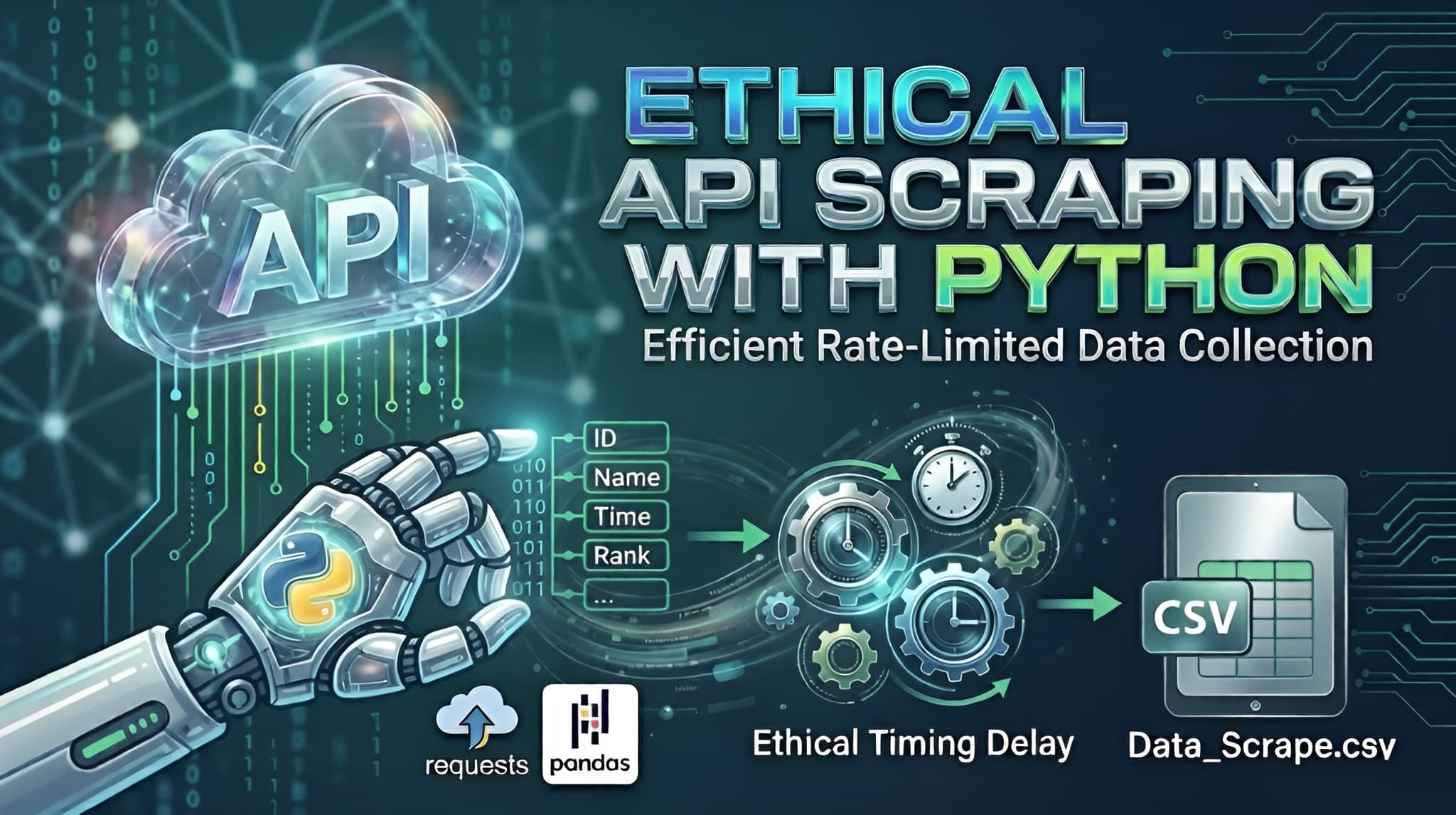
In the world of data science, the data you need isn't always available in a neat, downloadable package. Often, it sits behind an API that requires individual queries for every piece of information.If you try to "blast" an API with thousands of requests per second, you’ll likely trigger a DDoS (Distributed Denial of Service) protection system, resulting in a blocked IP or a banned account. Today, we’ll walk through a professional Python template designed to fetch data sequentially, respect server limits, and save the results into a clean CSV file.The Strategy: "Slow and Steady Wins the Race"When scraping an API, we want to mimic human behavior. Our script follows three golden rules:Iterative Logic: Loop through a range of IDs (or "Bib numbers" in this case).Defensive Timing: Introduce a random delay between requests.Graceful Error Handling: Ensure one failed request doesn't crash the whole script.The Python ImplementationBelow is the generalized template. Notice how we use the requests library for communication and pandas for data organization.Python Code Snippet:import requestsimport jsonimport timeimport randomimport pandas as pd# --- 1. Configuration ---# Use placeholders for sensitive informationAPI_URL = "https://api.example.com/v1/search"HEADERS = { 'accept': 'application/json', 'apikey': 'YOUR_API_KEY_HERE', # Keep your keys private! 'user-agent': 'DataCollector/1.0'}# Define the range of data you want to fetchSTART_ID = 10001END_ID = 11000OUTPUT_FILE = "collected_data.csv"all_data = []print(f"Starting data fetch from ID {START_ID} to {END_ID}...")# --- 2. The Request Loop ---for current_id in range(START_ID, END_ID + 1): payload = {"id": str(current_id)} try: # Sending the POST request response = requests.post(API_URL, headers=HEADERS, json=payload) if response.status_code == 200: result = response.json() # Check if the data key exists and has content if result.get("status") and result.get("data"): for entry in result["data"]: # Flatten the JSON response into a clean dictionary record = { "id": current_id, "name": entry.get("name"), "category": entry.get("category"), "rank": entry.get("rank"), # Add or remove fields as per your API response } all_data.append(record) print(f"Success: ID {current_id}") else: print(f"No data found for ID {current_id}") else: print(f"Error {response.status_code} for ID {current_id}") except Exception as e: print(f"Failed to fetch ID {current_id}: {e}") # --- 3. The Anti-Blocking Mechanism --- # We use a random delay to prevent being flagged as a bot/DoS attack wait_time = random.uniform(1.0, 3.0) time.sleep(wait_time)# --- 4. Data Storage ---if all_data: df = pd.DataFrame(all_data) df.to_csv(OUTPUT_FILE, index=False) print(f"\nTask complete! Data saved to {OUTPUT_FILE}")else: print("\nNo data was collected.")Deep Dive: Why This Works1. Randomized Delays (The time.sleep Trick)Most security systems look for "rhythmic" behavior (e.g., a request exactly every 0.5 seconds). By using random.uniform(1.0, 3.0), the interval between requests is always different. This makes your script look less like a bot and more like an organic user.2. The Power of HeadersIn the HEADERS dictionary, we include a user-agent. This tells the server what "browser" is visiting. Without this, some APIs block requests because they see them as "unidentified scripts."3. Data Flattening with PandasAPIs often return deeply nested JSON. By extracting only the fields we need (like name and rank) and putting them into a list of dictionaries, we make it incredibly easy for Pandas to convert that list into a structured table (CSV).4. Safety FirstThe try...except block is your safety net. If your internet flickers or the server hiccups, the script won't stop; it will simply log the error and move on to the next ID.ConclusionAutomating data collection is a superpower for any developer or analyst. By using this template, you can gather thousands of records while staying on the "good side" of the API providers. Just remember: always check a website’s robots.txt or Terms of Service before you start scraping!

PythonWebScrapingAutomationAPIsPandas
Mastering the Linux Infrastructure: A Comprehensive Guide to Raw Deployment

Mastering the Linux Infrastructure: A Comprehensive Guide to Raw Deployment

The transition from a local development environment to a production-ready server represents one of the most significant milestones in a developer's journey. While modern automated platforms offer seamless "one-click" deployments, they often abstract away the fundamental mechanics of the web. True technical autonomy is found in mastering the Linux process—the ability to configure, secure, and maintain the raw infrastructure that powers the modern internet.The Architecture of ProductionStandard development workflows typically involve local coding followed by a push to a version control system like GitHub. However, the professional landscape requires a deeper understanding of what happens beyond the repository.At the core of this transition is the Virtual Private Server (VPS). Unlike a local machine, a VPS is a persistent, globally accessible environment. To deploy "raw" means to manually bridge the gap between your code and the server's operating system. This approach provides total control over the environment, allowing for custom optimizations and deep troubleshooting that automated tools cannot provide.Remote Access and Environment NavigationInteracting with a production server requires proficiency in SSH (Secure Shell), which provides a secure, encrypted tunnel to your remote machine. Once connected, the terminal becomes your primary interface.Effective server management starts with high-visibility navigation. While basic commands are common knowledge, their professional application involves specific flags to reveal the true state of the system:Advanced Listing: Using ls -la is essential for identifying hidden configuration files such as .env or .ssh, while also displaying ownership and permission metadata.Path Validation: Frequent use of pwd (Print Working Directory) ensures that administrative actions are executed in the correct context, preventing accidental modification of system files.Structural Setup: Commands like mkdir for directory hierarchies and touch for file initialization are used to build the scaffolding required for the application runtime.The Security Hierarchy: Users and PermissionsSecurity is the cornerstone of professional deployment. Linux utilizes a robust permission model to protect data integrity.Privilege Escalation The "Root" user possesses absolute authority, which makes it a significant security risk if compromised. A professional deployment strategy involves creating a standard user and utilizing sudo (SuperUser Do) for administrative tasks. This creates an audit trail and prevents catastrophic accidental commands.File Permissions and Ownership Every file and directory on a Linux system is governed by a set of permissions: Read (r), Write (w), and Execute (x).Chmod: This command modifies who can interact with a file. For instance, sensitive configuration files should be restricted so that only the application owner can read them.Chown: This manages ownership, ensuring that web servers (like Nginx or Apache) have the specific rights they need to serve files without granting them excessive system access.Process Management and System LongevityIn a production setting, an application must exist as a persistent process that survives terminal disconnections and system reboots.Real-Time Monitoring To maintain system health, developers must monitor resource allocation. Tools like top or the more visual htop provide real-time data on CPU cycles, memory consumption, and active processes. This allows for the identification of memory leaks or runaway scripts before they impact user experience.Persistent Execution Unlike local development where a script might run in an active window, production applications are managed as background services. This involves configuring the system to treat the application as a "daemon"—a process that starts automatically on boot and recovers instantly if a crash occurs.Log Analysis: The Developer's Diagnostic ToolWhen a deployment fails, the terminal's output is often the only source of truth. Mastering the ability to read and "tail" log files is a non-negotiable skill. Using tail -f allows a developer to watch server logs in real-time, providing immediate feedback on incoming requests, database errors, or unauthorized access attempts.Conclusion: Why the Raw Approach PrevailsWhile abstraction layers and automated deployment tools have their place in rapid prototyping, they cannot replace the foundational knowledge of Linux. Understanding the raw deployment process grants a developer three distinct advantages: Cost Efficiency, Infrastructure Independence, and Diagnostic Power. By learning to manage the server manually, you move from being a user of tools to an architect of systems.The most effective way to internalize these concepts is through hands-on practice. Deploying a simple application on a raw Linux instance, configuring the firewall, and managing the application lifecycle manually is the definitive path to becoming a production-ready engineer.

LinuxWebDevelopmentDevOpsDeploymentServerManagementSystemAdministration
Building an AI Art Detective: From Kaggle Data to Deployed Vision Transformer (ViT)

Building an AI Art Detective: From Kaggle Data to Deployed Vision Transformer (ViT)

IntroductionThe rise of generative AI has created a new frontier for verification. As developers, we are no longer just building features; we are building filters for reality. This project explores how to fine-tune Google’s Vision Transformer (ViT) to detect the subtle "fingerprints" of AI-generated art.By the end of this guide, you will understand how to orchestrate a full ML lifecycle: data ingestion, model fine-tuning, threshold calibration, and cloud deployment.1. Data Engineering: The "Super Dataset"A model is only as good as its training data. For this project, I used the AI Generated vs Real Images dataset (2.5GB).To ensure a reproducible pipeline, I automated the download and extraction directly within the environment. This is a critical step for "Headless" training in cloud environments like Google Colab or Kaggle Kernels.import osimport zipfile# Automating Data Ingestion via Kaggle APIdataset_name = "cashbowman/ai-generated-images-vs-real-images"zip_path = "ai-generated-images-vs-real-images.zip"target_dir = 'super_dataset'print("Downloading 2.5GB high-quality dataset...")!kaggle datasets download -d {dataset_name}if os.path.exists(zip_path):with zipfile.ZipFile(zip_path, 'r') as z:z.extractall(target_dir)os.remove(zip_path) # Storage optimization: remove zip after extractionprint(f"Success! Data structure ready in /{target_dir}")2. Architecture Deep Dive: Why ViT?Standard Convolutional Neural Networks (CNNs) process images through local filters, which are great for textures but often miss "global" errors (like lighting inconsistency or anatomical impossible structures).I chose the google/vit-base-patch16-224 model because it treats an image like a sequence of tokens, similar to how BERT treats words:Patching: The 224x224 image is sliced into 196 patches (each 16x16 pixels).Linear Projection: Each patch is flattened into a 768-dimensional vector.Self-Attention: 12 attention heads allow the model to compare every patch against every other patch. This "global view" helps the model realize that while a texture looks "real," the overall structure is "AI-generated."3. The Training Loop & The "Safety Threshold"Training involved Transfer Learning. We froze the base "knowledge" of the model and only trained the final classification head to recognize the specific artifacts of generative AI.The Critical Logic: Confidence ThresholdingIn a production setting, a "False Positive" (calling a real artist's work AI) is a disaster for user trust. I implemented a 0.75 Confidence Threshold:AI Generated: Only if Probability > 0.75Real Art: The default if the model is uncertain.# The inference logic in app.pydef predict(image):inputs = processor(images=image, return_tensors="pt")outputs = model(**inputs)probs = torch.nn.functional.softmax(outputs.logits, dim=-1)ai_score = probs[0][0].item()real_score = probs[0][1].item()# Custom safety gatelabel = "AI Generated" if ai_score > 0.75 else "Real Art"return label, {"AI": ai_score, "Real": real_score}4. Deployment MLOps: Navigating "Dependency Hell"Deploying on Hugging Face Spaces sounds easy, but it often involves complex version conflicts. Here is the "Stability Recipe" used to overcome common runtime errors (like the audioop removal in Python 3.13):The Requirements RecipeTo ensure the Space remains "Running," we pinned specific versions in requirements.txt:torch --index-url https://download.pytorch.org/whl/cputransformers==4.44.2huggingface_hub==0.24.7gradio==4.44.1pydantic==2.10.6Git LFS (Large File Storage)Since the model weights are ~350MB, standard Git won't track them. We used Git LFS to ensure the binary files were uploaded correctly to the Hugging Face Hub.5. The Full-Stack IntegrationOne of the most powerful features of this deployment is the automatic API. Any modern application can now consume this model as a microservice.Example: Integrating with a React Frontendimport { Client } from "@gradio/client";async function checkArt(imageBlob) {const app = await Client.connect("hugua/vit");const result = await app.predict("/predict", [imageBlob]);console.log("Verdict:", result.data[0]);}Here are the demonstrations of it:Like can you tell is it a Ai image or Real ImageHere is our model prediction you can cross check this image from this youtube video-:Youtube video from where image takenSimilarly here is another exampleHere is our model prediction:Conclusion & Next StepsThis project bridges the gap between raw data science and full-stack engineering. We moved from a 2.5GB raw ZIP file to a live, globally accessible API.The next evolution of this project would be to implement Explainability using Attention Maps, allowing users to see exactly which parts of the image (e.g., the eyes or the background) triggered the "AI" flag.Resources:Dataset: AI vs Real Images (Kaggle)Live Demo: Live LinkDocumentation: Hugging Face Transformers GuideGoogle Collab: Link

MachineLearningComputerVisionNextJSPythonAIVisionTransformer
Ai Assistant Kas