Search Blogs

Showing results for "APIs"

Found 5 results

Efficient & Ethical: How to Scrape API Data Continuously Using Python

Efficient & Ethical: How to Scrape API Data Continuously Using Python

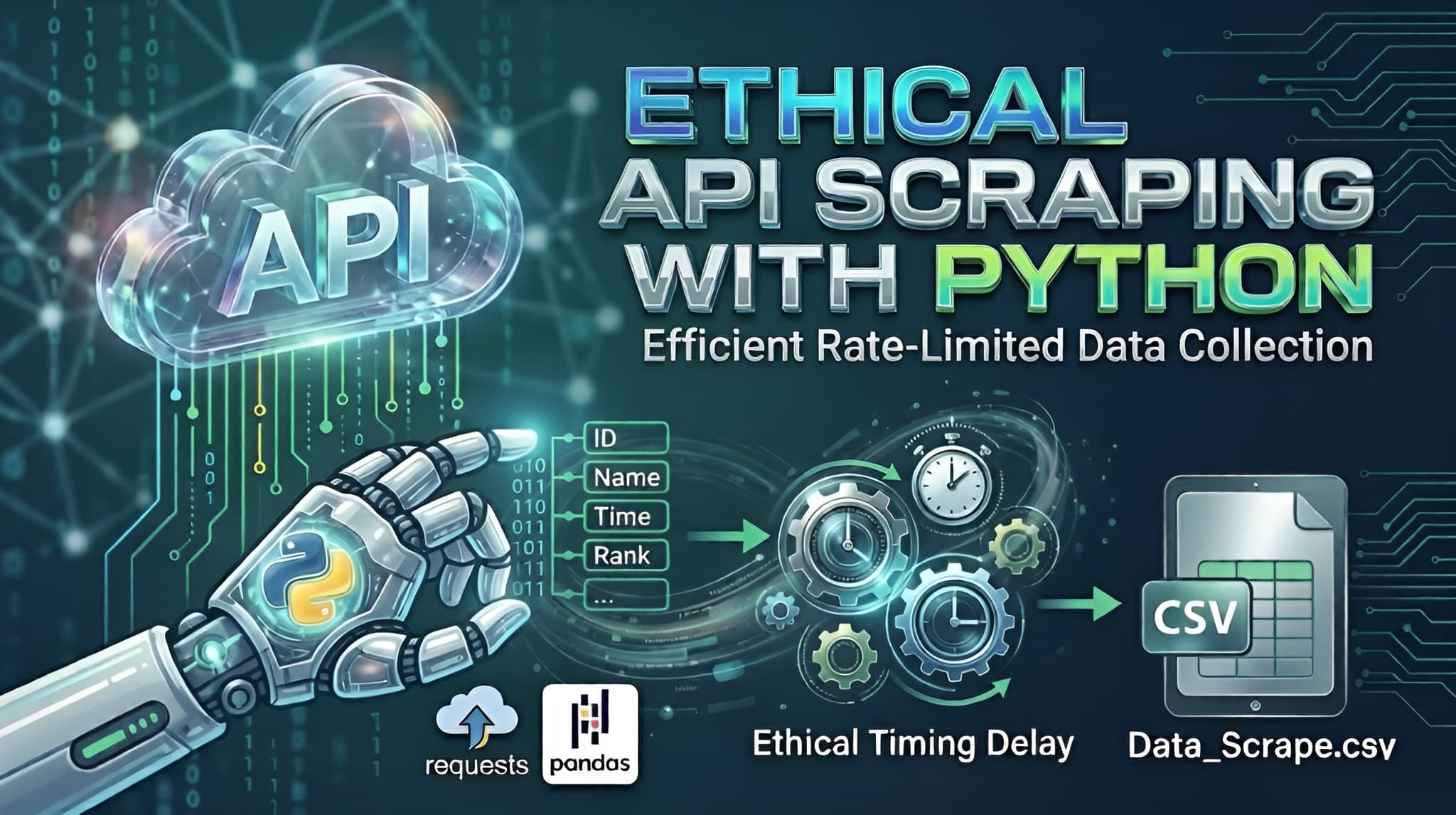
In the world of data science, the data you need isn't always available in a neat, downloadable package. Often, it sits behind an API that requires individual queries for every piece of information.If you try to "blast" an API with thousands of requests per second, you’ll likely trigger a DDoS (Distributed Denial of Service) protection system, resulting in a blocked IP or a banned account. Today, we’ll walk through a professional Python template designed to fetch data sequentially, respect server limits, and save the results into a clean CSV file.The Strategy: "Slow and Steady Wins the Race"When scraping an API, we want to mimic human behavior. Our script follows three golden rules:Iterative Logic: Loop through a range of IDs (or "Bib numbers" in this case).Defensive Timing: Introduce a random delay between requests.Graceful Error Handling: Ensure one failed request doesn't crash the whole script.The Python ImplementationBelow is the generalized template. Notice how we use the requests library for communication and pandas for data organization.Python Code Snippet:import requestsimport jsonimport timeimport randomimport pandas as pd# --- 1. Configuration ---# Use placeholders for sensitive informationAPI_URL = "https://api.example.com/v1/search"HEADERS = { 'accept': 'application/json', 'apikey': 'YOUR_API_KEY_HERE', # Keep your keys private! 'user-agent': 'DataCollector/1.0'}# Define the range of data you want to fetchSTART_ID = 10001END_ID = 11000OUTPUT_FILE = "collected_data.csv"all_data = []print(f"Starting data fetch from ID {START_ID} to {END_ID}...")# --- 2. The Request Loop ---for current_id in range(START_ID, END_ID + 1): payload = {"id": str(current_id)} try: # Sending the POST request response = requests.post(API_URL, headers=HEADERS, json=payload) if response.status_code == 200: result = response.json() # Check if the data key exists and has content if result.get("status") and result.get("data"): for entry in result["data"]: # Flatten the JSON response into a clean dictionary record = { "id": current_id, "name": entry.get("name"), "category": entry.get("category"), "rank": entry.get("rank"), # Add or remove fields as per your API response } all_data.append(record) print(f"Success: ID {current_id}") else: print(f"No data found for ID {current_id}") else: print(f"Error {response.status_code} for ID {current_id}") except Exception as e: print(f"Failed to fetch ID {current_id}: {e}") # --- 3. The Anti-Blocking Mechanism --- # We use a random delay to prevent being flagged as a bot/DoS attack wait_time = random.uniform(1.0, 3.0) time.sleep(wait_time)# --- 4. Data Storage ---if all_data: df = pd.DataFrame(all_data) df.to_csv(OUTPUT_FILE, index=False) print(f"\nTask complete! Data saved to {OUTPUT_FILE}")else: print("\nNo data was collected.")Deep Dive: Why This Works1. Randomized Delays (The time.sleep Trick)Most security systems look for "rhythmic" behavior (e.g., a request exactly every 0.5 seconds). By using random.uniform(1.0, 3.0), the interval between requests is always different. This makes your script look less like a bot and more like an organic user.2. The Power of HeadersIn the HEADERS dictionary, we include a user-agent. This tells the server what "browser" is visiting. Without this, some APIs block requests because they see them as "unidentified scripts."3. Data Flattening with PandasAPIs often return deeply nested JSON. By extracting only the fields we need (like name and rank) and putting them into a list of dictionaries, we make it incredibly easy for Pandas to convert that list into a structured table (CSV).4. Safety FirstThe try...except block is your safety net. If your internet flickers or the server hiccups, the script won't stop; it will simply log the error and move on to the next ID.ConclusionAutomating data collection is a superpower for any developer or analyst. By using this template, you can gather thousands of records while staying on the "good side" of the API providers. Just remember: always check a website’s robots.txt or Terms of Service before you start scraping!
PythonWebScrapingAutomationAPIsPandas
I Published My First npm Package: Karos

I Published My First npm Package: Karos

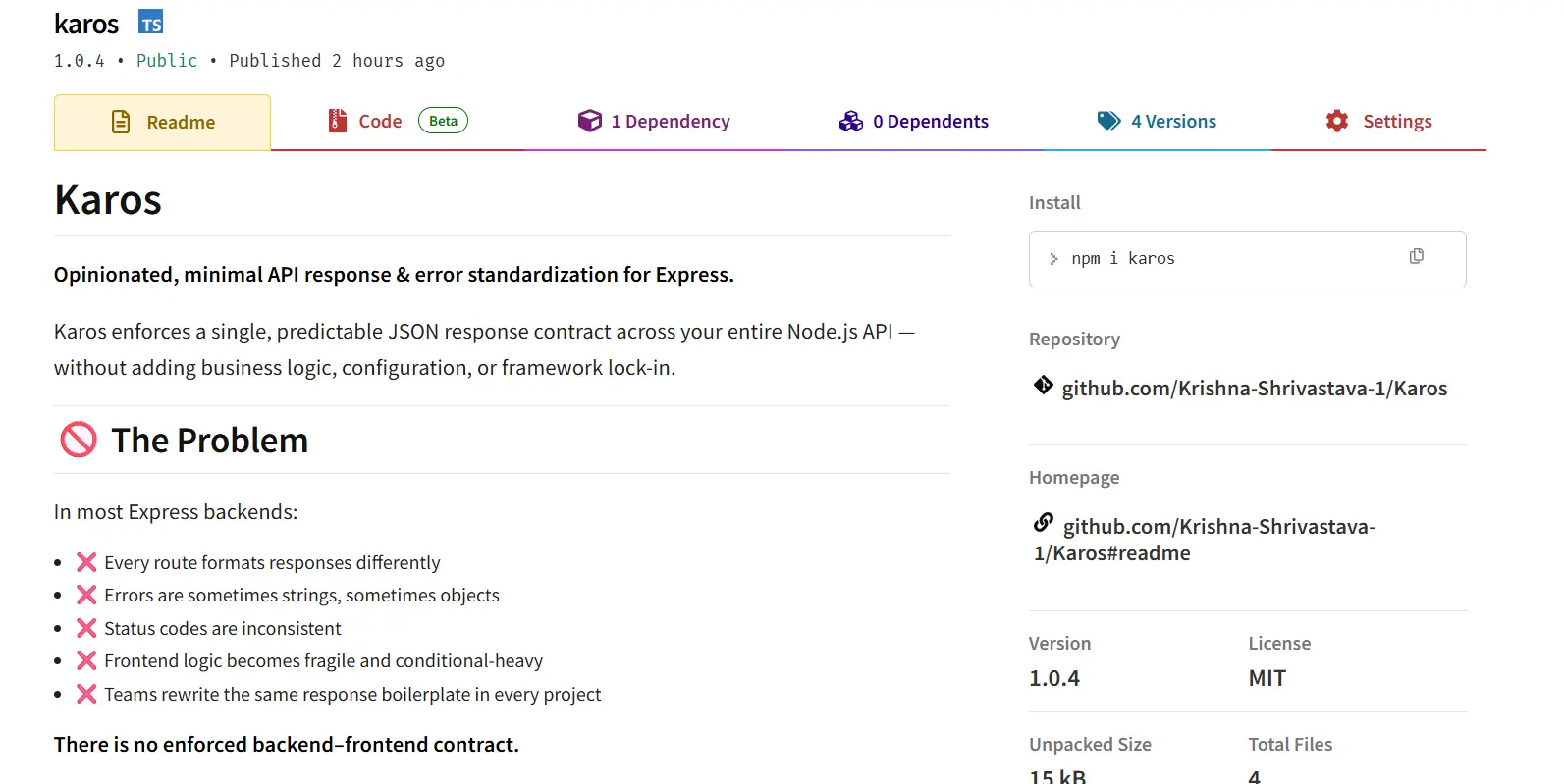
IntroductionPublishing your first npm package is not about building something revolutionary.If you think it is, you’ll either overbuild it or never ship it.Karos exists because I kept running into the same boring, frustrating problem across backend projects — inconsistent API responses and messy error handling.The Problem I Kept SeeingIn most Express or Node.js backends:Every route formats responses differentlySome errors are strings, some are objects, some leak stack tracesStatus codes are inconsistent or guessedFrontend logic becomes defensive and conditional-heavyTeams rewrite the same response boilerplate in every projectThere is no enforced backend–frontend contract.Just “best practices” that slowly decay over time.Why I Didn’t Use Existing SolutionsThere are libraries that help with errors.There are frameworks that encourage conventions.But most of them:Add heavy abstractionsRequire configuration filesLock you into a framework styleMix business logic with infrastructureI didn’t want help.I wanted enforcement — and nothing more.What Karos Does (And Only This)Karos enforces one predictable JSON response contract across your API.That’s it.Success Response{"success": true,"data": {}}Error Response{"success": false,"error": {"code": "NOT_FOUND","message": "User not found"}}No special cases.No custom shapes per route.If a response doesn’t match this structure, it’s wrong.Stop Returning Errors. Start Throwing Them.Instead of this pattern everywhere:if (!user) {return res.status(404).json({ error: 'User not found' });}Karos forces a different mindset:if (!user) {notFoundError('User not found');}The error is thrown, not returned.A single global handler catches it, formats it, and sends the response.No repeated try/catchNo duplicated error formattingNo forgotten status codesKarosError: One Error Model to Rule Them AllAt the core of Karos is a single class: KarosError.Every error has:A strict error code (TypeScript-safe)An explicit HTTP statusOptional structured detailsA guaranteed JSON shapeThis makes backend behavior predictable and frontend handling trivial.Database Errors Are Normalized AutomaticallyRaw database errors should never reach the client.Karos automatically detects and normalizes common DB errors:Prisma unique constraint → CONFLICT (409)Prisma record not found → NOT_FOUND (404)MongoDB duplicate key → CONFLICT (409)Mongoose validation errors → VALIDATION_FAILED (400)The frontend never needs to know which database you’re using.It only cares about the contract.Express and Next.js Share the Same ContractKaros supports:Express via middlewareNext.js (App Router) via Web-standard helpersBoth produce the exact same response format.That means you can switch frameworks or mix them — and your frontend logic stays unchanged.Karos API – All Methods in One PlaceCore API ReferenceCategoryFunction / ClassDescriptionSuccessok(res, data, message?, meta?)Sends a standardized success response (Express)Error BaseKarosErrorBase error class with code, status, detailsError HelpersnotFoundError()Throws 404 NOT_FOUNDvalidationError()Throws 400 VALIDATION_FAILEDunauthorizedError()Throws 401 UNAUTHORIZEDforbiddenError()Throws 403 FORBIDDENconflictError()Throws 409 CONFLICTinternalError()Throws 500 INTERNAL_ERRORhttpError()Custom error with any statusMiddlewareerrorHandlerGlobal Express error handlerDB HandlingresolveDbError()Normalizes Prisma/Mongo errorsNext.jsnextOk()Success response for App RouternextFail()Error response for App RouterhandleNextError()Global Next.js error handlerTypesErrorCodeEnum-style error codesTypesApiSuccessResponseSuccess response typeTypesApiErrorResponseError response typeWhat Karos Is NotThis matters more than features.Karos is not:A validation libraryA logging frameworkA request lifecycle managerA replacement for good architectureA silver bulletIt solves one problem and refuses to grow beyond that.How You Can Publish Your First npm Package TooIf you’re thinking “this looks doable” — it is.Here are the actual steps, no fluff.1. Create an npm AccountGo to https://www.npmjs.comSign up and verify your email2. Prepare Your Packagenpm initMake sure:name is uniquemain points to your build outputtypes points to .d.ts if using TypeScript3. Build Your Packagenpm run build(Usually outputs to dist/)4. Login to npmnpm loginEnter:UsernamePasswordEmailOTP (if 2FA enabled)5. Publishnpm publishThat’s it.No approval process. No gatekeepers.You are officially an npm package author.LinksGitHub Repository: https://github.com/Krishna-Shrivastava-1/Karosnpm Package: https://www.npmjs.com/package/karosWhy Shipping This Mattered to MeKaros won’t make headlines.It won’t go viral.But it forced me to:Design a real API contractThink about DX instead of just codeHandle edge cases like DB errors properlyShip something other people can actually useFor a first npm package, that’s a win.Final ThoughtMost backend bugs don’t come from complex logic.They come from inconsistency.Karos doesn’t make your API smarter.It makes it disciplined.And sometimes, that’s exactly what you need.

npmexpressnextjserror-handlingtypescriptopen-sourcefirst-npm-package
🚀 My First Spring Boot Backend

🚀 My First Spring Boot Backend

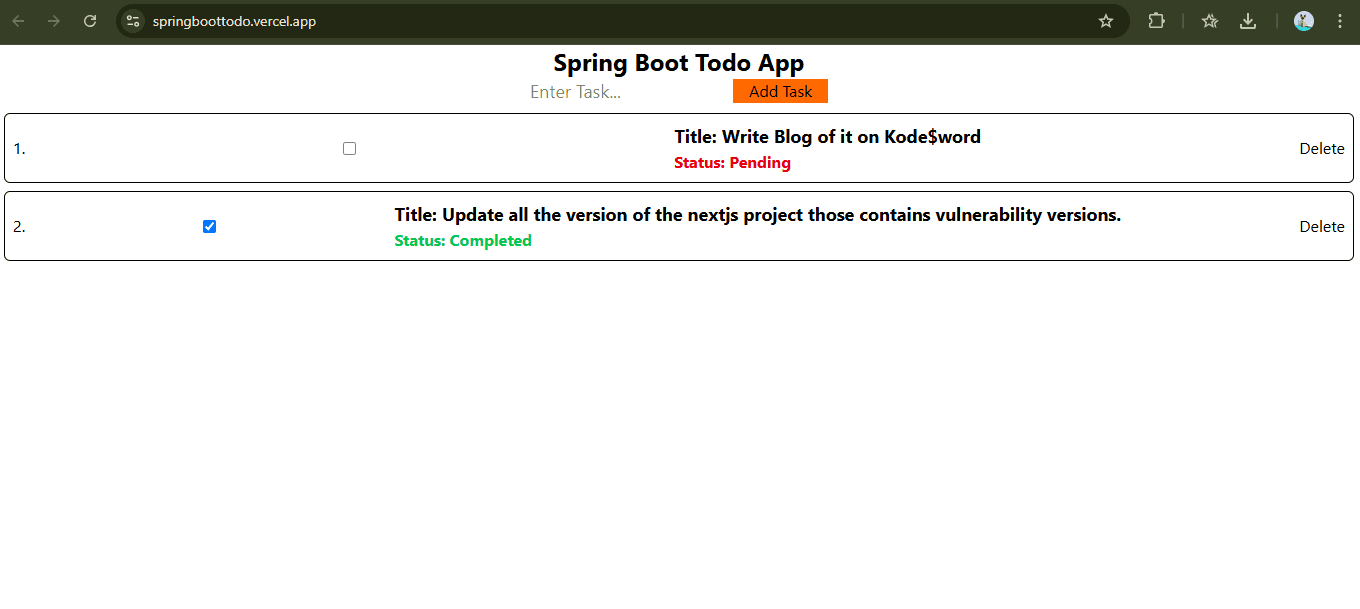
Why Spring Boot? 🔥✅ MongoRepository = FREE CRUD (no Mongoose models!)✅ Docker 1-file deploy (Render/Vercel style)✅ TypeScript-level safety (Java types)✅ Enterprise-grade (Netflix/Amazon use)✅ 120MB Docker image (super fast deploy)My Stack: Spring Boot + MongoDB Atlas + Render DockerProject Setup ⚙️pom.xml:<dependencies><groupId>org.springframework.boot</groupId><artifactId>spring-boot-starter-web</artifactId><groupId>org.springframework.boot</groupId><artifactId>spring-boot-starter-data-mongodb</artifactId><groupId>org.springframework.boot</groupId><artifactId>spring-boot-devtools</artifactId></dependencies>Core Files 💻Todo.java:@Document(collection = "todo")@Datapublic class Todo {@Id @JsonProperty("_id") private String id;private String title;private Boolean status;}TodoRepository.java (EMPTY!):public interface TodoRepository extends MongoRepository<Todo, String> {// FREE: findAll(), save(), findById(), deleteById()}TodoController.java:@RestController @RequestMapping("/api") @CrossOrigin("*")public class TodoController {@Autowired private TodoRepository todoRepository;@GetMapping("/todos")public ResponseEntity<Map<String, Object>> getAll() {List<Todo> todos = todoRepository.findAll();return ResponseEntity.ok(Map.of("success", true,"message", "Todos fetched!","data", todos,"count", todos.size()));}}Docker Magic 🐳# STAGE 1: BUILD (Temporary - Heavy)FROM maven:3.9.6-eclipse-temurin-17-alpine AS buildWORKDIR /appCOPY . . # Copy ALL filesRUN mvn clean package -DskipTests # Build JAR# STAGE 2: RUNTIME (Lightweight - Production)FROM eclipse-temurin:17-jdk-alpineWORKDIR /appCOPY --from=build /app/target/*.jar app.jar # JAR ONLY!EXPOSE $PORTENTRYPOINT ["java", "-jar", "app.jar"]Render Deployment (EXACT Steps) 🌐Step 1: Create DockerfileProject root (same level as pom.xml):└── Dockerfile ← EXACT name, NO extension!Step 2: GitHub Pushgit add Dockerfilegit commit -m "Add multi-stage Docker"git push origin mainStep 3: Render.com (5 Clicks)1. render.com → Sign up (GitHub)2. "New +" → "Web Service"3. Connect GitHub repo → Select branch "main"4. ⚙️ Settings:├── Name: firstcrud-spring├── Runtime: **Docker** ✅├── Build Command: (EMPTY)├── Start Command: (EMPTY)5. Environment → Add Variable:├── Key: SPRING_DATA_MONGODB_URI├── Value: mongodb+srv://user:pass@cluster0...6. "Create Web Service" → Deploy!Step 4: Watch Magic (3-5 mins)Render Logs:✅ Cloning GitHub repo✅ Building Docker image✅ Maven: BUILD SUCCESS✅ JAR created: 25MB✅ Deploying → LIVE!Step 5: Test Live APIGET: https://firstcrud-spring.onrender.com/api/todosPOST: https://firstcrud-spring.onrender.com/api/todosAuto-deploy: git push → Render LIVE in 2 mins! 🚀Configuration (Secure!) 🔒application.yml (GitHub - Safe):spring:data:mongodb:uri: ${SPRING_DATA_MONGODB_URI:mongodb://localhost:27017/todos}server:port: ${PORT:8080}Local: mvn spring-boot:run -Dspring.profiles.active=localSecurity Checklist ✅1. Atlas: New user (delete leaked db_user)2. Network Access: 0.0.0.0/03. GitHub: NO secrets (use ${ENV_VAR})4. Render: Environment Variables5. CORS: @CrossOrigin("*")Live Demo 🌟API: https://firstcrud-spring.onrender.com/api/todosPOST Body: {"title": "Buy Milk", "status": false}Response:{"success": true,"message": "Created!","data": {"_id": "abc123", "title": "Buy Milk"}}Frontend (Vite):VITE_API_URL=https://firstcrud-spring.onrender.com/apifetch(`${import.meta.env.VITE_API_URL}/todos`)Stack Cost: $0 💰✅ MongoDB Atlas: 512MB free✅ Render: 750 hours free✅ GitHub: Free✅ Docker Hub: FreeYou can see the live demo project here -: https://springboottodo.vercel.app/Github Link -: Link(Note : Render free tier is slow due to cold start of server so if the application is not active then it takes more time to respond in that case wait for 2 to 3 minutes.)

SpringBoot
Building an AI Art Detective: From Kaggle Data to Deployed Vision Transformer (ViT)

Building an AI Art Detective: From Kaggle Data to Deployed Vision Transformer (ViT)

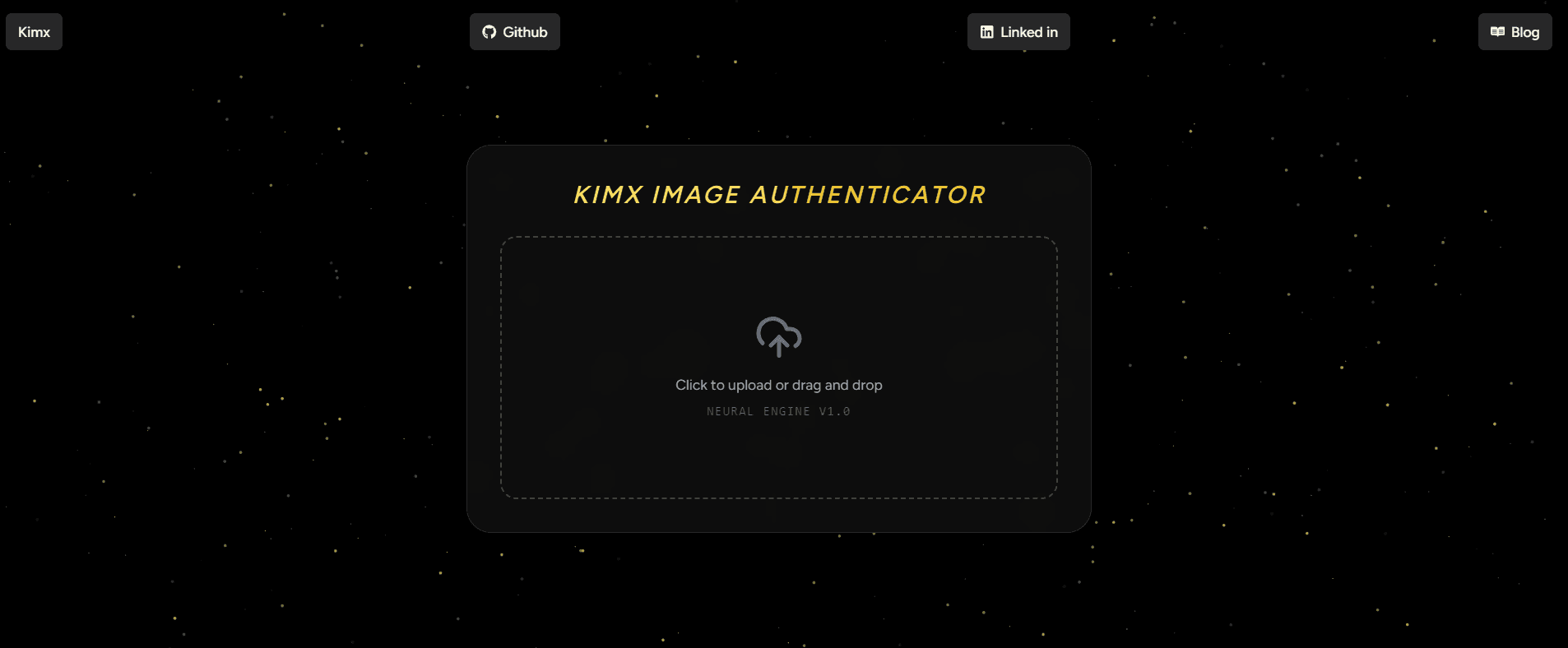
IntroductionThe rise of generative AI has created a new frontier for verification. As developers, we are no longer just building features; we are building filters for reality. This project explores how to fine-tune Google’s Vision Transformer (ViT) to detect the subtle "fingerprints" of AI-generated art.By the end of this guide, you will understand how to orchestrate a full ML lifecycle: data ingestion, model fine-tuning, threshold calibration, and cloud deployment.1. Data Engineering: The "Super Dataset"A model is only as good as its training data. For this project, I used the AI Generated vs Real Images dataset (2.5GB).To ensure a reproducible pipeline, I automated the download and extraction directly within the environment. This is a critical step for "Headless" training in cloud environments like Google Colab or Kaggle Kernels.import osimport zipfile# Automating Data Ingestion via Kaggle APIdataset_name = "cashbowman/ai-generated-images-vs-real-images"zip_path = "ai-generated-images-vs-real-images.zip"target_dir = 'super_dataset'print("Downloading 2.5GB high-quality dataset...")!kaggle datasets download -d {dataset_name}if os.path.exists(zip_path):with zipfile.ZipFile(zip_path, 'r') as z:z.extractall(target_dir)os.remove(zip_path) # Storage optimization: remove zip after extractionprint(f"Success! Data structure ready in /{target_dir}")2. Architecture Deep Dive: Why ViT?Standard Convolutional Neural Networks (CNNs) process images through local filters, which are great for textures but often miss "global" errors (like lighting inconsistency or anatomical impossible structures).I chose the google/vit-base-patch16-224 model because it treats an image like a sequence of tokens, similar to how BERT treats words:Patching: The 224x224 image is sliced into 196 patches (each 16x16 pixels).Linear Projection: Each patch is flattened into a 768-dimensional vector.Self-Attention: 12 attention heads allow the model to compare every patch against every other patch. This "global view" helps the model realize that while a texture looks "real," the overall structure is "AI-generated."3. The Training Loop & The "Safety Threshold"Training involved Transfer Learning. We froze the base "knowledge" of the model and only trained the final classification head to recognize the specific artifacts of generative AI.The Critical Logic: Confidence ThresholdingIn a production setting, a "False Positive" (calling a real artist's work AI) is a disaster for user trust. I implemented a 0.75 Confidence Threshold:AI Generated: Only if Probability > 0.75Real Art: The default if the model is uncertain.# The inference logic in app.pydef predict(image):inputs = processor(images=image, return_tensors="pt")outputs = model(**inputs)probs = torch.nn.functional.softmax(outputs.logits, dim=-1)ai_score = probs[0][0].item()real_score = probs[0][1].item()# Custom safety gatelabel = "AI Generated" if ai_score > 0.75 else "Real Art"return label, {"AI": ai_score, "Real": real_score}4. Deployment MLOps: Navigating "Dependency Hell"Deploying on Hugging Face Spaces sounds easy, but it often involves complex version conflicts. Here is the "Stability Recipe" used to overcome common runtime errors (like the audioop removal in Python 3.13):The Requirements RecipeTo ensure the Space remains "Running," we pinned specific versions in requirements.txt:torch --index-url https://download.pytorch.org/whl/cputransformers==4.44.2huggingface_hub==0.24.7gradio==4.44.1pydantic==2.10.6Git LFS (Large File Storage)Since the model weights are ~350MB, standard Git won't track them. We used Git LFS to ensure the binary files were uploaded correctly to the Hugging Face Hub.5. The Full-Stack IntegrationOne of the most powerful features of this deployment is the automatic API. Any modern application can now consume this model as a microservice.Example: Integrating with a React Frontendimport { Client } from "@gradio/client";async function checkArt(imageBlob) {const app = await Client.connect("hugua/vit");const result = await app.predict("/predict", [imageBlob]);console.log("Verdict:", result.data[0]);}Here are the demonstrations of it:Like can you tell is it a Ai image or Real ImageHere is our model prediction you can cross check this image from this youtube video-:Youtube video from where image takenSimilarly here is another exampleHere is our model prediction:Conclusion & Next StepsThis project bridges the gap between raw data science and full-stack engineering. We moved from a 2.5GB raw ZIP file to a live, globally accessible API.The next evolution of this project would be to implement Explainability using Attention Maps, allowing users to see exactly which parts of the image (e.g., the eyes or the background) triggered the "AI" flag.Resources:Dataset: AI vs Real Images (Kaggle)Live Demo: Live LinkDocumentation: Hugging Face Transformers GuideGoogle Collab: Link

MachineLearningComputerVisionNextJSPythonAIVisionTransformer
My 2025 Year Rewind: Krishna Shrivastava

My 2025 Year Rewind: Krishna Shrivastava

My 2025 Builder Rewind: From Overthinking to Getting it Done2025 wasn't the year where everything suddenly worked out for me.No big announcements. No viral launches.But this was the year I stopped staying in perpetual learning mode and started building real things.Instead of waiting to be "ready," I shipped projects. Some were small, some were complex, and some broke more times than I expected — but every one of them taught me something real about what it actually takes to build software that works beyond localhost.Here's a rewind of what I built this year and why each one mattered.Brillicode — Online Code IDE & CompilerTry Brillicode →Brillicode is a browser-based code editor where you can write and compile code in multiple programming languages without setting up anything locally.I built this because environment setup is still one of the biggest blockers for beginners — and even experienced devs sometimes just want to test an idea quickly without spinning up Docker containers or installing dependencies.What this project taught me:Running untrusted user code is risky and complex. Sandboxing, resource limits, and security aren't nice-to-haves — they're critical from day one. One infinite loop could crash the entire server if not properly isolated.Edge cases are not actually edge cases. Syntax errors, empty inputs, massive files, concurrent requests — these happen constantly in production and need proper handling.This was my first real push beyond frontend thinking into building systems that need to handle unpredictable user behavior reliably.Mokai — Online Mock Test PlatformTake a Mock Test →Mokai is an online mock test platform where users can take role-based mock tests, track their test history over time, and compete using a leaderboard system.This wasn't just about creating another quiz app. I deliberately focused on things that are usually ignored in side projects but critical in production systems:Security — Never trusting client-side data blindly. Validation happens on the server, answers are verified server-side, and timing is controlled backend-first.Caching — Implementing smart caching strategies to reduce database load and improve response times without serving stale data.Fair and consistent test evaluation — Ensuring the scoring system works identically for all users regardless of network conditions or device performance.This project made one thing crystal clear to me: "It works on my machine" is not the same as "it works correctly for real users."Working on Mokai taught me about database optimization, proper API design, AI integration and why authentication/authorization patterns exist the way they do.Krido Studio — Code Writing Video GeneratorGenerate Your Video →Krido Studio turns plain code into professional code-writing videos:Paste your codeGenerate smooth typing animationAdd voice-over and customize timingExport and post directly to YouTube or social mediaI built this because creating coding content is harder than it should be. Screen recording, editing, syncing audio, re-recording when you make typos — it's all slow, manual, and exhausting.What made Krido challenging:Animation timing — Making the typing speed feel natural, not robotic. Too fast feels fake, too slow loses viewer attention.UX details that break easily if done wrong — Things like preview accuracy, progress indicators, and error messages when generation fails.A cool idea on paper, but way harder in execution — and that's exactly why it was worth building. Krido Studio attracted 100+ visitors organically and taught me that solving real creator pain points matters more than technical complexity.My First Mobile App — Calculator (React Native + Expo)Download APK → | GitHub →This was a simple calculator app built using React Native with Expo, packaged into a real APK and installed on actual Android devices.I didn't build this to innovate or disrupt the calculator market.I built it to understand mobile app development — from writing React Native code to generating a working APK that real people can download and use.What I learned:Mobile apps have their own constraints. Touch targets, screen sizes, keyboard behavior, app lifecycle — everything behaves differently from the web.Packaging and builds are real challenges. Gradle errors, dependency conflicts, signing certificates — the "boring" DevOps side of mobile is where beginners get stuck.Cross-platform doesn't mean zero platform knowledge. You still need to understand Android/iOS differences, even when using React Native.This project removed my hesitation around mobile development completely. Now I know that shipping mobile apps is very achievable, not some mystical separate skill tree.Karos — My First Published NPM PackageInstall: npm install karos → | GitHub → | BlogKaros is a Node.js utility package that standardizes API responses and error handling for Express applications.I built it because every backend project ends up doing the same thing manually:Different JSON response formats across routesInconsistent HTTP status codesMessy error handling with try-catch everywhereNo predictable structure for frontend developersInstead of rewriting the same wrapper functions again and again, I packaged it into a reusable library with TypeScript support and clean documentation.What publishing Karos taught me:Small, boring tools can still be valuable. Not every package needs to be a framework. Solving one specific pain point well is enough.Documentation matters more than clever code. If other developers can't understand how to use it in 2 minutes, they'll just write their own version.Shipping something is more important than perfect design. I can always publish v2 with improvements. Version 1 just needs to work and solve the core problem.Publishing Karos was a huge personal milestone — it's one thing to write code for yourself, another to write code that others trust enough to install in their projects.What This Year Actually ChangedThis year didn't make me an expert.But it did something more important.It forced me to:Stop hiding behind tutorials and actually finish what I startThink in terms of systems, not just features — considering failure modes, scale, and maintainabilityAccept that breaking things is part of building things — bugs aren't failures, they're feedbackShip imperfect products instead of perfect plans that never launchMost of what I built won't go viral — and that's completely okay.What matters is that I now understand how real projects behave in the real world: how users break assumptions, how systems fail under load, and how to recover gracefully when things go wrong.On to 2026Next year isn't about building more projects just to build them.It's about:Taking existing projects deeper (scaling Krido, improving Mokai's backend architecture)Contributing to open source beyond my own packagesWriting more technical content sharing what I've learnedFocusing on fewer things, but executing them at a higher levelIf you've been stuck in tutorial hell or afraid to ship something "not good enough yet" — this is your sign.Pick one idea. Scope it down brutally. Build it. Ship it. Learn from it.The version you release today will always teach you more than the perfect version that never leaves your localhost.Happy New Year 🎉Connect with me:📝 Read more on my blog: KodeSword💻 GitHub:Github Krishna Shrivastava🔗 LinkedIn: LinkedIn Krishna Shrivastava📦 NPM: NPM Pakcage KAROS📩 Contact me: Reach Out Me

YearInReview2025Rewind
Ai Assistant Kas